
Livraison le jour même ou le lendemain

Qualité garantie

Débloquez vos offres de bienvenue: Livraison GRATUITE | Jusqu'à -80 % | 30 jours d'essai gratuits à JoyPlus
Téléchargez l'application
Marathon gaming sessions or long work-from-home days: spending hours sitting down can lead to back pain and discomfort. A quality gaming chair is no longer a luxury, but a genuine investment in your health and comfort. The problem? The market is saturated with models that make enticing marketing promises, often hiding deal-breaking flaws. As a Product Specialist at Joybuy, my role is to help you see things more clearly and make the right choice.
Before you decide, let's break down the 3 most common traps that can turn a promising purchase into a major regret:
To make an informed choice, forget about the looks for a moment and focus on the technical specifications that guarantee comfort and durability.
The choice of material is crucial for long-term comfort.
A truly ergonomic gaming chair is identifiable by its wealth of adjustments.
The lifespan of your gaming seat depends on its skeleton.
Instead of a random list, here are models that cater to specific user profiles, selected according to the quality criteria we've just discussed.
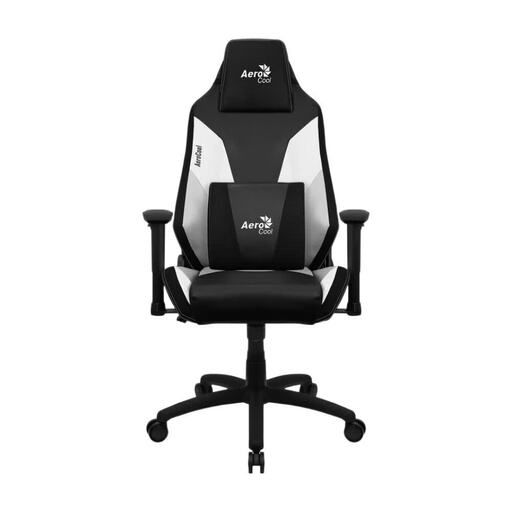
Why this model? It strikes the right balance between an understated aesthetic that won't look out of place in an office and the essential ergonomic adjustments for gaming (2D armrests, reclining backrest). A pragmatic choice for hybrid use.
Its Class 4 gas lift and steel frame protect it from premature sinking and instability, which are typical flaws of similarly-priced entry-level models.
Supports up to 150 kg and offers a reclining backrest (3-18°), combining sturdiness with postural flexibility.
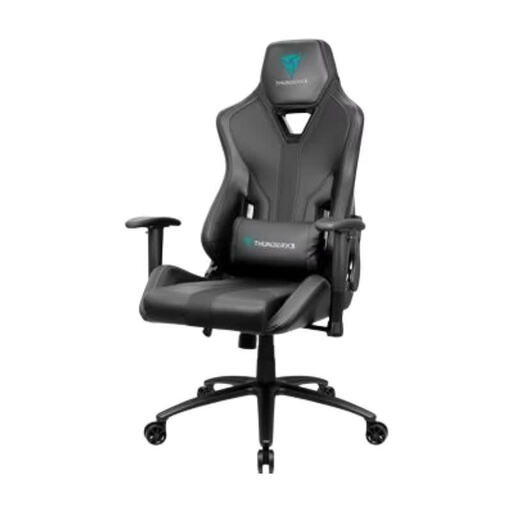
Why this model? It's aimed at those who spend hours on end in front of their screen. For them, heat management is as crucial a comfort factor as postural support.
Its AIR Technology and micro-perforated faux leather surface directly tackle the main flaw of standard PU: lack of breathability, a nightmare for heavy users.
Its breathable upholstery, paired with high-density foam, ensures comfort that stays cool and firm, even after hours of gaming.
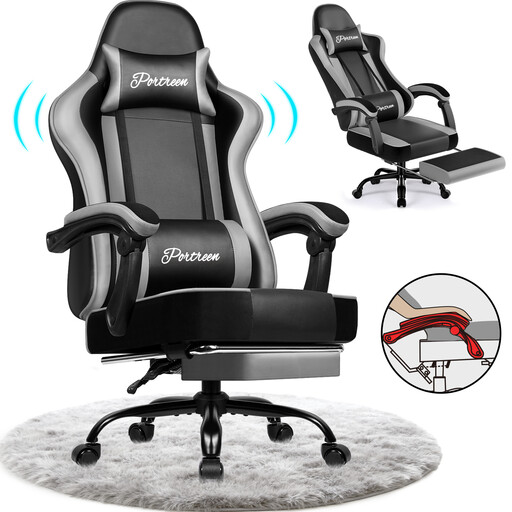
Why this model? It's designed for those who see their chair as a relaxation space in its own right, not just a tool for work or play. The footrest is the key feature for relaxing between matches or watching a movie.
It goes beyond basic ergonomics by integrating a sturdy telescopic footrest, a feature that is often absent or merely a gimmick on other models. The entire chair is BIFMA and SGS certified for guaranteed safety.
Its impressive recline (up to 170°) combined with the footrest allows you to switch from an active work posture to a near-flat relaxation mode.
We have curated a full selection of chairs that meet our quality criteria and current safety standards.
It all depends on the quality of its components. A model with a steel frame, a Class 4 gas lift, and high-quality upholstery can easily last over 5 years with proper maintenance. Conversely, an entry-level chair will show significant signs of wear after only 1 or 2 years.
Absolutely. A good ergonomic office chair of the gaming variety is often an excellent option for working from home. Thanks to its multiple adjustments (armrests, height, recline, lumbar support), it helps maintain a healthy posture for hours. This is a major advantage over many classic office chairs sold at the same price. One piece of advice: opt for an understated design if you have a lot of video calls.
It's very simple. A soft, slightly damp cloth is all you need for routine cleaning. For stains, a little soapy water (with a neutral soap) will do the trick. Most importantly, never use harsh products, solvents, or abrasive wipes, as they will damage the upholstery and accelerate its aging. Regular dusting is also a good habit to adopt.