
Livraison le jour même ou le lendemain

Qualité garantie

Débloquez vos offres de bienvenue: Livraison GRATUITE | Jusqu'à -80 % | 30 jours d'essai gratuits à JoyPlus
Téléchargez l'application
Whether you're an avid gamer, a content creator, or a professional working from home, sitting for hours on end is likely part of your daily routine. A good gaming chair isn't a luxury, but an investment in your comfort and postural health. The only problem: the market is flooded with models featuring aggressive designs and often overblown marketing promises.
As a product specialist at Joybuy, my mission is to help you cut through the noise. Let's break down the common pitfalls to avoid so you can make an informed decision that goes far beyond mere looks.
Before you fall for a particular design or colour, it's crucial to spot the hidden flaws that can turn a promising purchase into a real disappointment.
To make the right choice, focus on the elements that truly impact your daily comfort and the chair's lifespan.
A good ergonomic gaming chair must adapt to your body, not the other way around. Check these points:
The choice of upholstery is a matter of taste, but also, and more importantly, of practicality.
The frame and lift system are the pillars of your chair's safety and longevity.
To move from theory to practice, here is our selection of models for different user profiles, all evaluated against the criteria we've just defined.
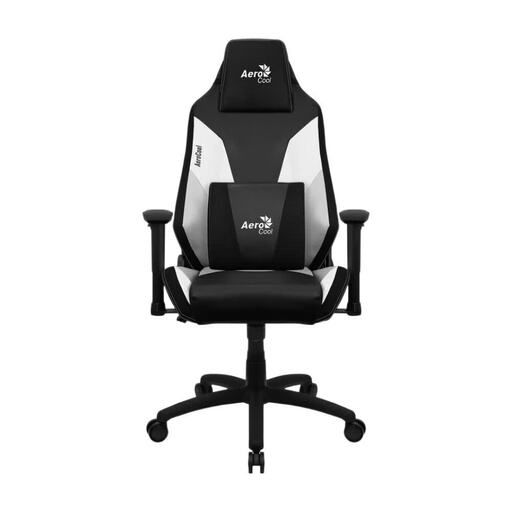
Why we recommend it: Perfect for those who want the essentials of a good gaming chair without breaking the bank. It combines a sleek design with the indispensable technical features for a quality first setup.
It doesn't rely on gadgets. It focuses on the essentials: a steel frame, a Class 4 gas lift, and support cushions. The priority is on durability and postural support, not on secondary features.
Supports up to 150 kg thanks to its Class 4 gas lift and robust nylon base. Its 2D armrests and reclining backrest provide effective basic adjustments.
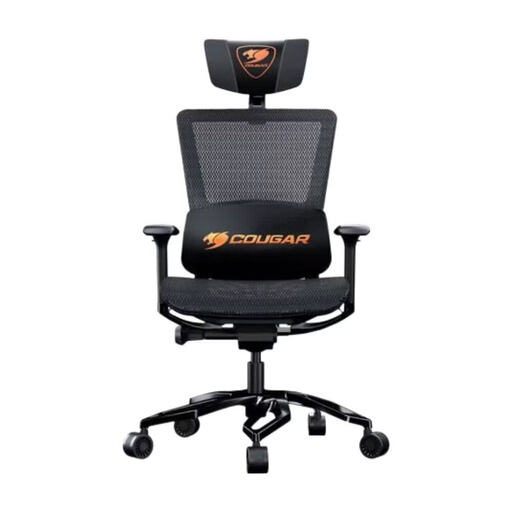
Why we recommend it: Designed for professionals and gamers who spend hours in front of their screen and demand impeccable ergonomics. Its approach is closer to a premium office chair than a traditional bucket seat.
It ditches faux-leather in favour of an ultra-breathable mesh upholstery, which puts an end to heat buildup. Its design is entirely focused on dynamic body support, a far cry from the sometimes restrictive "racing" aesthetic.
Its dynamic lumbar support adapts to your back's movements. This is complemented by 4D armrests and an aluminium frame, combining lightness with robustness.
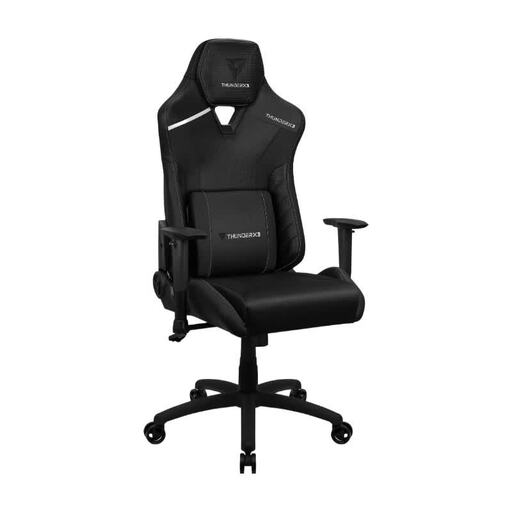
Why we recommend it: The excellent compromise for those seeking an unapologetic gamer look, rock-solid durability, and comfort designed for gaming or work-from-home marathons.
It combines non-sagging, high-density foam with a perforated faux-leather cover for better ventilation. This counters the two major flaws of entry-level models: poor durability and heat buildup.
Its steel frame and Class 4 gas lift support up to 150 kg. The backrest reclines up to 135°, and the included head and lumbar cushions allow for a custom fit.
We have selected a full range of chairs that meet our quality criteria and European safety standards.
It all depends on the quality of its components. A model with a steel frame, a Class 4 gas lift, and high-density foam can easily last over 5 years with normal use. Conversely, an entry-level chair with a wooden frame and fragile upholstery will show signs of wear (sagging, peeling faux-leather) in less than two years.
The line between the two is increasingly blurry. Historically, the ergonomic office chair focused on understated design and purely postural adjustments, while the gaming chair played up its enveloping design. Today, the best gaming chairs integrate such advanced ergonomic adjustments (4D armrests, integrated lumbar support...) that they have become excellent versatile options for both gaming and remote work. Ultimately, the choice will depend on your priorities regarding design and features.
Maintenance is simple but crucial. Regularly clean the surface with a soft, damp cloth to remove dust and sweat residue. Most importantly, avoid harsh or alcohol-based cleaning products, as they dry out the material and make it brittle. Applying a specific PU leather care product once or twice a year will help maintain its suppleness and prevent cracking.