
Livraison le jour même ou le lendemain

Qualité garantie

Débloquez vos offres de bienvenue: Livraison GRATUITE | Jusqu'à -80 % | 30 jours d'essai gratuits à JoyPlus
Téléchargez l'application
Spending hours in front of a screen, whether for gaming or remote work, puts a real strain on your body. A good gaming chair is no longer a luxury, but a crucial investment in your comfort and posture. The problem? The market is saturated with models featuring aggressive designs and often misleading marketing promises. It's easy to end up with a chair that becomes uncomfortable after just a few months.
As the head of product selections at Joybuy, I'm here to demystify this market for you. Let's break down the common pitfalls to avoid and the essential criteria for making a choice that meets your needs, not the siren call of marketing.
Before you even start comparing spec sheets, it's essential to sidestep the most common mistakes that lead to a bad purchase.
To ensure your purchase is a lasting investment, focus on these three fundamental points.
A truly ergonomic gaming chair must adapt to your body, not the other way around. Here are the essential adjustments:
The longevity of your gaming chair depends directly on the quality of its materials.
The stability of the entire chair rests on its base. A 5-star base made of steel or reinforced nylon is the standard. Finally, make sure the casters are suitable for your floor type (hardwood or carpet) to ensure smooth, quiet movement without scratching your floors.
Rather than an endless list, here are three models that cater to specific user profiles, all while meeting the quality criteria we've just defined.
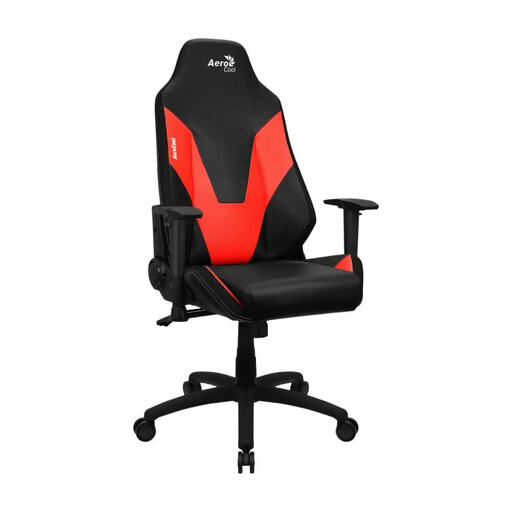
Why we chose it: This model is an excellent compromise for those who split their time between gaming and work. It offers the essential ergonomic adjustments without getting lost in superfluous features, making it a particularly smart choice for mixed use.
It focuses on function rather than an extreme look. Its steel frame, Class 4 gas lift, and high-density foam (65 kg/m?) ensure its durability and prevent premature sagging.
An excellent balance between essential features (cushions, 2D armrests, recline) and a robust build that supports up to 150 kg.
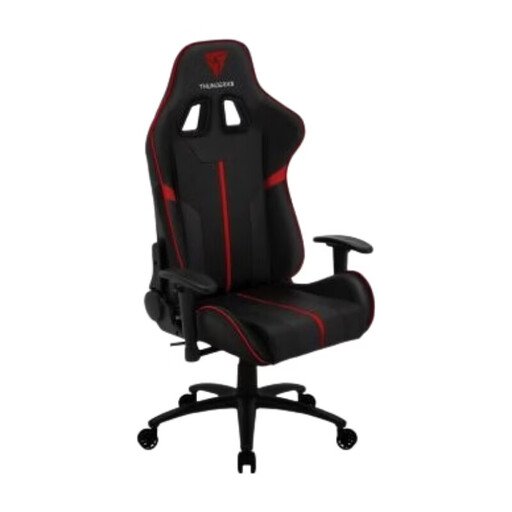
Why we chose it: For those who pull long gaming sessions, heat and sweat are the enemies of comfort. This chair tackles that problem head-on with its specific upholstery technology.
It doesn't settle for standard PU leather. The AIR Technology with its micro-perforated surface provides significantly better ventilation, preventing heat-related discomfort while maintaining a premium look.
Superior breathability for lasting comfort, even during the longest sessions. It also features a recline of up to 135° and a rocking function.
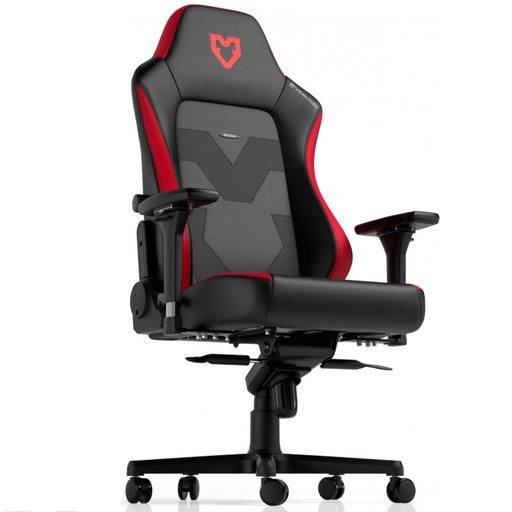
Why we chose it: For demanding users who refuse to compromise on ergonomics. This chair offers a level of adjustment and build quality that justifies its premium positioning.
It replaces gimmicky adjustments with useful innovations. The integrated adjustable lumbar support is far more precise than a simple cushion, and the high-density cold foam ensures the seat won't lose its shape.
Top-tier ergonomic customisation thanks to its 4D armrests and integrated lumbar support, offering a tailored fit for optimal comfort.
The models featured here all sport a red and black finish. If you like this colour combination, we have selected other models that meet our quality criteria.
Lifespan depends primarily on the quality of the materials. An entry-level model with a flimsy frame and low-density foam can become uncomfortable in less than a year. In contrast, a chair with a steel frame, a Class 4 gas lift, and high-density foam (over 50?kg/m?) can easily last 5 years or more with normal use.
Not necessarily. A good gaming office chair is designed for prolonged support in a relatively static posture, with a high backrest, lumbar/cervical supports, and enveloping armrests. A classic ergonomic office chair is often designed for more varied movements and dynamic work postures. For long gaming or focus sessions, the enveloping design of a gaming chair often provides better support.
For an optimal basic setup: