
Livraison le jour même ou le lendemain

Qualité garantie

Débloquez vos offres de bienvenue: Livraison GRATUITE | Jusqu'à -80 % | 30 jours d'essai gratuits à JoyPlus
Téléchargez l'application
Gaming, remote work… The hours fly by in front of the screen, and it's often your back that pays the price. A good chair isn't a luxury; it's an essential investment in your health and focus. The problem: the gaming chair market is a jungle of marketing promises, where unpleasant surprises are common. To avoid buyer's remorse, learn how to sidestep the most common traps.
To find a good gaming office chair, you need to look beyond flashy aesthetics and logos. Here are the 3 mistakes to absolutely avoid:
To invest wisely, focus on objective criteria that are true indicators of comfort and durability.
While genuine leather remains a premium option, a quality fabric gaming chair is often the best trade-off between durability and comfort. Unlike PU leather, fabric breathes—a crucial detail for staying cool for hours. It also stands up much better to daily wear and tear, cracking, and rips. Opt for technical fabrics designed for intensive use.
The frame and star base form the skeleton of your chair. A 100% metal (steel) frame is a non-negotiable mark of quality. It ensures the chair's stability, safety, and longevity, even with heavy use. Plastic bases, while cheaper, are likely to crack over time, especially if you tend to lean back or move around a lot.
A truly ergonomic chair should adapt to you, not the other way around. Here are the adjustments to demand:
It's these kinds of details that make the difference between a simple seat and a truly comfortable office chair, for both remote work and gaming.
Here are a few options that meet these quality criteria, suited for different user profiles.
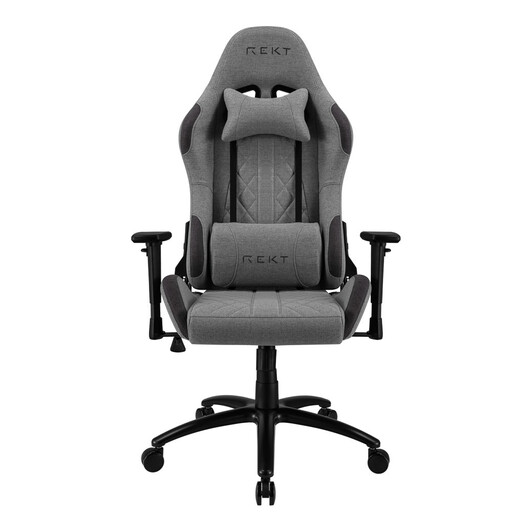
Why we love it: Its understated design and dark grey colour allow it to blend seamlessly into a gaming setup or a home office. It's the ultimate multi-purpose chair, perfect for transitioning from a workday to a gaming night.
Its breathable Elastron fabric upholstery solves the sweating problem typical of PU leather. Its high-density foam of 55 kg/m? ensures support that won't sag over time.
Its 100% metal frame and base ensure rock-solid durability. The adjustments are comprehensive, with 3D armrests and adjustable cushions.
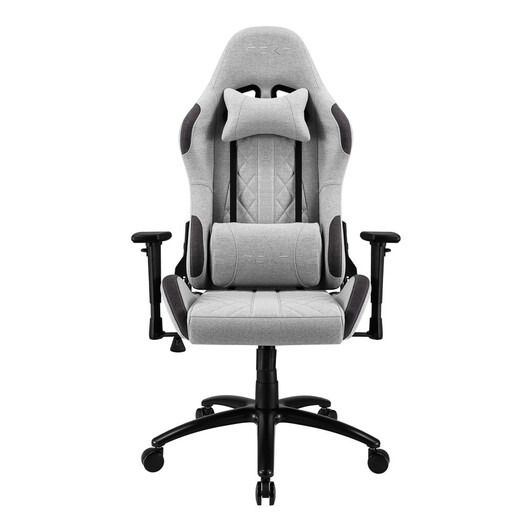
Why we love it: For those who want performance without sacrificing style. Its light grey colour and modern design break away from the aggressive gaming aesthetic to integrate elegantly into a contemporary or minimalist interior.
This REKT gaming chair makes no compromises on quality: you'll find the same metal frame, high-density foam, and comprehensive adjustments as the ULTIM8-RS model.
The perfect blend of ergonomics designed for long sessions and a refined aesthetic that enhances your living or workspace.
Discover our full range of products that meet our demanding selection criteria.
Absolutely, provided you choose a truly ergonomic model. A good gaming chair, equipped with an adjustable lumbar support, 3D (or 4D) armrests, and a quality seat, will often prove to be much more comfortable and beneficial for your posture than a classic office chair in the same price range. The key is to prioritise function over flashy looks.
Its longevity directly depends on the quality of its materials. An entry-level model with a plastic base and low-density foam will show signs of wear within the first or second year. Conversely, a chair with a steel frame, a metal base, and high-density foam (over 50 kg/m?), like the REKT ULTIM8-RS, is designed to last over 5 years, even with heavy daily use. The fabric upholstery is also an advantage, as it ages much better than entry-level PU leather.
A good setup is highly personal, but here are some basics to get you started: