
Livraison le jour même ou le lendemain

Qualité garantie

Débloquez vos offres de bienvenue: Livraison GRATUITE | Jusqu'à -80 % | 30 jours d'essai gratuits à JoyPlus
Téléchargez l'application
Spending hours in front of a screen, whether for gaming or remote work, puts a significant strain on the body. Poor posture can quickly lead to back and neck pain. Investing in a quality gaming chair or ergonomic office chair is therefore not a luxury, but an essential investment in your comfort and health.
However, the market is saturated with models making tempting promises that often go unfulfilled. Before you pull out your credit card, it's crucial to know how to avoid the most common marketing traps so you don't regret your purchase.
To make an informed purchase, focus on the technical specifications that truly make a difference.
A good gaming chair must adapt to your body, not the other way around. Here are the three pillars of a successful choice.
True ergonomics isn't just about a racing-seat-inspired design. It relies on precise adjustments that allow you to maintain a healthy posture over the long term.
The durability of a gaming chair depends on components that are often invisible but critically important.
A gaming chair with a footrest might seem like a gimmick, but it's actually a valuable addition for relaxation. A robust, telescopic model allows you to stretch out your legs during a break or while watching a movie, which improves blood circulation and relieves pressure on the lower back. It's an option worth serious consideration if you're looking for a truly versatile chair.
Rather than offering a generic list, we've matched specific models to precise needs, based on their objective features.
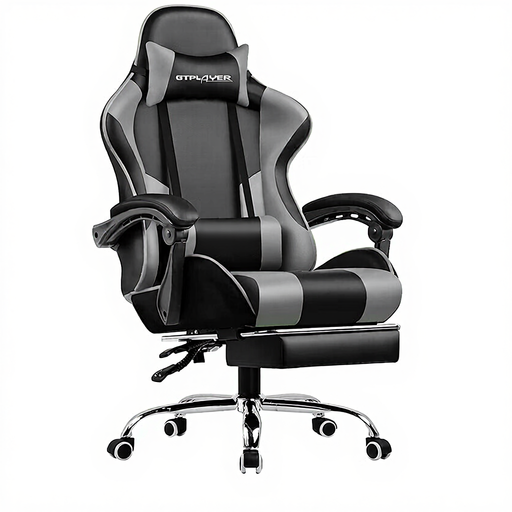
Why it's the right choice: This user profile seeks maximum functionality without breaking the bank. This chair combines gaming attributes (design, recline) with welcome comfort options (footrest, massage) for mixed use, blending gaming and relaxation.
The lumbar cushion isn't just a block of foam: it integrates a USB-powered massage function. The retractable footrest proves useful without ever being bulky.
High versatility with a recline up to 150° and an integrated footrest. Its high-density cold cure foam promises more durable comfort than standard foams.
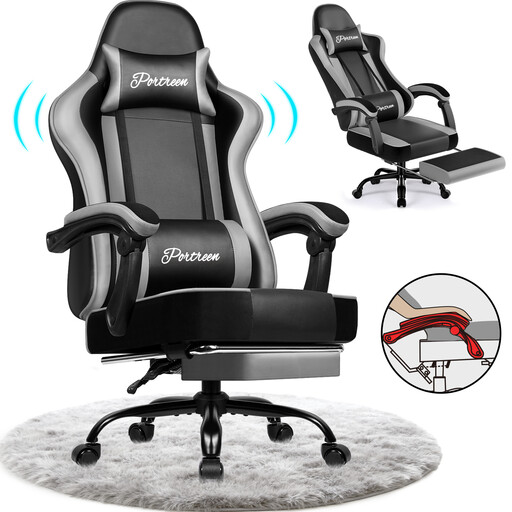
Why it's the right choice: For office marathoners or larger individuals, durability is not an option. This chair goes all-in on robustness, with a high weight capacity and supporting safety certifications.
It tackles the fragility trap head-on. Its 150 kg weight capacity is clearly stated and validated by certifications (BIFMA & SGS)—a rare transparency that is a true guarantee of sturdiness.
Certified durability and a generous recline (90-170°) for truly relaxing breaks. Its PU leather upholstery, advertised as water and scratch-resistant, is another asset for its longevity.
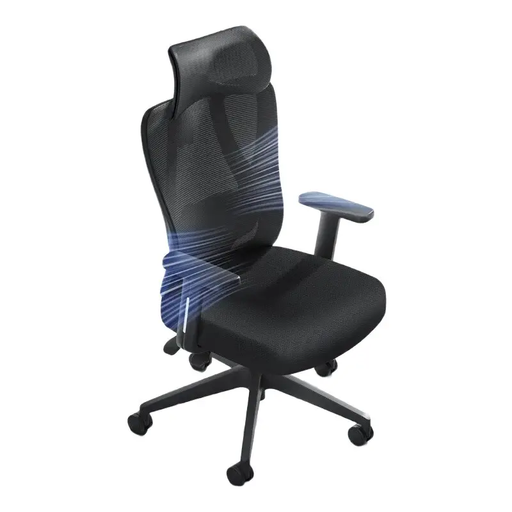
Why it's the right choice: This is the perfect ally for long remote workdays. It offers cutting-edge ergonomics in an understated, professional design, perfect for blending into an office or living room. Material breathability is a priority here.
It ditches the simple lumbar pillow for a 4D pivoting and adjustable support, a true ergonomic innovation. Its breathable mesh upholstery prevents overheating and the premature wear typical of PU leather.
Cutting-edge ergonomics thanks to its 4D lumbar support and versatile design. The high-elasticity seat cushion and mesh backrest are designed for optimal comfort, even after hours of use.
Explore our full selection of chairs that meet our strictest quality and safety criteria.
The lifespan of a gaming chair depends heavily on the quality of its components and how you use it. An entry-level model (wood frame, low-density foam) will show signs of wear within the first or second year. Conversely, a quality chair with a steel frame, Class 4 gas lift, and high-density cold cure foam can easily last more than 5 years with minimal maintenance.
It all depends on the models being compared. A good gaming chair often offers more adjustments (flat recline, 4D armrests) than a standard office chair at the same price point. On the other hand, an excellent ergonomic office chair will sometimes provide superior postural support with a more understated design. The choice depends on your priorities: if you're looking for versatility for gaming and relaxation, the gaming chair has the edge. If discretion and pure support for work are paramount, a dedicated ergonomic chair will be a better ally.
Even with the best chair in the world, improper adjustment will ruin all its benefits. Here are the basics to follow: