
Livraison le jour même ou le lendemain

Qualité garantie

Débloquez vos offres de bienvenue: Livraison GRATUITE | Jusqu'à -80 % | 30 jours d'essai gratuits à JoyPlus
Téléchargez l'application
Spending hours in front of a screen, whether for gaming or remote work, takes a toll on your body. A good gaming chair isn't a luxury; it's an investment in your comfort and posture. Yet, the market is saturated with models making enticing marketing promises that often hide deal-breaking flaws. To avoid regretting your purchase after a few months, it's crucial to know how to avoid the most common pitfalls.
As a product expert at Joybuy, I'm here to help you see things more clearly. Let's break down the essential points to check to choose a durable and truly comfortable gaming chair.
The initial excitement of a purchase can quickly turn to disappointment. Two issues are particularly common, often linked to cutting corners on components that aren't obvious at first glance.
To avoid these issues, it's best to focus on objective technical specifications. Here are the two criteria to examine closely before you buy.
Long-term comfort doesn't depend on initial softness, but on the foam's ability to retain its shape and support. This parameter is measured in kilograms per cubic metre (kg/m?).
The choice of upholstery has a direct impact on thermal comfort, maintenance, and durability.
There's an ideal chair for every user. Here are a few models that check all the boxes, suited for different profiles.
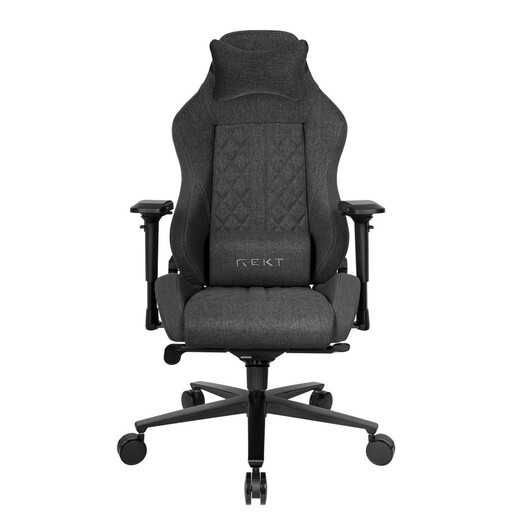
Why it's a great fit: For those who spend more than 8 hours a day seated, durability is paramount. This model is designed for intensive use, whether for competitive gaming or long days of remote work.
Its high-density (65 kg/m?) cold-cured moulded foam prevents the seat from sagging, ensuring firm and consistent support year after year.
ACD-12 aluminium base and 75 mm XXL casters for flawless stability and mobility. Water-repellent Elastron fabric stays cool and is easy to maintain.
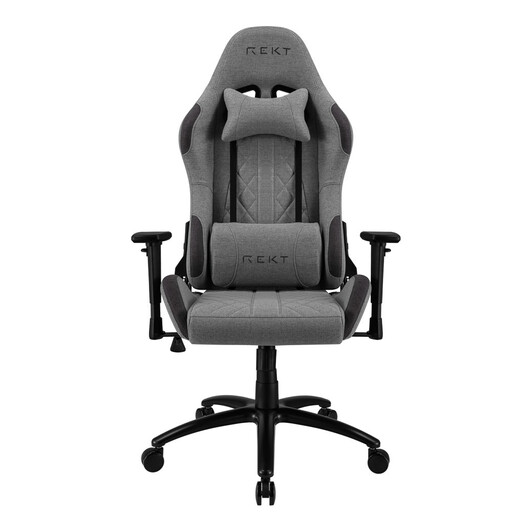
Why it's a great fit: Ideal for those who want a high-performance chair for gaming, but with a subtle design that fits perfectly into a remote work space or office.
Its breathable Elastron fabric prevents the discomfort of sweating associated with low-end PU leather, while also being durable. The 55 kg/m? foam offers an excellent longevity compromise.
Full adjustments for personalised ergonomics: 3D armrests, backrest tilt, and adjustable cushions. Rock-solid sturdiness thanks to its metal frame and base.
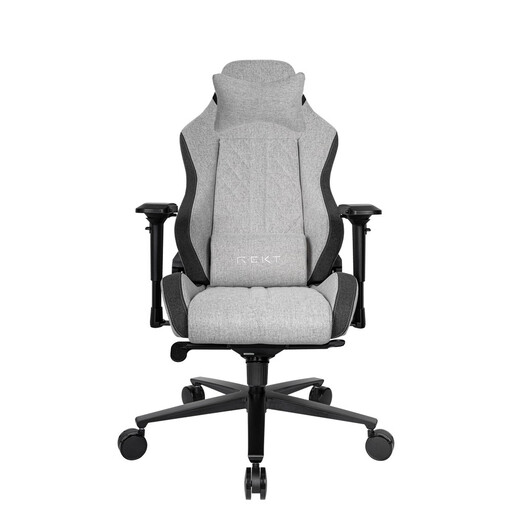
Why it's a great fit: For those who see their chair as a centrepiece of their decor. This model combines high-level performance with a clean design and modern colours.
It doesn't sacrifice quality for style. It incorporates the same premium components as other models in the ULTIM8 range, including the 65 kg/m? foam and aluminium base.
High-end finishes and a meticulous design. The Light Grey colour is modern and bright, fitting easily into minimalist or colourful setups. Available in many other colours like Caribbean Blue or France Blue.
We have selected a full range of products that meet these quality criteria and current safety standards.
Its lifespan depends primarily on the quality of its components. A model with a metal frame, a sturdy base (metal or aluminium), and high-density foam (55 kg/m? or more) can easily last between 5 and 10 years, even with daily use. Conversely, an entry-level chair will show signs of wear (sagging, cracking) within 1 to 2 years.
The choice depends on your priorities:
A good ergonomic gaming chair is only effective if it's adjusted correctly. Here are the key adjustments: