
Livraison le jour même ou le lendemain

Qualité garantie

Débloquez vos offres de bienvenue: Livraison GRATUITE | Jusqu'à -80 % | 30 jours d'essai gratuits à JoyPlus
Téléchargez l'application
For any gamer, optimising their gaming environment is a never-ending quest. The jungle of gaming accessories promises the world, but it's also riddled with products whose misleading marketing claims barely conceal deal-breaking flaws. Separating the essential from the superfluous is the key to a smart investment and a truly elevated gaming experience.
This guide is your compass for navigating this world, highlighting the most common pitfalls and giving you the keys to choosing your gear with your eyes wide open.
Before you pull out your credit card, let's review the classic mistakes that often end in buyer's remorse.
To build a high-performance and long-lasting gaming setup, focus on these three technical pillars before you check out.
Your accessory's connection method has a direct impact on your performance.
Don't just trust the platform name on the box. For Xbox Series X accessories, for example, ensure the product is officially licensed or uses the console's proprietary wireless protocol to guarantee flawless operation. For a PS5 external SSD, verify that it meets the minimum speeds required by Sony for storing PS5 games and running PS4 games.
You use a gaming accessory for hours on end. Its comfort is therefore non-negotiable.
Here are a few products that tick all the boxes, meeting specific needs based on the objective criteria we've just discussed.
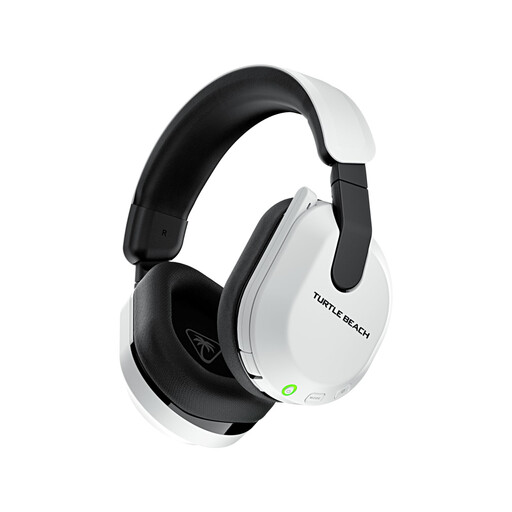
Who is it for? Perfect for the gamer who switches between their Xbox, PlayStation, PC, and smartphone. They want a single headset that can do it all without sacrificing latency or battery life.
It solves the headache of false universal compatibility by integrating both a low-latency 2.4 GHz wireless connection for consoles and PC, and Bluetooth 5.2. The QuickSwitch button allows for instant toggling between the two.
Its massive 80-hour advertised battery life puts an end to low-battery anxiety. It features 50mm drivers for expansive sound and a flip-to-mute mic with AI-based noise reduction (according to Turtle Beach).
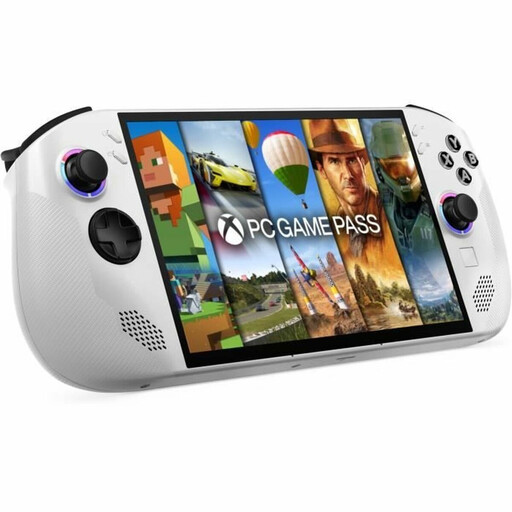
Who is it for? For the gamer who wants their PC game library in their backpack. They're looking for PC power in a portable format, without the shackles of a closed ecosystem.
This handheld console shatters the trap of a closed ecosystem. By running on Windows 11, it opens the doors to Steam, the Epic Games Store, GOG, and Xbox Game Pass for PC. Total flexibility. It's a true pocket-sized gaming PC.
An 8-inch IPS screen with a 1920x1200 resolution and a 120 Hz refresh rate provides a very smooth visual experience. The AMD Ryzen Z2 processor and 16GB of LPDDR5x RAM ensure solid performance for gaming on the go.
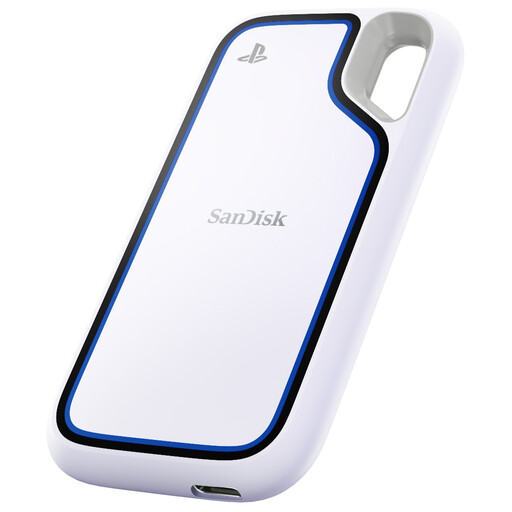
Who is it for? The PS5 or Xbox gamer who sees their internal storage melting away. They need a fast, reliable solution to manage their game library without constantly juggling installs and uninstalls.
This PS5 external SSD avoids the trap of sluggish external hard drives, which are completely unsuitable for today's games. With read speeds of up to 1050 MB/s, it allows you to play PS4 games without latency and transfer PS5 games to the internal storage in a flash.
Its rugged design with IP65 water and dust resistance and drop protection up to 3 metres makes it a reliable travel companion. Its 2TB capacity gives your console significant breathing room.
Discover our complete and up-to-date selection of products that meet our demanding selection criteria.
The lifespan depends on build quality and maintenance. A good, well-designed model with a reinforced headband and replaceable ear cushions can easily last 3 to 5 years. The battery is often the first component to fail. To preserve it, avoid letting it fully discharge for long periods and do not expose it to extreme temperatures.
Absolutely, it's a game-changing accessory. Even though Sony doesn't allow you to launch PS5 games directly from a USB external SSD, you can archive them there. Transferring them from the external SSD to the console is infinitely faster than re-downloading. Furthermore, you can store and play your entire library of PS4 games directly from a compatible PS5 external SSD, which frees up vital space on the console's internal SSD.
For protection worthy of the name, opt for a Nintendo Switch 2 case with a hard or semi-hard outer shell. The interior should be moulded or have a soft lining to secure the console and prevent screen scratches. Check for dedicated compartments for game cartridges and a mesh pocket for small accessories (cables, wrist straps), so nothing moves around and damages the console during transport.