
Livraison le jour même ou le lendemain

Qualité garantie

Débloquez vos offres de bienvenue: Livraison GRATUITE | Jusqu'à -80 % | 30 jours d'essai gratuits à JoyPlus
Téléchargez l'application
Equipping your car with a dash cam is no longer a luxury, but a necessity for many drivers. Faced with a jungle of options and marketing promises, choosing a front and rear 4K dash cam can quickly become a headache. Yet the goal is simple: to have irrefutable video evidence in the event of a collision or a hit-and-run, whether in broad daylight or the middle of the night. Unfortunately, too many motorists end up disappointed by a device that fails them at the crucial moment.
This guide's mission is to decode the technical jargon, help you avoid marketing traps, and guide you toward an investment that will truly protect your safety (and your no-claims bonus).
Dash cam marketing is filled with technical terms and enticing promises that can easily mislead you. Here are the three most common pitfalls to avoid so you don't regret your purchase.
This is a classic trap: a dash cam labelled "4K" that is 4K in name only. The process is simple: a lower-resolution sensor (often 2K) captures an image, which is then "stretched" by software to reach 4K definition. The result? A video that's 4K on paper, but a pixelated mess in reality. Details are blurry, and reading a license plate on a moving vehicle becomes mission impossible. The key to true 4K isn't a software trick, but the quality of the image sensor itself.
The term "HDR night vision car camera" is often an empty marketing claim. Without a high-performance low-light image sensor (the dual Sony STARVIS 2 sensors are the benchmark) and a wide lens aperture (e.g., f/1.7), most cameras deliver noisy, dark, and simply unusable night-time footage. Headlight glare turns the scene into a blinding halo, obscuring license plates and rendering the video useless in a dispute.
The 24-hour parking mode is a fantastic feature on paper for monitoring your parked car. The problem: if the camera isn't paired with a dedicated hardwire kit that includes low-voltage protection, it risks completely draining your car's battery. The nasty surprise in the morning: your car won't start. This is a direct consequence of this oversight. Also, note that AI-powered motion detection is far more effective than a simple G-sensor, as it can anticipate an event and start recording before an impact.
To ensure you make the right choice, here are the three technical pillars that separate a gadget from a genuine safety ally.
Forget the megapixel race. The most critical factor is the image sensor. Sony STARVIS sensors, and their evolution Sony STARVIS 2, are the absolute industry standard. Their strength? Exceptional low-light sensitivity, allowing them to capture clear images where others see only darkness. Pair them with effective HDR (High Dynamic Range) technology, which manages high-contrast situations (exiting a tunnel, oncoming headlights at night), and you have the winning combination for usable video under all circumstances.
A parking mode worthy of the name relies on two inseparable elements:
Beyond image quality, certain features transform the user experience and enhance the value of your evidence:
Rather than an endless catalogue, we've selected three models that meet specific needs, strictly applying the criteria and warnings from this guide.
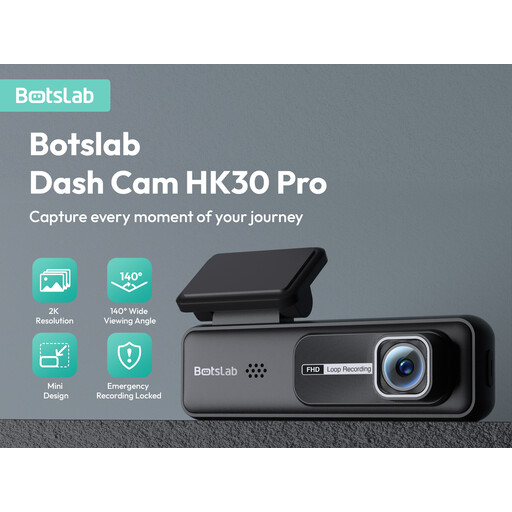
Why we chose it: For those who get straight to the point. This no-frills model focuses on efficiency: very good front-facing image quality. Its native 2K resolution surpasses standard Full HD, and its ultra-compact design makes it nearly invisible behind the rear-view mirror. An excellent entry point for getting seriously equipped.
It doesn't fall for the fake 4K trap. It proudly features its native 2K resolution, which is sharp and effective, even at night for its price range. Honesty pays off.
Its value for money and discretion. The built-in G-sensor automatically locks recordings in the event of an impact, ensuring the evidence is safely stored.
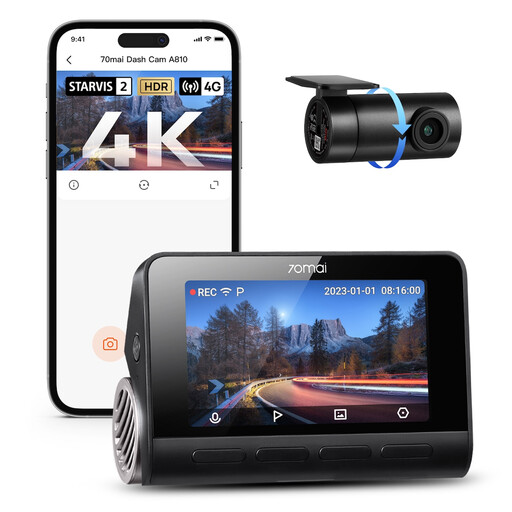
Why we chose it: For those who refuse to compromise on image quality. The **70mai 4K dash cam** A810 packs the best of the best: dual Sony STARVIS 2 sensors (IMX678 front, IMX662 rear). It's a true technological powerhouse, designed for absolute clarity, day or night.
It shatters the poor night vision pitfall. Thanks to its dual Sony STARVIS 2 sensors and active HDR on both cameras, it delivers clear, detailed, and colour-accurate images, even in the worst lighting conditions.
The native 4K image quality, plain and simple. Its ecosystem is also comprehensive: ADAS, GPS, voice control, and optional 4G compatibility for remote monitoring.
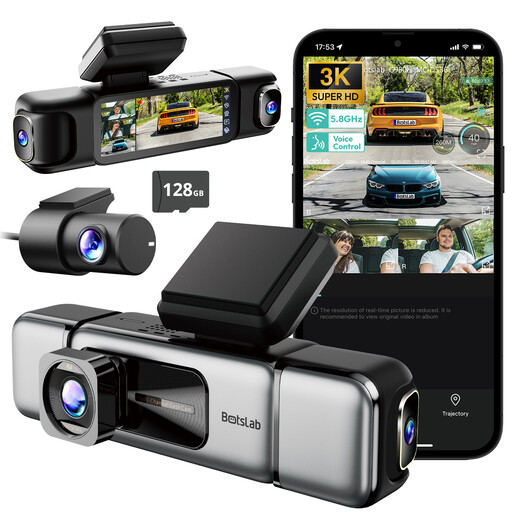
Why we chose it: The ultimate solution for 360° surveillance. Ideal for rideshare drivers, delivery professionals, or large families who want to keep an eye on both the interior and exterior. This 4-channel system offers near-total coverage (advertised at 560°), recording the front, rear, and cabin (or sides), thus eliminating nearly all blind spots.
It doesn't just record the road; it secures the entire vehicle. Its parking mode is designed for professionals, featuring a pre-recording function that captures the 8 seconds before an event, which is crucial for understanding the context.
Its 560° coverage via 4 cameras is unique. The touchscreen allows you to view all 4 feeds live, and the included 128GB SD card means it's ready to use right out of the box.
Discover our full selection of products that meet our standards for quality and reliability.
Yes, 4K is storage-hungry. Expect about 2 to 4 hours of recording with a front/rear system on a 64GB card before the loop recording function overwrites the oldest files. For long trips or to keep a longer history, a 128GB or 256GB card is highly recommended. Fortunately, time-lapse parking mode is an excellent trick for saving space.
The basic installation using the cigarette lighter socket is incredibly simple and takes less than 10 minutes. However, to use the 24-hour parking mode, connecting the hardwire kit to the fuse box is essential. While many video tutorials make this process accessible, don't hesitate to call a professional (auto shop, car electrician) if you're not comfortable with DIY. It's a quick, inexpensive job that guarantees a clean and secure installation.
Absolutely. It's an essential safety feature. Being able to say "Lock the video" or "Take a picture" to capture an important scene (an accident, a hit-and-run, dangerous behaviour) without taking your hands off the wheel or your eyes off the road is a real advantage. It ensures you won't miss a thing, all while staying safe.