
Livraison le jour même ou le lendemain

Qualité garantie

Débloquez vos offres de bienvenue: Livraison GRATUITE | Jusqu'à -80 % | 30 jours d'essai gratuits à JoyPlus
Téléchargez l'application
A fast USB-C mains charger isn’t just about the number of watts on the box. Between the promises of rapid charging, the sometimes confusing standards and the cables sold separately, a poor choice can quickly lead to wasted money or an inconvenient daily experience.
Here are the main pitfalls to avoid and the criteria to consider before choosing a charger for your iPhone, Samsung Galaxy, Google Pixel, iPad or MacBook.
A 100 W USB-C charger doesn’t always deliver 100 W to every device. Your smartphone or laptop negotiates the power it needs via the charging protocol. A phone limited to 20 or 25 W won’t make full use of a 65 or 100 W charger.
The power you should go for depends mainly on how you use it:
Simply saying “fast charging” isn’t enough. For newer devices, look for compatibility with USB Power Delivery, usually shortened to USB PD. Compatible Samsung Galaxy phones can also take advantage of PPS, which adjusts voltage and current more precisely.
A Power Delivery charger works with many USB-C devices, but the charging speed also depends on the phone, tablet and cable you use. For an iPhone with a Lightning port, you’ll need a USB-C to Lightning cable that’s compatible. For a device with a USB-C port, a USB-C to USB-C cable is required.
Some adapters, particularly Apple models, are sold without a USB-C cable. The final cost can therefore be higher than a bundle that already includes the cable.
Before ordering, check:
A two-port USB-C charger lets you plug in two devices, but the total power is often split between the outputs. With a three-port USB-C charger, read the specifications carefully, especially if you plan to power a laptop and a smartphone at the same time.
For everyday mobile use, a 20 or 25 W USB-C charger is sufficient and keeps things compact. A 30 or 35 W model gives you more headroom for a tablet. Chargers rated at 65, 67 and 100 W are better suited to users who carry a MacBook, a USB-C laptop or several devices.
GaN technology, based on gallium nitride, is used in some compact chargers. It generally allows manufacturers to design blocks that deliver high power in a smaller size. However, it doesn’t replace the need to check the available power, number of ports and advertised protections.
For travel in France or Europe, choose a plug compatible with European sockets and check the input range, often listed as 100-240 V, 50/60 Hz. A compact travel USB-C charger with a foldable plug will also stow away more easily in your bag.
Go for products that detail their protections against overcharging, overheating, short circuits and power surges. Any certification or compliance claimed by the manufacturer should be clearly stated in the product description.
Use a certified cable that’s in good condition. A damaged, too-thin or underpowered cable can slow down charging and heat up unnecessarily.
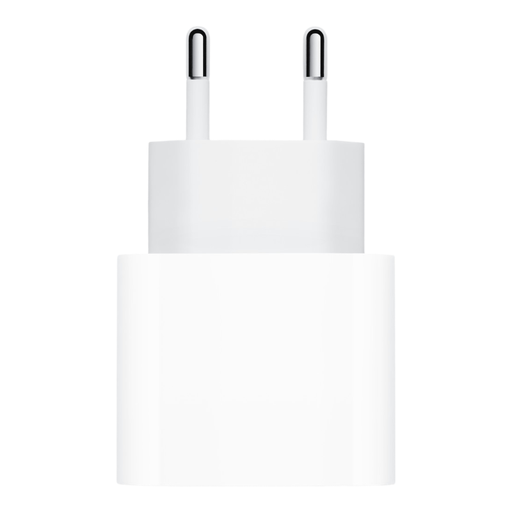
Why this choice suits this profile: With its simple single-port design, it can charge a smartphone, tablet or earphones. Just remember to buy a separate cable.
Its 20 W power is clearly stated. However, you’ll need to add the cost of a cable, which isn’t included.
20 W, one USB-C port and advertised compatibility with USB-C devices.
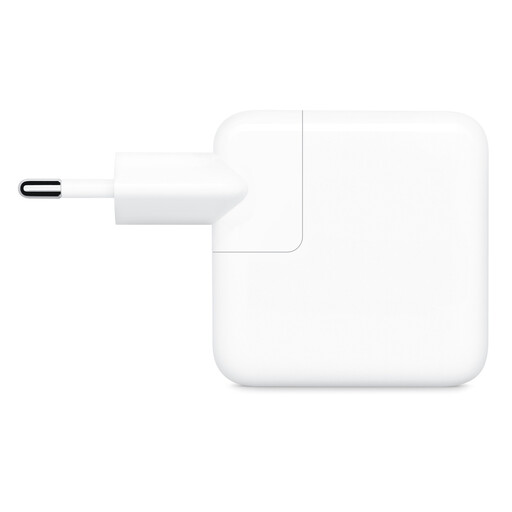
Why this choice suits this profile: This model fits naturally into the Apple ecosystem and lets you charge two devices at once, at home, in the office or on the go.
The specification clearly states the total 35 W power and how it’s split between the two ports. Cables are sold separately.
Two USB-C ports, 35 W total and advertised compatibility with iPhone, iPad, MacBook Air, Apple Watch and AirPods.
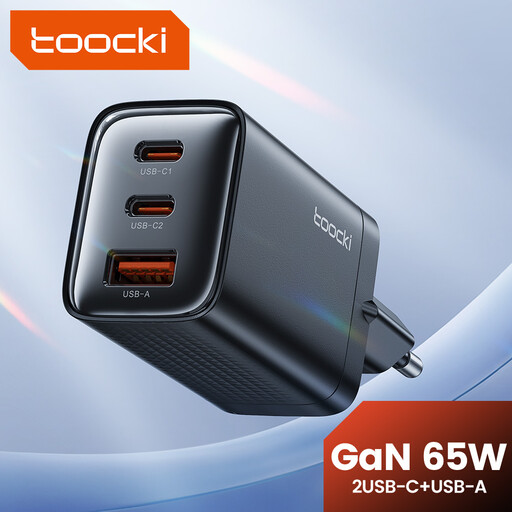
Why this choice suits this profile: With its three ports and advertised power, it’s ideal for those carrying several devices, including a tablet or USB-C laptop.
GaN technology and the number of ports are in the name. However, check the power distribution before plugging in three devices.
65 W, GaN design and three ports for a versatile charging station.
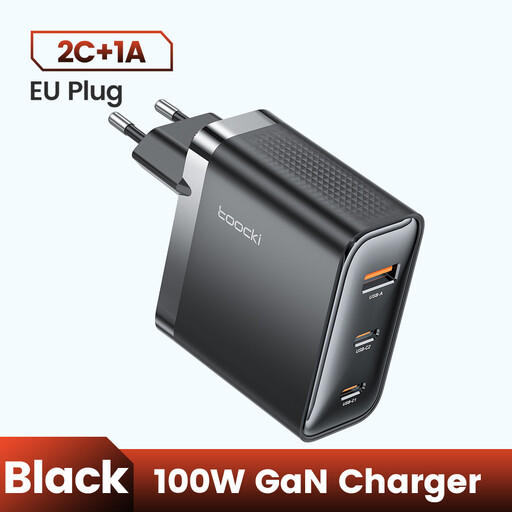
Why this choice suits this profile: Its high power and three ports meet the needs of a workspace accommodating a laptop, phone and several accessories.
The total power and number of outputs are stated in the product name. Check the power available on each port for your setup.
100 W, three ports, GaN technology and a foldable plug mentioned in the description.
We’ve put together a comprehensive, real-time updated selection of products that meet these demanding criteria and European safety standards.
For a smartphone, a 20 to 30 W USB-C charger is usually sufficient, provided your device supports that power range. If your Samsung Galaxy is PPS compatible, make sure the charger mentions support for PD with PPS. The phone will automatically limit the power to the level it can accept.
A high power rating doesn’t mean 65 W will be forced into the phone. The charger and device negotiate the power to deliver. However, always use a suitable cable and a properly specified charger. If you notice unusual heat, a smell or visible damage, stop using it immediately.
Its lifespan depends on build quality, how often you travel and storage conditions. Regularly inspect the casing, prongs and cable. Avoid moisture, excessive heat and overloaded extension leads. Replace the whole unit if the charger develops a crack, a loose connection or signs of repeated overheating.