
Livraison le jour même ou le lendemain

Qualité garantie

Débloquez vos offres de bienvenue: Livraison GRATUITE | Jusqu'à -80 % | 30 jours d'essai gratuits à JoyPlus
Téléchargez l'application
A fast USB-C mains charger isn’t just about the number of watts on the box. A smartphone, tablet and laptop all have different needs, and a more powerful adapter doesn’t always mean faster charging.
Before you place an order, three common pitfalls keep cropping up: a stated power output without any breakdown of how it’s shared between ports, the lack of a compatible cable, and confusion between the various charging protocols. Here are the criteria you need to check to pick a model that works for your everyday use.
A 100W USB-C charger can reach that power on a single port, but will split it between several devices when they’re plugged in at the same time. A multi-port model might, for example, deliver 65W to a laptop while reserving lower power for the other outputs.
Always check the power distribution tables, usually labelled with terms like C1 + C2, USB-C + USB-A or “total output”.
The phrase “fast charging” is far too vague. To make sure you get good compatibility, look out for the following protocols:
A fast charger for iPhone or Samsung can work with other USB-C devices, but the actual speed you get will depend on the protocols each device supports.
The cable plays a crucial role. For a smartphone, a certified USB-C to USB-C cable may be enough. With an older Apple device that has a Lightning connector, you’ll need a compatible USB-C to Lightning cable. For a USB-C laptop, choose a cable that can handle the required power, for example 100W when that’s needed.
A device won’t automatically draw the maximum power shown on the charger – it negotiates the level that suits its own capabilities.
A USB-C mains adapter with a single port avoids any power-sharing compromises and works perfectly if you’re charging one device at a time. A multi-port USB-C charger is more practical at the office or when you’re travelling, as long as you check its total power and how it’s split between the outputs.
USB-A ports are still useful for older cables, but USB-C ports are generally better suited to newer devices and higher power levels.
GaN (gallium nitride) technology makes it possible to design compact chargers that can deliver high power. That doesn’t mean you can skip checking the essential specs: 100–240V input, protection against overcharging and overheating, CE marking, and clear information about the manufacturer or the responsible party established in the European Union.
For use in the UK, also make sure the plug is compatible with British sockets. Never cover the charger while it’s running, and stop using it if the casing or cable is damaged.
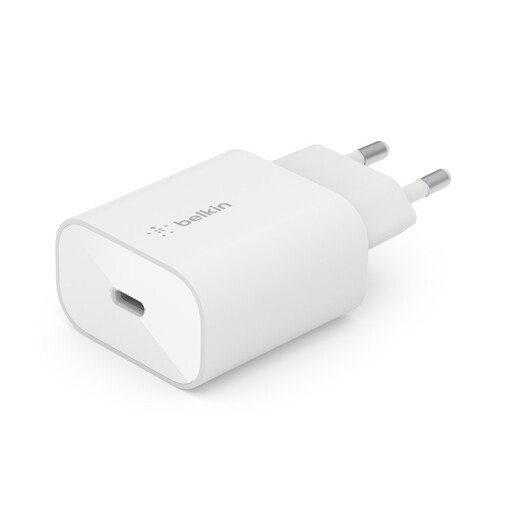
Why this pick suits this profile: This single-port charger is ideal for everyday charging of a smartphone or tablet, whether at home or in the office.
The power, USB-C port and PD 3.0 with PPS compatibility are clearly stated, with no ambiguity about any power sharing between multiple outputs.
Maximum power of 25W, compact design, two-year manufacturer warranty and stated compatibility with iPhone, Galaxy, Pixel and iPad.
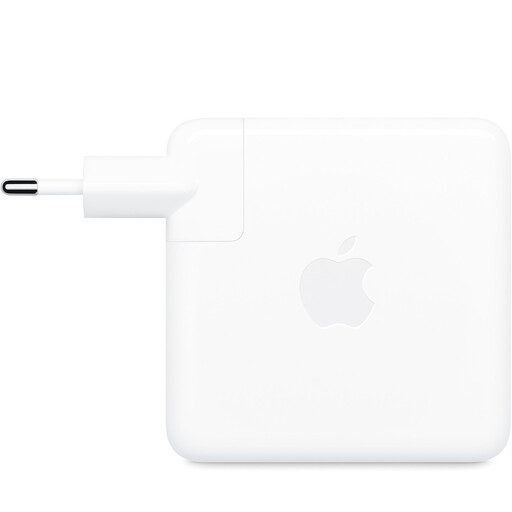
Why this pick suits this profile: It’s aimed at MacBook users and anyone looking for a powerful USB-C charger for their workspace or when travelling.
Its 96W power is explicitly defined for compatible devices, rather than relying on a vague promise of universal charging.
96W USB-C output, 100–240V input and stated compatibility with laptops, tablets and USB-C devices.
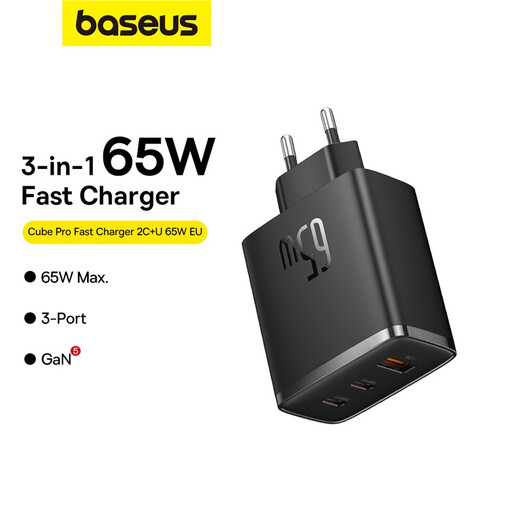
Why this pick suits this profile: Its three outputs meet the needs of a mobile workstation, a household with several devices, or frequent travellers.
The product page details the power combinations, including up to 45W + 20W on two USB-C ports, rather than just showing the 65W total.
GaN5 technology, two USB-C ports, one USB-A port and a stated maximum power of 65W.
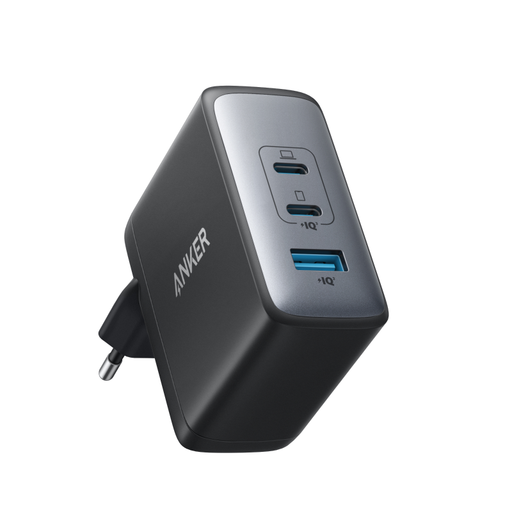
Why this pick suits this profile: This model lets you combine charging for a laptop, a phone and several accessories into a single charger.
The product page clearly states it has two USB-C ports and one USB-A port, along with the ability to manage three devices at the same time.
Maximum power of 100W, GaN II technology and a configuration with 2 USB-C ports and 1 USB-A port.
We’ve put together a comprehensive, regularly updated selection of products that meet these strict criteria, while also complying with European safety regulations.
For a compatible Samsung, look for at least PD and PPS protocol support, with a power level typically around 25W. For an iPhone, a 20W or 25W USB-C PD charger can work, as long as you use the right cable. The charging speed depends on your phone model, its battery level and the cable you’re using.
Under normal operation, the phone negotiates the power it can accept. A 100W charger won’t automatically force that power into your phone. Still, use a properly documented product and a suitable cable. If you notice unusual heat, a strange smell or visible damage, stop using it immediately.
The power consumption mainly depends on the energy actually delivered to the device, conversion losses, and how long the charger stays plugged in. A high maximum power rating doesn’t mean the charger will constantly draw 65W or 100W. Unplug it during long periods of inactivity and avoid covering it while it’s charging.