
Livraison le jour même ou le lendemain

Qualité garantie

Débloquez vos offres de bienvenue: Livraison GRATUITE | Jusqu'à -80 % | 30 jours d'essai gratuits à JoyPlus
Téléchargez l'application
A fast USB-C charger for your smartphone isn’t something you should pick just by glancing at the wattage on the box. Between charging protocols, incompatible cables and promises of maximum power, some purchases can leave you disappointed from the very first use.
At home, in the office or on the go, three common pitfalls keep cropping up:
For a smartphone, charging power typically falls between 15 and 30 W. A Samsung 25 W charger works well with devices that support the brand’s fast charging. Meanwhile, 20 W or 30 W chargers can suit various Apple and Android models, depending on the protocol they support.
Higher power becomes worthwhile if you plan to power several devices, or charge a tablet and a laptop. In that case, a GaN 100 W charger often offers a more compact design and multiple outputs. Just check how the power is distributed when several ports are in use at the same time.
Power Delivery, often shortened to PD, lets the charger and device automatically negotiate the right voltage and current. The PPS protocol refines this regulation further on certain compatible Samsung smartphones. Quick Charge is another widely used technology, especially on some Android devices.
Before ordering, check the following:
Your phone’s charging speed depends on the whole chain, not just the charger.
A single-port USB-C mains charger is usually easy to carry and perfectly suited to a smartphone. For an office or a family, a multi-port model can power several devices at once. Its total power output must, however, be high enough to avoid sluggish charging.
For a car charger, check compatibility with a 12–24 V socket and the power assigned to each output. Some models advertise 100 W on one port but a different power on the second: this distribution should be clearly stated in the specifications.
Finally, with a 15 W wireless charger, your phone must be compatible with the relevant charging standard. A thick case, poor positioning or a metal object can interrupt the power transfer.
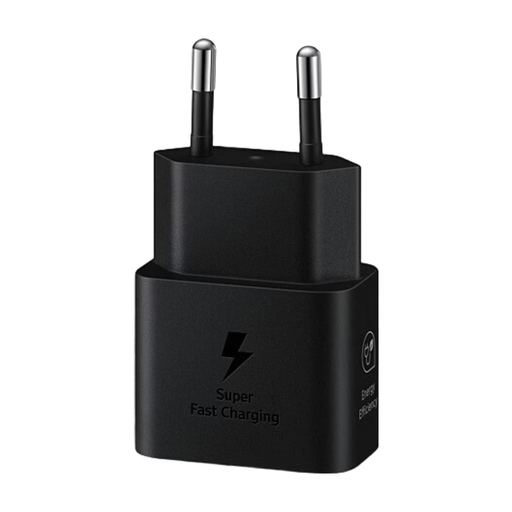
Why this suits this profile: This 25 W USB-C mains charger is ideal for everyday use with a compatible smartphone or tablet. The product listing states that a USB-C to USB-C cable is included.
The advertised power and USB-C connector are clearly identified. However, you still need to check compatibility with PD or Samsung fast charging for your device.
Up to 25 W, a compact design and broad USB-C compatibility, according to the product listing.
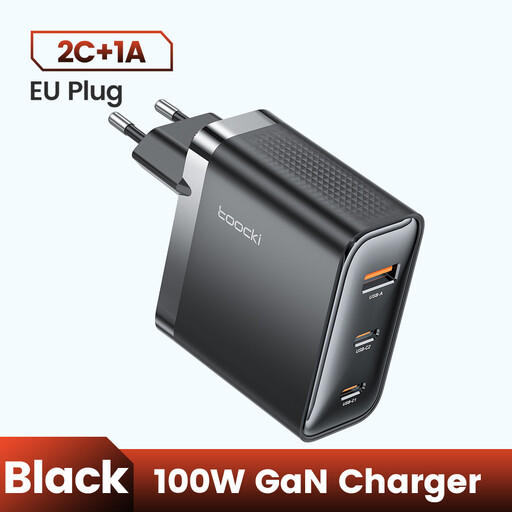
Why this suits this profile: With its three ports and advertised power of up to 100 W, this model meets the needs of those who regularly switch between a smartphone, tablet or USB-C laptop.
The PD3.0 and QC3.0 markings make it easier to check the supported protocols. Still, check the power distribution before plugging in three devices.
Three ports, advertised GaN technology and compatibility with several smartphones and USB-C laptops, according to the product listing.
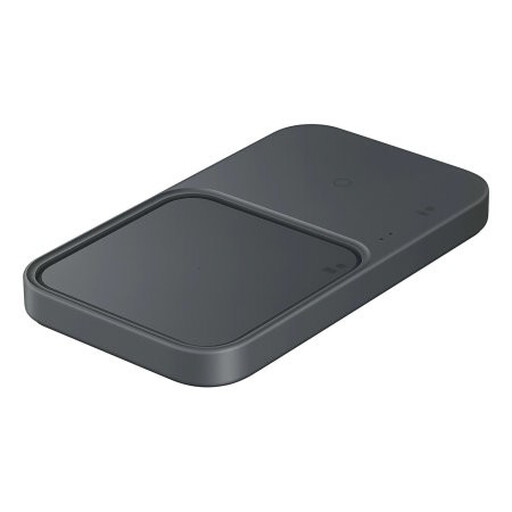
Why this suits this profile: This charging pad will fit right in on a bedside table or desk where several Qi-compatible devices are regularly placed.
Metal object detection and overheat protection address two common issues with wireless charging.
Wireless charging up to 15 W depending on compatibility, simultaneous charging of two devices and an integrated cooling system.
We’ve put together a comprehensive, real-time updated list of products that fully meet these strict selection criteria as well as European safety requirements.
No. The smartphone limits the power it receives based on its components and the protocol in use. A 100 W charger can therefore charge a phone that supports 25 W without automatically delivering 100 W. That extra power can, however, be used to power a tablet or laptop.
Often, yes. For higher power, choose a USB-C to USB-C cable designed to handle the required current. With an iPhone that has a Lightning connector, you’ll need a certified USB-C to Lightning cable. An older cable may work, but charging is likely to be slower.
Power consumption depends on the power actually used, the charging time and the standby consumption. A charger doesn’t draw its maximum power all the time. If you’re not using it for a long period, unplug it and avoid covering the adapter while it’s charging.