
Livraison le jour même ou le lendemain

Qualité garantie

Débloquez vos offres de bienvenue: Livraison GRATUITE | Jusqu'à -80 % | 30 jours d'essai gratuits à JoyPlus
Téléchargez l'application
A fast USB-C charger can power up a smartphone, tablet, headphones or even a laptop. But the wattage printed on the box isn't enough to make the right choice. A poorly matched model could charge slowly, force you to buy an extra cable, or prove cumbersome in daily use.
Before you buy, three common pitfalls keep cropping up:
For a phone, a 25 W fast charger is often enough for everyday needs, especially for certain Samsung smartphones, Android devices and compatible USB-C accessories. For iPhones, Google Pixels and other smartphones, though, check the technical specs and supported charging protocol.
A 45 W fast charger gives you more headroom for tablets, compatible smartphones and some more demanding devices. For a USB-C laptop, a 65 W charger will usually be a better fit, provided your computer accepts that power level.
Power doesn't automatically add up when you're using multiple ports. On a charger that can power several devices at once, the available wattage may be shared between the connected gadgets. So check the maximum power stated for each port.
The USB Power Delivery protocol, often shortened to PD, lets the charger and device negotiate the best voltage and current. A simple "fast charge" claim on a product page isn't enough: look for PD 3.0 or PD 3.1 compatibility, then confirm your device supports it.
PPS technology fine-tunes the voltage even further on certain compatible smartphones. It can speed up charging for Samsung devices and other Android phones, but it won't turn an incompatible device into a fast-charging one.
For an iPhone, iPad or recent Android device, go for a USB-C mains charger supplied with a suitable USB-C to USB-C cable. For a Nintendo Switch or laptop, also check the minimum power recommended by the manufacturer.
A USB-C charger with cable lets you start charging your devices straight away and saves you an extra expense. But do check the power the cable can handle. A model rated for 60 W isn't the same as a cable built for higher wattage.
For a multi-device charger, the port combination matters a lot:
In the UK and EU, check for the relevant regulatory marking, the manufacturer's or EU responsible person's contact details, and protections against overcharge, overheating and short circuits. A charger that gets slightly warm during use is normal. However, unplug it if you notice an unusual smell, smoke, a cracked casing or a damaged cable.
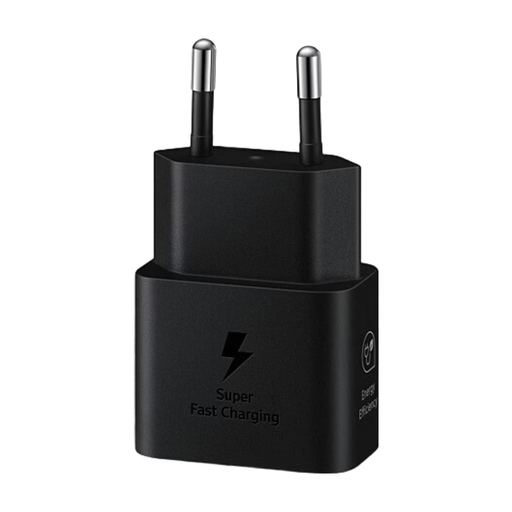
Why this suits this profile: its 25 W output and included USB-C to USB-C cable cover the daily needs of a compatible smartphone or tablet.
The power rating and included cable are clearly stated, so you won't need any unnecessary extra purchases.
25 W power, USB-C port, cable included and a stated weight of 51.6 g.
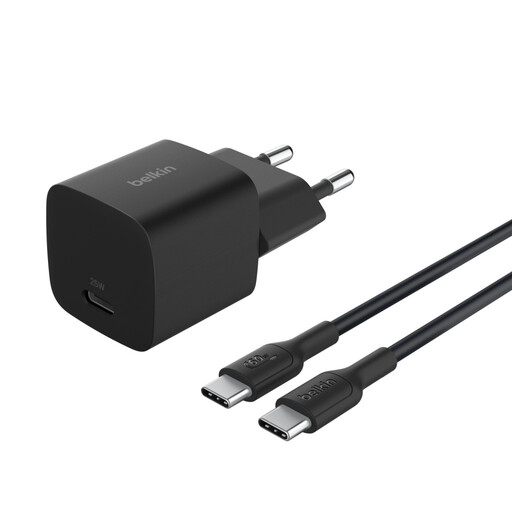
Why this suits this profile: it's ideal for those who switch between a smartphone, tablet or USB-C laptop at home, in the office or on the go.
The one-metre cable is included, and the charger states PD 3.1 compatibility along with overcharge and overheat protection.
45 W power, USB-C to USB-C cable included, 100–240 V input and a stated weight of 58 g.
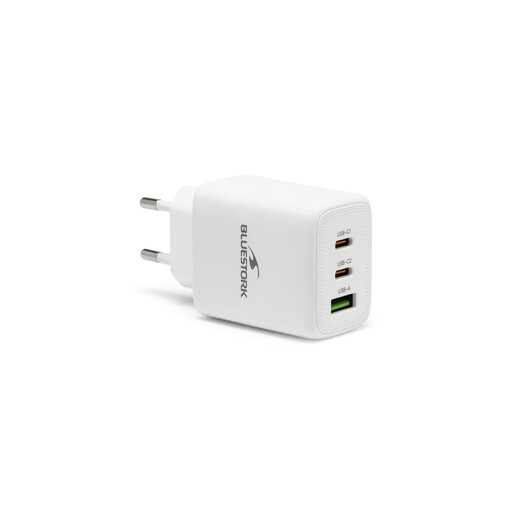
Why this suits this profile: its power output and two port types suit anyone charging a laptop, phone and various accessories.
The listing clearly states it has a USB-C PD 3.0 port, a USB-A QC 3.0 port and an included cable.
65 W power, 100–240 V input, intelligent power distribution and stated PD 3.0/QC 3.0 compatibility.
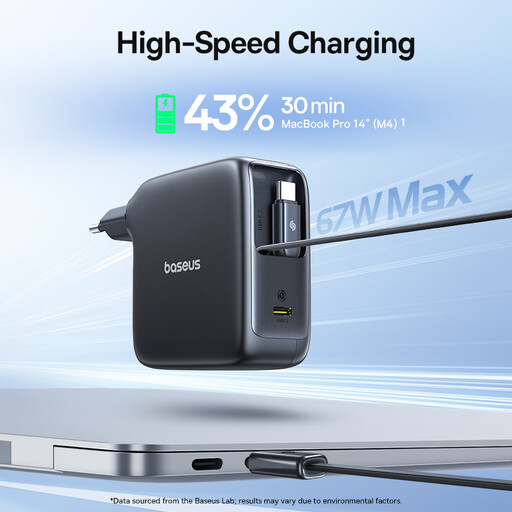
Why this suits this profile: its two built-in retractable cables cut down on the number of accessories you need to carry when travelling.
The integrated cables reduce the risk of forgetting them or dealing with tangles, while the stated 67 W output suits several compatible devices.
Two built-in retractable cables, 67 W power and a travel-friendly design.
We've put together a comprehensive, real-time updated selection of products that meet these exacting criteria as well as European safety regulations.
It can work with many devices, but the charging speed depends on the protocol your phone supports and the cable you use. Check for USB Power Delivery, PPS or a proprietary Samsung protocol before you buy.
Check the label on the charger that came with your laptop, or look up the technical specs. If your machine needs 45 W, choose at least a 45 W charger. For a more power-hungry model, a 65 W charger or higher may be necessary.
Its lifespan depends on the quality of its components, how often you use it and how you store it. Avoid heat, moisture and damaged cables. Unplug the charger at the first sign of anything unusual, and replace it if you notice a crack or loose pins.