
Livraison le jour même ou le lendemain

Qualité garantie

Débloquez vos offres de bienvenue: Livraison GRATUITE | Jusqu'à -80 % | 30 jours d'essai gratuits à JoyPlus
Téléchargez l'application
A fast USB-C charger can power a smartphone, tablet or laptop with a single adapter. But claims like "fast charging", "high power" or "compatible with all devices" aren't enough to make an informed choice. The power actually delivered depends on the charger, the cable, the protocol supported by your device and the number of ports in use.
Here are the points to check before you buy, along with a selection of models suited to different needs in the UK.
A 100 W USB-C charger doesn't necessarily deliver 100 W to every device. That figure usually refers to the maximum power from one port under specific conditions. If you plug several devices into a multi-port USB-C charger, the available power may be shared across the outputs.
For a smartphone, a 20 to 30 W charger is sufficient in most cases. A tablet or ultraportable laptop, however, may need 45, 67 or 100 W depending on the model.
Having a USB-C port doesn't guarantee fast charging. Check compatibility with USB Power Delivery, often shortened to PD, as well as the protocol used by your device. Samsung Galaxy phones, for instance, can use specific charging profiles, while some laptops require a precise minimum power level.
A USB-C mains charger that supports PD can work with an iPhone, Google Pixel, iPad or MacBook. The charging speed will still be limited by what your device can handle.
A standard USB-C to USB-C cable may not offer the same capacity as one designed to handle 60 or 100 W. For a laptop, check the maximum power the cable can take. With an older charger, a power bank or a car cigarette lighter, a USB-C to USB-A cable might be needed, but this type of connection can limit charging speed.
A 67 W USB-C charger offers a particularly handy compromise for remote working and travel. If you want to replace several adapters, a GaN model with two or three ports can also help reduce clutter.
GaN (gallium nitride) technology allows some chargers to deliver high power in a compact casing. That doesn't mean you should skip checking the built-in protections, ventilation and output specifications.
A compact travel charger should also accept a voltage range of 100 to 240 V if you plan to take it abroad. In the UK, make sure it's compatible with British plugs and avoid covering the adapter while it's in use.
Before you order, check:
For a USB-C charger for iPhone, the cable depends on your phone's connector. Devices with a USB-C port usually use a USB-C to USB-C cable. Older models with a Lightning port need a USB-C to Lightning cable.
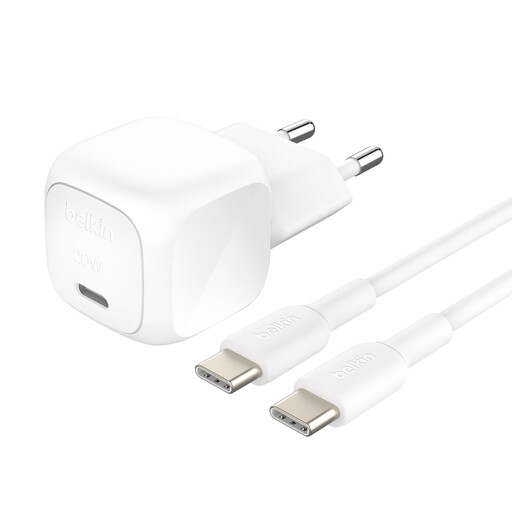
Why this suits this profile: This USB-C mains charger comes with a 1-metre USB-C to USB-C cable, making it ideal for anyone who wants to replace an old adapter without piling up extra accessories.
The power and PD profiles are clearly stated, and the included cable saves you from buying a separate accessory with uncertain capacity.
One USB-C output, an advertised 30 W on the spec sheet, a 1-metre cable and USB-IF certification listed.
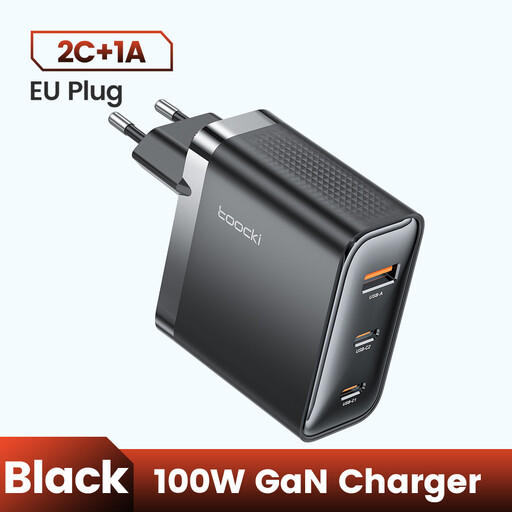
Why this suits this profile: With three ports and an advertised 100 W output, this charger is aimed at those who use a laptop, phone and accessory all at once.
The spec sheet lists PD 3.0 and QC 3.0 technologies. Do check the power distribution between ports before plugging in multiple devices.
GaN technology, three ports and a foldable plug, with power suitable for some MacBook and USB-C laptops.
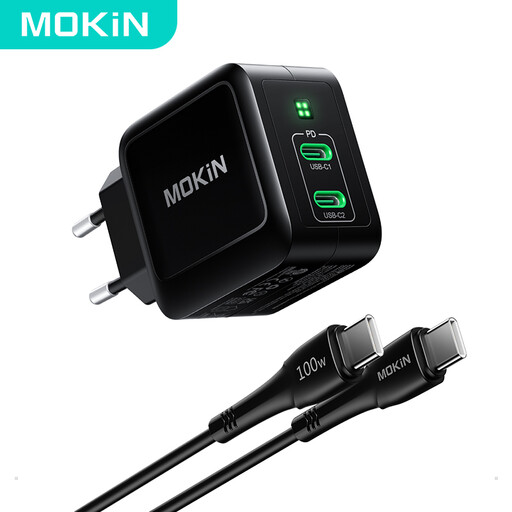
Why this suits this profile: This dual USB-C port model comes with a 1.2-metre cable and is ideal for remote working, business travel and users of Galaxy phones, iPads or ultraportable laptops.
The spec sheet clearly separates the maximum power per port and the presence of two outputs, so you can anticipate any drop in power when using both at once.
An advertised 67 W output, GaN II technology, two USB-C ports and a USB-C to USB-C cable included.
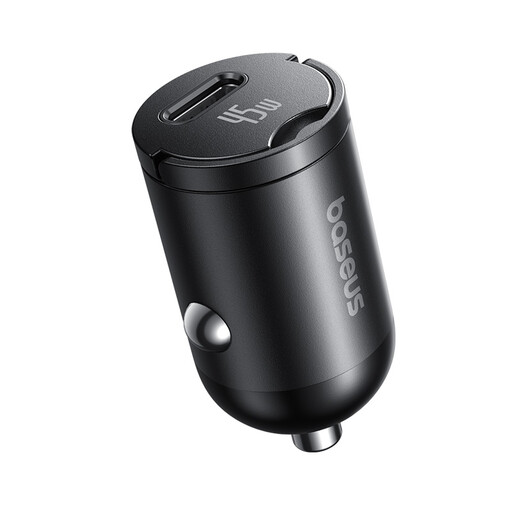
Why this suits this profile: This USB-C car charger is perfect for daily commutes and long journeys alike, with a 1-metre cable included.
The charger's power and the cable's power are listed separately: 45 W for the adapter and up to 60 W for the USB-C to USB-C cable.
An advertised 45 W output, a 1-metre cable included and compatibility with USB-C devices.
We've put together a comprehensive, real-time updated list of products that meet these demanding selection criteria and European safety standards.
For most smartphones that support fast charging, 20 to 30 W is a good starting point. A USB-C charger for Samsung Galaxy may, however, need a specific profile to reach the advertised speed. Check your phone's specifications before choosing a 45 or 67 W model.
A device that supports USB Power Delivery will normally negotiate the power it needs. Still, use a compliant charger and a suitable cable. Stop using it if you notice unusual heat, a strange smell or visible damage. The charger's maximum power is not forced onto the phone.
Avoid pulling on the cable, bending the connectors excessively or leaving the adapter in a damp or poorly ventilated area. Unplug it if it won't be used for a long time, and replace a frayed cable or cracked casing straight away.