
Livraison le jour même ou le lendemain

Qualité garantie

Débloquez vos offres de bienvenue: Livraison GRATUITE | Jusqu'à -80 % | 30 jours d'essai gratuits à JoyPlus
Téléchargez l'application
A fast USB-C charger can power up a smartphone, tablet, smartwatch or even a laptop. But the wattage printed on the box isn't enough to make the right choice. A 67 W model won't automatically speed up charging for a phone limited to 25 W, while a small adapter might lack enough ports for family or work use.
Before you head to the checkout, make sure to check compatibility, how the power is distributed, and whether a cable is included. These few checks will help you avoid nasty surprises at home, in the office, or on the go.
A fast 25 W charger, 30 W or 65 W typically indicates the maximum power the adapter can deliver. However, the smartphone you plug in will only receive the power it's capable of accepting. An iPhone, a Samsung Galaxy and a MacBook all have different requirements.
Charging speed also depends on the cable, battery level, temperature and the supported protocol. A promise of a full charge in minutes should be understood as an indication achieved under specific conditions, not a guaranteed result in every situation.
A USB-C mains adapter may show a high wattage but still be poorly suited to a particular device. The USB Power Delivery standard, often shortened to USB-PD, is used by iPhones, iPads, Google Pixel phones and many laptops with a USB-C port. Some Samsung Galaxy devices also support PPS, which adjusts the voltage more precisely.
Without the right protocol, your device may charge at a reduced power level. So check your device's specifications before choosing a USB-C mains charger.
On a multi-port charger, the total advertised power isn't necessarily available on every output when several devices are plugged in. A 67 W charger with two ports can deliver up to 67 W on a single port, then split that power between the two devices.
If you plan to charge a laptop and a smartphone at the same time, look at the detailed output table. This information is far more useful than just the number displayed on the front.
A high wattage isn't dangerous in itself when the charger and device follow the intended protocols. Their electronics normally negotiate the available power. However, always use a certified cable and check the maximum current it can handle.
A GaN charger uses gallium nitride instead of silicon in parts of its power supply. This design typically allows for a smaller size and higher power density. However, it doesn't mean you can skip checking the protections, the power available per port and the certifications listed on the product page.
Weight and size matter especially for a travel charger. A compact model will take up less space in your bag, but it still needs adequate ventilation during use.
A USB-C charger with cable saves you an extra purchase, provided the supplied cable is suitable for the advertised power. To take advantage of fast charging, a USB-C to USB-C cable compatible with the required current is often essential. With some iPhones that have an older connector, you'll need a compatible USB-C to Lightning cable.
Also check for information about protection against overheating, overcharging, short circuits and power surges. In the UK, choose a plug compatible with British standards and check the compliance information on the product page.
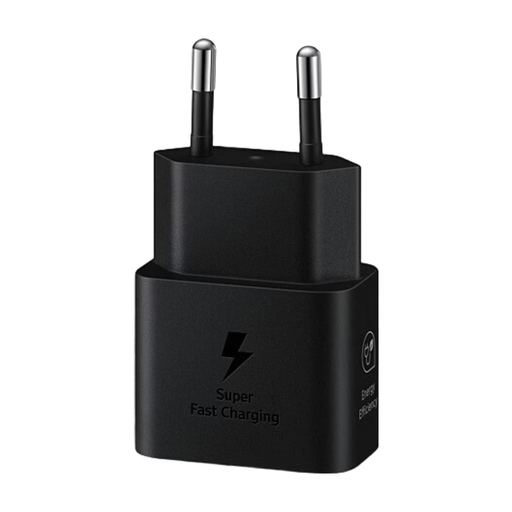
Why this choice suits this profile: Its 25 W is suitable for many USB-C smartphones and tablets. The included USB-C to USB-C cable means you can use it straight away, without any extra accessories.
The advertised power is clearly stated, and this model doesn't force you to choose an oversized charger for everyday use.
25 W power, USB-C port and USB-C to USB-C cable included according to the product page.
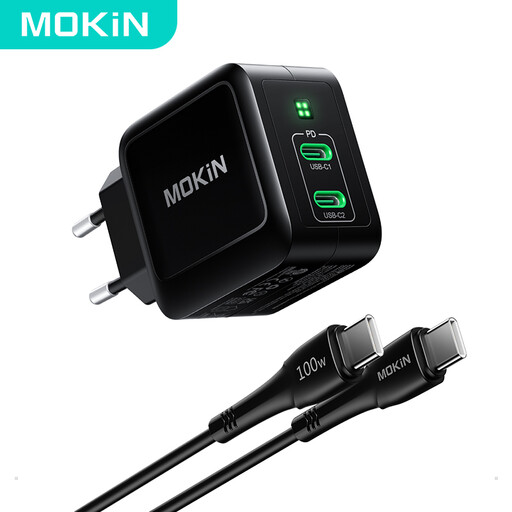
Why this choice suits this profile: It lets you combine charging for a laptop and a smartphone in a single unit with two USB-C ports.
The product page shows the maximum power available on one port as well as the presence of two outputs. This makes it easier to anticipate power distribution during simultaneous use.
Maximum advertised power of 67 W, GaN technology and 1.2 m USB-C cable included.
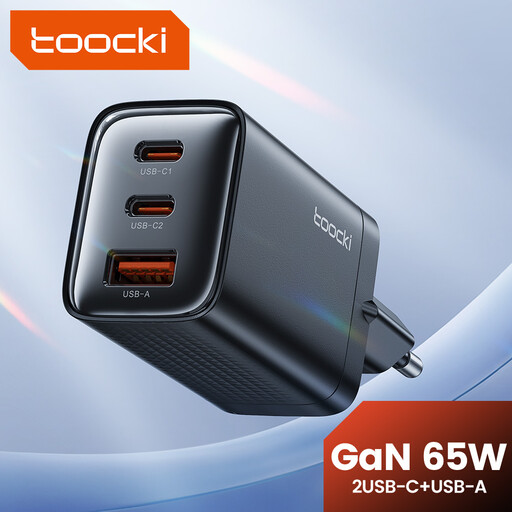
Why this choice suits this profile: Its three ports meet the needs of a mobile workstation, a household with several devices, or a user who's often on the move.
The number of outputs is shown before purchase. You can therefore compare the port configuration with your actual needs.
Advertised power of 65 W, GaN technology and three ports for charging multiple devices.
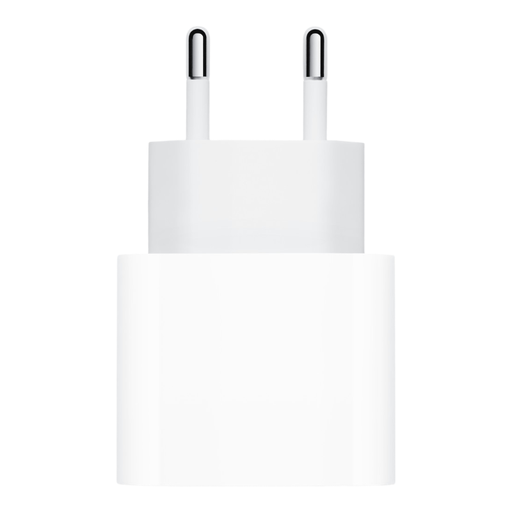
Why this choice suits this profile: Its compact size makes it easy to carry with an iPhone, iPad, AirPods or Apple Watch. The cable needs to be bought separately depending on your device's connector.
The product page clearly states that the cable is sold separately. You can therefore choose the length and type that suits your device.
20 W power, 100–240 V input and a size suitable for home, office and travel.
We've put together a comprehensive, real-time updated selection of products that meet these demanding criteria and European safety standards.
The power consumption mainly depends on the power actually demanded by your device and the charging time. A powerful charger doesn't run at its maximum power all the time. Unplug it if you're not using it for a long period, and avoid covering it while it's charging.
For an iPhone that supports fast charging, a 20 W or higher USB-PD model, paired with the right cable, is a common choice. With a Samsung Galaxy, check compatibility with USB-PD, PPS or the charging mode recommended by Samsung. A 25 W charger may be enough for daily use, while a 30 W or higher model will give you more headroom for a tablet or multiple devices.
Its lifespan depends on build quality, ventilation, how often you use it and the condition of the cable. Stop using the charger immediately if it shows any cracks, an unusual smell, smoke or abnormal heating. To keep your adapter in good condition, use it in a dry, well-ventilated area with a cable that's in good working order.