
Livraison le jour même ou le lendemain

Qualité garantie

Débloquez vos offres de bienvenue: Livraison GRATUITE | Jusqu'à -80 % | 30 jours d'essai gratuits à JoyPlus
Téléchargez l'application
A fast USB-C charger isn’t simply chosen by the number of watts printed on the box. Between the promises of rapid charging, ports that share power, and cables sometimes sold separately, the wrong choice can slow down your devices or force you to buy new accessories.
At home, in the office, or on the go, three common pitfalls keep cropping up:
A 30 W USB-C mains charger is generally suitable for a smartphone, earphones and many small USB-C compatible devices. A 30 W fast charger can also work for an iPhone or a compact tablet, provided the device and cable support the right protocol.
For multiple devices, the following power levels provide a useful starting point:
The power your device actually receives always depends on its own requirements. A phone won’t automatically draw 96 W just because it’s plugged into an adapter capable of delivering that much.
A multi-port charger lets you carry fewer adapters in your bag, but take the time to check the output table. On some models, the first USB-C port delivers most of the power, while the secondary ports are limited as soon as several devices are connected.
The Baseus model shown below, for example, advertises a maximum output of 65 W on one USB-C port and a split of 45 W + 20 W between its two USB-C ports. This kind of detail is far more useful than a simple “fast charge” label.
USB-A ports remain practical for older cables and accessories. However, if your newer devices mainly use USB-C, two USB-C ports will often prove more convenient day to day.
A GaN charger uses gallium nitride in its power electronics. This technology generally allows for more compact chargers and better power management, but it doesn’t replace the need to check the specifications carefully.
Before ordering, make sure to check:
For wireless charging, a Qi2 wireless charger or a MagSafe-compatible charger must also be positioned correctly. A thick case, a metal object or poor alignment can reduce the power actually received.
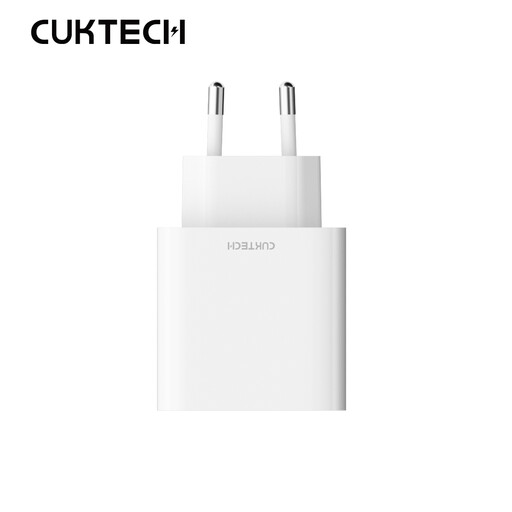
Why this choice suits this profile: the combination of USB-A and USB-C ports makes it easy to switch between older and newer cables for charging a smartphone, earphones or a tablet.
The power is clearly limited to 30 W and the European plug format is specified. This stops you from choosing an oversized or incompatible adapter.
USB-A and USB-C outputs, compact white design and AC 110-240 V input rating.
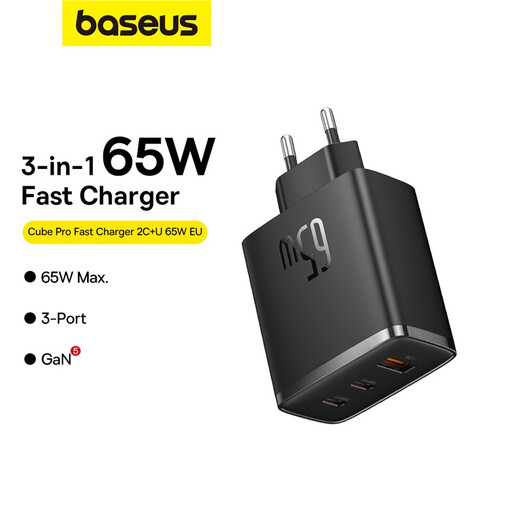
Why this choice suits this profile: it’s designed for those who want to power a laptop, a phone and an accessory with a single multi-port charger.
The spec sheet details the 45 W + 20 W split between the USB-C ports, as well as the outputs available when multiple devices are in use.
GaN5 technology, maximum power of 65 W and three ports to suit different cables.
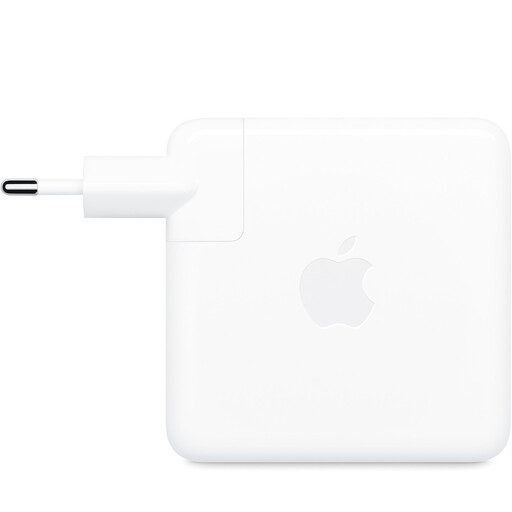
Why this choice suits this profile: its 96 W output is aimed at MacBook users and USB-C devices that demand high power, whether in the office or on the move.
This is a single-port adapter, so the power isn’t shared between multiple devices. The cable is sold separately, however.
96 W USB-C output, 100-240 V input and stated compatibility with computers, tablets and USB-C devices.
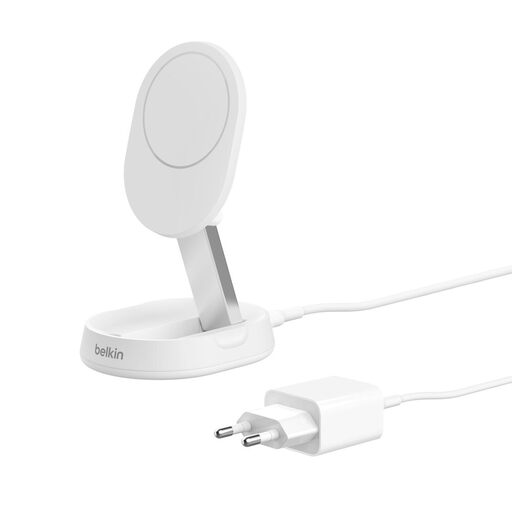
Why this choice suits this profile: it’s aimed at iPhone and AirPods users who want a foldable magnetic stand for the bedside table, desk or travel.
The 15 W Qi2 power, the included 20 W USB-C adapter and MagSafe compatibility are all stated separately, with no risk of confusion.
Adjustable stand from 0° to 75°, foldable design, 1.5 m USB-C cable and 20 W adapter included.
We’ve put together a comprehensive, real-time updated list of products that fully meet these strict selection criteria and European safety regulations.
For an iPhone that supports fast charging, a 30 W USB-C adapter is a common choice. Check the cable you’re using as well as the manufacturer’s recommendations. For wireless charging, a Qi2 or MagSafe-compatible model may be suitable, taking into account the power your phone actually supports.
A 65 W charger won’t normally force that power onto a compatible smartphone: the device negotiates the power it needs. However, you should use a compliant adapter, a cable in good condition and a compatible protocol. High power is especially useful when also powering a tablet or laptop.
Unplugging it after use reduces standby power consumption and stops the adapter from being unnecessarily left live. Store it in a dry, well-ventilated place, and replace it if it shows cracks, deformation, an unusual smell or abnormal heating.