
Livraison le jour même ou le lendemain

Qualité garantie

Débloquez vos offres de bienvenue: Livraison GRATUITE | Jusqu'à -80 % | 30 jours d'essai gratuits à JoyPlus
Téléchargez l'application
A fast USB-C charger can make your daily routine much simpler, as long as you check its power output, ports and compatibility before you buy. Between adapters that promise high wattage, compact models and those capable of powering several devices at once, the differences aren't always obvious.
When charging an iPhone, iPad, MacBook, Apple Watch or AirPods, three common pitfalls keep cropping up:
Measured in watts, the power rating tells you the maximum the adapter can deliver. A 35 W charger is generally suitable for a smartphone, a tablet or two small devices charging at the same time. This power can also be enough for a MacBook Air under light use, while a MacBook Pro will often need more.
A 65 W GaN charger gives you more headroom to power a laptop, a phone and a few accessories. Gallium nitride technology, commonly called GaN, allows for more compact charger blocks. However, it doesn't mean every device will automatically receive 65 W.
For more demanding laptops, a 96 W MacBook charger can be a smart choice. Apple recommends its 96 W adapter with certain 14-inch MacBook Pro models, paired with a USB-C to MagSafe 3 cable or a USB-C cable that supports this power level. In this setup, the manufacturer claims a charge from 0 to 50 % in around 30 minutes. This is a theoretical figure, though, and depends on the device, the cable and the conditions of use.
An Apple USB-C charger with two ports can charge two devices at once, but its maximum power is still shared. The Apple 35W Dual USB-C Port Power Adapter has two USB-C ports and delivers 35 W in total. So it's suitable for charging an iPhone and AirPods simultaneously, or an iPhone and an Apple Watch.
With a four-port USB-C charger, look closely at the output table. Some ports work independently, while others share a limited power budget. For professional use, rely on detailed combinations like "45 W + 20 W" or "45 W + 15 W", rather than just the total power highlighted on the packaging.
In the UK, make sure the charger is compatible with a standard three-pin mains plug and the mains voltage. Models with an input rating of 100-240 V, 50/60 Hz can be used in many countries, with the appropriate plug adapter if needed.
The CE marking must appear on the product or its packaging. It indicates a declaration of conformity with applicable European requirements, but doesn't replace checking the technical specifications. Use a cable in good condition, keep the adapter away from moisture and don't cover it while it's in use. High power shouldn't make you forget about build quality, heat dissipation and protection against overloads.
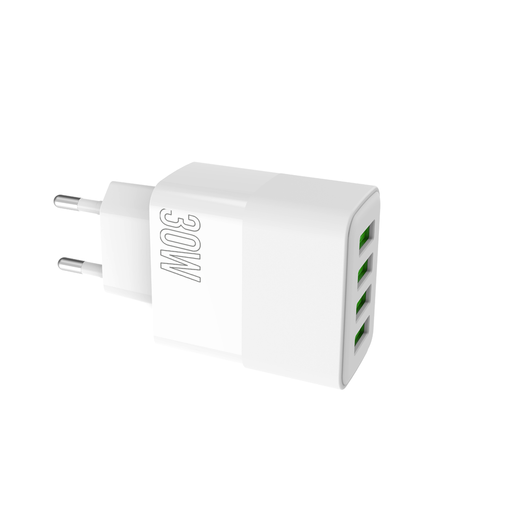
Why this suits this profile: With its four USB ports and total power of 30 W, this model is ideal for a household that charges several phones and accessories, without needing to power a laptop.
The product page clearly states a power output of 30 W and the ability to charge four devices simultaneously. That helps avoid confusing total power with the number of connections.
Four USB ports, 110-240 V input and stated protection against overcharge and excessive discharge.
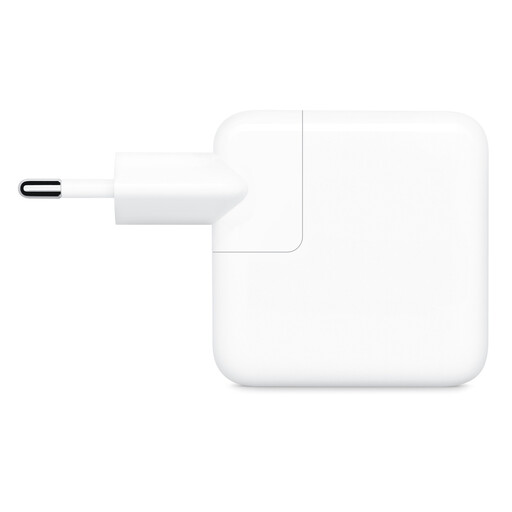
Why this suits this profile: This USB-C mains adapter fits naturally into an Apple ecosystem, whether at home, in the office or in a travel bag.
The total power of 35 W and the presence of two ports are clearly stated. The fact that cables are sold separately is also flagged before purchase.
Two USB-C ports, a compact design and stated compatibility with iPhone, iPad, MacBook Air, Apple Watch and AirPods.
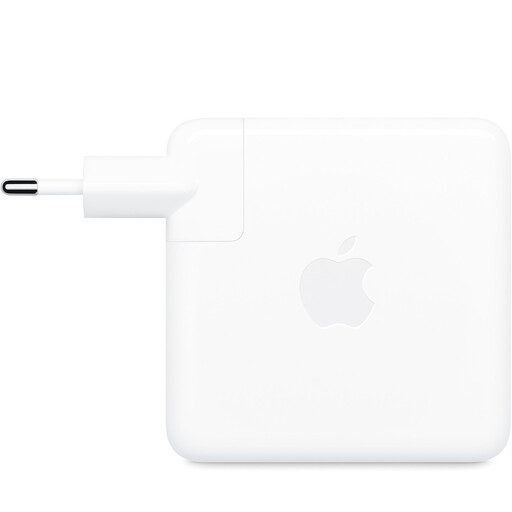
Why this suits this profile: MacBook Pro users or those with other USB-C laptops can rely on high power when a single device needs to be charged.
The product page specifies a 96 W output on a single USB-C port. So there's no risk of confusing shared power with dedicated power delivery.
A 96 W output, 100-240 V input and stated compatibility with laptops and other USB-C devices.
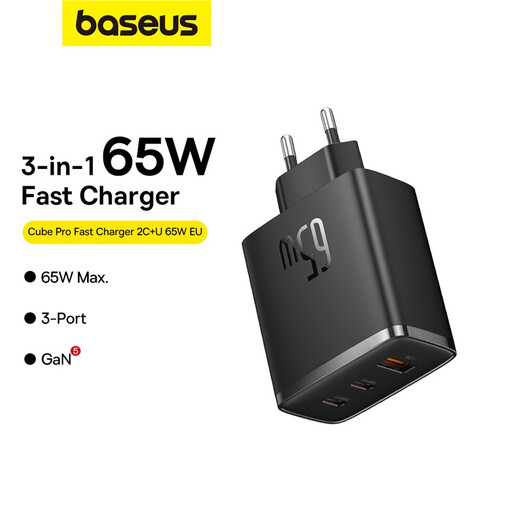
Why this suits this profile: This fast USB-C charger combines two USB-C ports and one USB-A port in a compact design. It's ideal for travelling with a laptop, a phone and several accessories.
The product page details the different output combinations, including 45 W + 20 W or 45 W + 18 W depending on which ports are used.
A maximum power of 65 W, GaN5 technology, two USB-C outputs and one USB-A output.
We've put together a comprehensive, real-time updated selection of products that meet these demanding criteria, while complying with European safety regulations.
Yes, provided the device supports USB-C charging or you use the appropriate cable, for example a USB-C to Lightning cable with certain iPhone models. The device then regulates the power it receives itself. Always check the connector type and the cable's compatibility.
A 35 W MacBook charger can be enough for light use or with a MacBook Air. A 65 W model gives you more headroom to power a laptop and accessories. For a MacBook Pro that needs more power, a 96 W adapter may match the manufacturer's specifications. Check the recommended power for your model before ordering.
Even when no device is connected, an adapter can consume a small amount of power in standby. To limit this consumption and avoid leaving it unnecessarily powered on, unplug it when not in use, especially during long periods away. Also inspect the charger and cables regularly, and replace any damaged items.