
Livraison le jour même ou le lendemain

Qualité garantie

Débloquez vos offres de bienvenue: Livraison GRATUITE | Jusqu'à -80 % | 30 jours d'essai gratuits à JoyPlus
Téléchargez l'application
A cable that charges at a snail's pace? A connector that gives up the ghost after a few weeks? It's a familiar story. The switch to USB-C promised simplicity, but today's market is a jungle of cables with vague marketing promises. Choosing the right fast-charging USB-C cable for your iPhone 16, Samsung S24, or MacBook has become a real headache.
As the Head of Product Recommendations at Joybuy, my mission is to decode the market for you. Let's skip the technical jargon and get straight to the point: how to make a smart, long-lasting purchase. Here are the pitfalls to avoid and the criteria that really matter.
The 2 classic pitfalls to avoid when buying a USB-C cable:
To make sure you never make a mistake again, just keep an eye on these three key points. They are the guarantee of a high-performance, long-lasting cable.
This is the number one criterion. The cable's power rating, expressed in watts (W), must be equal to or greater than what your device and charger require.
Samsung S24, iPhone 16, iPad): A cable that supports 30W to 60W is generally perfect.MacBook, PC laptops): Aim for a 100W cable or higher to ensure charging at full speed.Also, check for compatibility with the Power Delivery (PD) standard. This protocol allows the charger, cable, and device to "talk" to each other intelligently to deliver maximum power safely. Without PD, there's no true fast charging on modern devices.
A quick glance at the port on your wall charger or computer is all it takes before you confirm your purchase.
The cable's outer sheath is your best insurance policy against wear and tear.
Because every user is unique, here are our recommendations for different use cases, all chosen for their ability to outsmart the market's pitfalls.
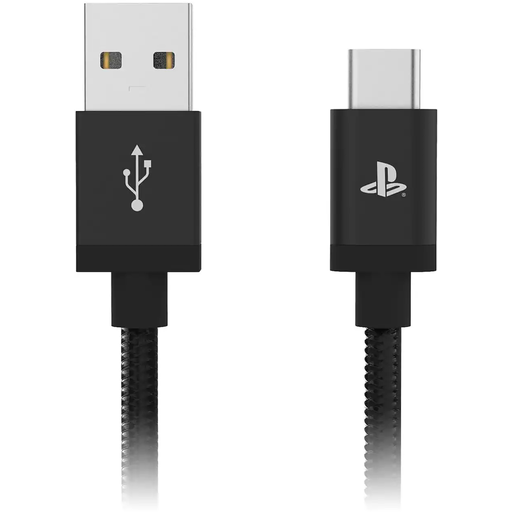
Why we chose it: For a gamer, nothing is more frustrating than a short cable that tethers you to the wall. This 3-meter model offers complete freedom of movement to keep playing comfortably while the controller recharges. The essential accessory for any PS5 owner.
It addresses a specific need (length) without compromising on reliability. The official Sony license is a guarantee of perfect compatibility and safety with the DualSense controller, avoiding the connection issues of non-certified cables.
Its XXL length of 3 meters is its main selling point, offering unparalleled gaming comfort during charging.
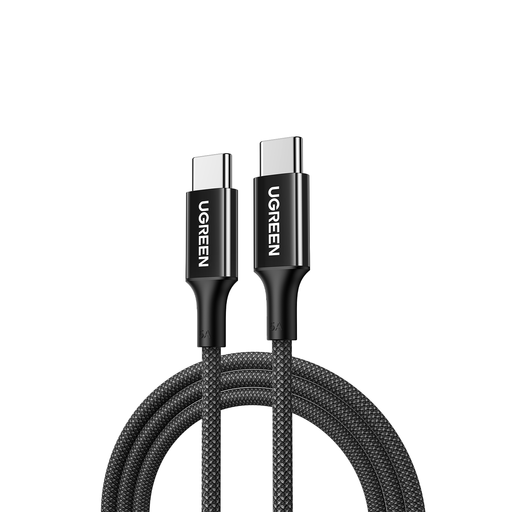
Why we chose it: For anyone working on a MacBook or a powerful PC laptop, power is not optional. This USB-C to USB-C cable supports up to 100W, ensuring a fast and stable charge. With its 2-meter length and braided sheath, it's built for life on the go.
It knocks out the vague "fast charge" trap by clearly stating its 100W capacity. Its braided design prevents premature wear, a nightmare for cables that get abused daily in a backpack.
High power (100W PD), a comfortable length (2m cable), and a braided sheath: the winning trio for a versatile solution that's built to last.
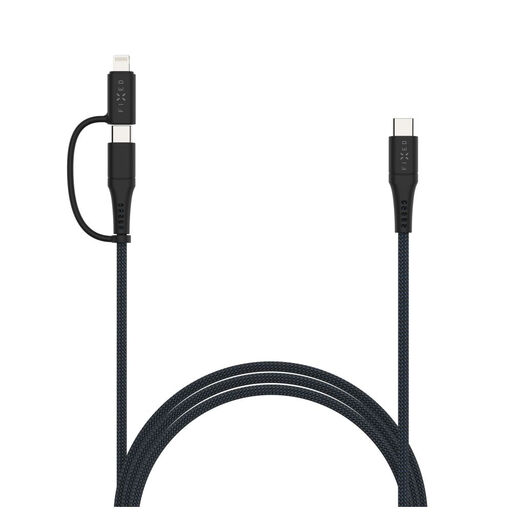
Why we chose it: Perfect for those who juggle an iPhone (Lightning port) and newer USB-C devices (Android, iPad, laptop). One cable to replace them all, simplifying life at home and on the go.
No more headache of juggling multiple cables. Its Lightning adapter is MFi (Made for iPhone) certified, a guarantee of risk-free charging and syncing, unlike cheap adapters that can damage Apple devices.
Its versatility, thanks to the MFi-certified Lightning adapter, and its long 3-meter length make it the ultimate all-in-one solution.
We've put together a complete selection of cables that meet our quality charter and French safety standards.
A 60W cable is ideal for most smartphones, tablets, and ultrabooks. A 100W model is essential for powering more power-hungry laptops (workstations, gaming PCs) at their optimal charging speed. Don't worry, using a 100W cable on a less powerful device is perfectly safe: the Power Delivery protocol automatically adjusts the power. The reverse, however, will result in a hopelessly slow charge.
Technically, yes, a slight power loss occurs over long distances. However, with quality 2 or 3-meter cables, this difference is unnoticeable in daily use. The convenience of a 2m long cable or more far outweighs this tiny loss, provided you choose a well-designed model with good quality conductors.
The easiest way is to check your device's spec sheet on the manufacturer's website. Look for "USB-C Power Delivery" or "PD". Note that most recent high-end devices, like the Samsung S24 series, iPhone 16, or MacBook models, are compatible. To take advantage of it, remember that your charger and cable must also be PD-certified.