
Livraison le jour même ou le lendemain

Qualité garantie

Débloquez vos offres de bienvenue: Livraison GRATUITE | Jusqu'à -80 % | 30 jours d'essai gratuits à JoyPlus
Téléchargez l'application
A cable that frays after just a few months, a desperately slow charge despite the "fast" promise on the box, or worse, a cable that refuses to work with your new laptop. We've all been there. Buying a simple fast-charging USB-C cable has become a minefield. The market is saturated with products making vague marketing claims, too often leading to instant buyer's remorse.
Here at the editorial desk, our mission is to cut through the noise for you. Before you spend a single dollar, it's crucial to understand the three most common pitfalls that make a cable useless or, at best, disappointing:
Fortunately, avoiding these setbacks is as simple as focusing on a few objective criteria.
Navigating the jungle of tech specs is easier than it looks. Here are the three points to check every time to guarantee your cable's performance and longevity.
Power, expressed in watts (W), is the number one criterion. It must be equal to or greater than the maximum power accepted by your device and supplied by your charger.
Make sure the cable is compatible with the Power Delivery (PD) standard. It's the most widespread protocol that enables smart communication between the charger, cable, and device to deliver optimal power safely.
A braided cable made of nylon or composite fibers is often more resistant to abrasion and tangling than a standard PVC cable. However, true durability is in the details:
If you only use your cable for charging, this criterion is less of a priority. However, if you regularly perform data transfers (photos, videos, backups), speed matters.
To illustrate these criteria in practice, here are a few models that meet specific needs while avoiding the most common pitfalls.
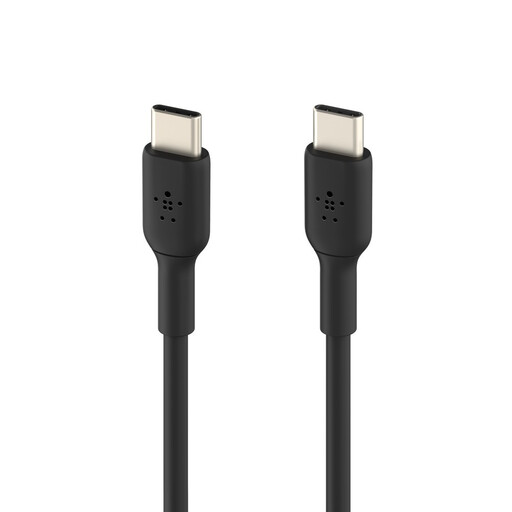
Why we chose it: This is the reliable companion for heavy daily use. Designed to charge a smartphone, tablet, or even a less power-hungry laptop, it inspires confidence with a design that's built to last.
Its USB-IF certification guarantees that the advertised 60W power and Power Delivery compatibility are real and safe. The manufacturer states it can withstand over 25,000 bends, countering the "fake durability" pitfall.
USB-IF Certification: A guarantee of safety and universal compatibility. Proven Durability: Engineered to withstand daily wear and tear, far beyond a standard cable.
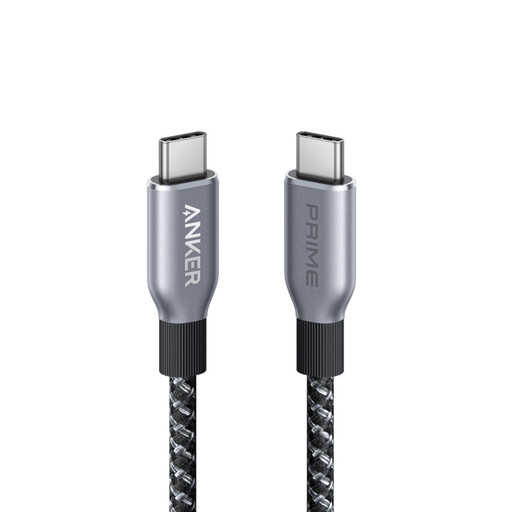
Why we chose it: For those who work on powerful laptops and can't compromise on charging speed. This cable is engineered to deliver maximum power and withstand the rigors of intensive, on-the-go use.
It shatters the "insufficient power" pitfall with its 240W capability, ensuring optimal charging for even the most power-hungry devices. The brand provides transparent durability test figures (over 300,000 bends), offering a rare level of transparency.
240W Power Output: Capable of rapidly charging any USB-C device, including the latest MacBook Pros. Durable Design: Braided sheath made from recycled materials and a robust construction for enhanced longevity.
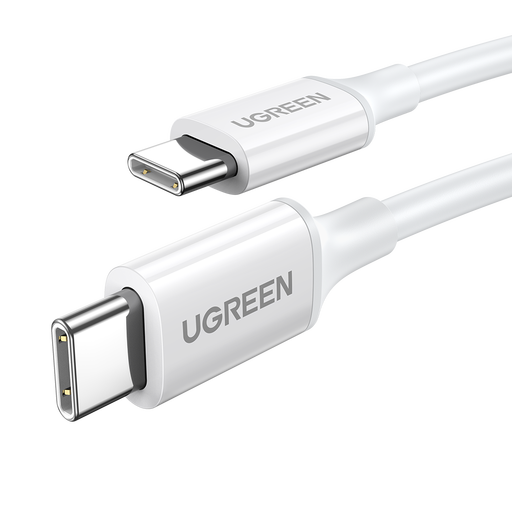
Why we chose it: For those seeking a reliable replacement or second cable without breaking the bank. It delivers the essential fast-charging performance for most modern devices in a simple and effective package.
It doesn't fall into the trap of low-end cables with vague promises. It clearly states a 60W power output and support for PD and Quick Charge protocols, ensuring verifiable performance and compatibility.
Excellent Price-to-Performance Ratio: Get 60W fast charging at an accessible price point. Broad Compatibility: Supports multiple charging protocols (PD, QC, AFC) for great versatility.
We have compiled a complete selection of products that meet our strict selection criteria and safety standards.
No. A USB-C charging system is designed to be smart. A 100W cable can be used without any risk to charge a smartphone that only requires 25W. The device will only "draw" the power it needs; neither the cable nor the charger will force a higher wattage on it.
Fast charging is a chain where every link must be compatible. For it to work, three elements must be present:
It depends on your use case. A 1-meter cable is a good compromise for versatile use. A shorter cable (e.g., 30 cm) is practical for a power bank. A 2-meter cable or longer offers great convenience at a desk or a nightstand far from an outlet, but can be bulkier to carry.