
Livraison le jour même ou le lendemain

Qualité garantie

Débloquez vos offres de bienvenue: Livraison GRATUITE | Jusqu'à -80 % | 30 jours d'essai gratuits à JoyPlus
Téléchargez l'application
A frayed cable, painfully slow charging, an "accessory not supported" error message... These situations are probably all too familiar. In the age of USB-C, finding a reliable cable shouldn't be this complicated. Yet, between marketing promises and obscure technical specs, it's easy to make the wrong choice.
As a product expert at Joybuy, my mission is to help you cut through the noise. Let's skip the jargon and focus on what truly matters. Here are the common pitfalls to avoid and the criteria to check to find the fast-charging USB-C cable that will genuinely meet your needs, with no unpleasant surprises.
The market is saturated with cables that look alike but vary wildly in performance and longevity. Here are the most common mistakes:
To avoid falling into these traps, focus on three objective technical characteristics. They are the true indicators of a cable's quality and performance.
This is the number one criterion for fast charging. The power, expressed in watts (W), must be suitable for your devices.
Also, check for compatibility with fast-charging protocols like Power Delivery (PD), which is the standard for most modern devices, including Apple and Samsung.
The USB-C to USB-C cable has become the standard. It allows you to connect all recent devices to each other. However, if you still use older chargers or computers, a USB-C to USB-A cable can be useful. For owners of an iPhone 14 or earlier models, an MFi-certified (Made for iPhone) Lightning cable remains essential to ensure safety and compatibility.
Look for the USB-IF (USB Implementers Forum) certification. This logo guarantees that the cable has been tested and complies with all USB safety and performance standards.
Durability is more than just a cable's outer appearance.
Rather than offering an endless list, we've matched user profiles with products that precisely meet the criteria we've just discussed.
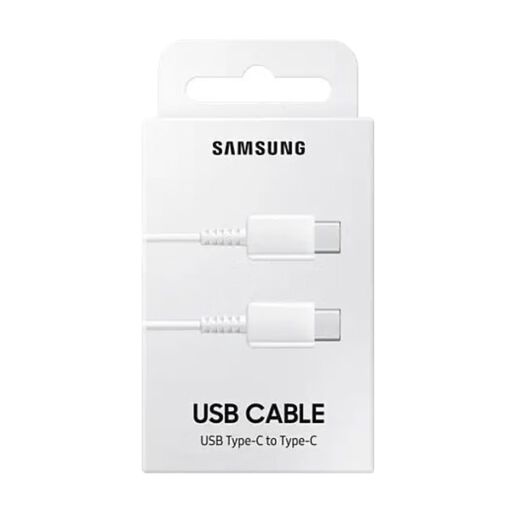
Why we chose it: For daily use with a smartphone or tablet, reliability is paramount. This official Samsung cable is designed to work perfectly with the brand's chargers while being fully compatible with other USB-C devices.
It ends the myth of vague "fast charging." Its specs are clear: 25W and 3A, which precisely matches the adaptive fast charging needs of many smartphones.
Guaranteed compatibility and performance for Samsung devices, and proven reliability for all other standard USB-C devices. A simple and effective choice.
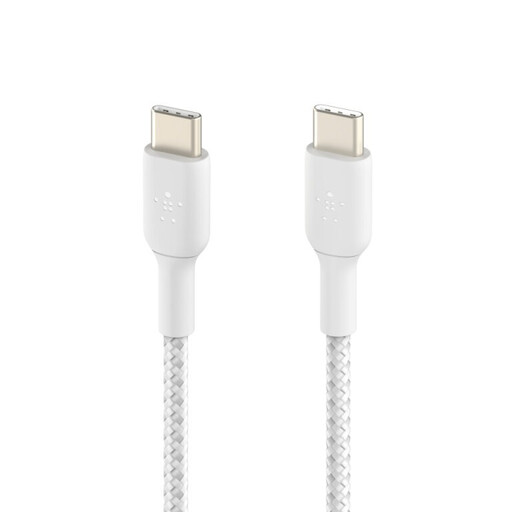
Why we chose it: For those always on the move, durability isn't an option. This cable is built to withstand rough treatment: being bent in a bag, pulled, and repeatedly plugged and unplugged.
It sidesteps the illusion of durability. According to Belkin, its braided nylon sheath is tested to withstand over 30,000 bends. Furthermore, its USB-IF certification guarantees a safe and reliable electrical design.
Proven toughness backed by objective data and a USB-IF certification for complete peace of mind. It supports up to 60W, making it highly versatile.
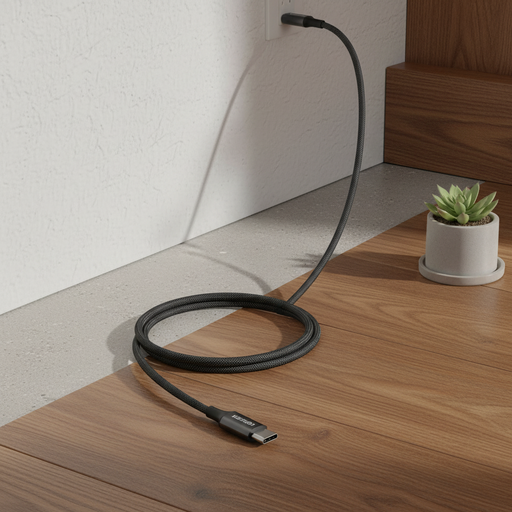
Why we chose it: To power a high-performance laptop, a standard cable just won't cut it. This model is specifically designed to handle high wattage, allowing it to rapidly charge the most demanding devices.
It directly addresses the need for power. With its 100W (20V/5A) capability and integrated E-Marker chip, it ensures your laptop receives all the power it needs, without the risk of under-delivery.
The 100W charging capacity is its key advantage. It's the solution for anyone who wants a single cable to charge both their smartphone and their work laptop.
We have compiled a complete, up-to-date list of products that meet these strict selection criteria and current regulations.
A 60W cable is more than enough for most smartphones, tablets, and ultra-compact laptops (like a MacBook Air). A 100W cable is necessary for more powerful laptops (like a 15/16-inch MacBook Pro) so they can charge at their maximum speed. Technically, a 100W cable contains an electronic chip (E-Marker) that identifies it as capable of safely handling a 5A current.
Not always. Braiding provides good protection against friction and fraying, but a cable's durability primarily depends on the quality of its strain relief at the connectors. This is the area that endures the most stress. A cable with a standard sheath but excellent strain relief can prove more durable than a flimsily designed braided cable. Rely more on objective data (like the bend tests mentioned by some brands) than on appearance alone.
Yes, absolutely. The iPhone 15, iPhone 15 Plus, iPhone 15 Pro, and iPhone 15 Pro Max all use a standard USB-C port. You can therefore use any standard-compliant USB-C to USB-C cable to charge it and transfer data. To get the fastest charging speeds, just make sure the cable and power adapter you're using support the Power Delivery (PD) protocol.