
Livraison le jour même ou le lendemain

Qualité garantie

Débloquez vos offres de bienvenue: Livraison GRATUITE | Jusqu'à -80 % | 30 jours d'essai gratuits à JoyPlus
Téléchargez l'application
A fan might seem simple to choose… until the noise, battery life or size starts to complicate your daily life. Between a portable model, a ceiling fan or a bladeless appliance, the differences aren’t just about design — they directly affect your comfort.
Before you place an order, start by distinguishing between a need for occasional cooling and a fixture that will stay in place. This approach helps you choose a fan that suits its intended use and avoids the most common pitfalls.
A high speed doesn’t guarantee a fan will be pleasant in a bedroom or on a desk. A draught that’s too powerful and too direct can quickly become uncomfortable, while a noisy motor may disturb your sleep or a video call. Check the number of speed settings available, whether you can direct the airflow and, if stated, the noise level in decibels.
The advertised battery life for a rechargeable USB fan usually depends on the speed selected. A mini handheld fan used at full power will naturally last less time than on the lowest setting. For a commute, a concert or a day at work, compare the battery capacity, charging time and whether it has a USB-C port.
A ceiling fan requires a suitable fixing, a power supply and enough clearance around the blades. On a desk, the fan must stay stable without encroaching on your workspace. In a car, a fan should be installed without reducing visibility or hindering access to the controls. For a portable neck fan, the weight and position of the air intakes directly affect comfort.
A rechargeable USB fan can be powered by a computer, a power bank or a compatible adapter. Check the voltage and connector type listed in the specifications. With a lithium-ion battery, follow the charging instructions, keep the device away from high heat and never attempt to dismantle the battery.
For a model that’s plugged in continuously, the power rating in watts lets you estimate consumption. The calculation is simple: power in kW × hours of use × cost per kWh. A 50 W appliance used for 8 hours consumes around 0.4 kWh, not accounting for variations due to the operating mode.
A fan described as quiet won’t necessarily stay that way in every situation. The noise level can vary depending on the speed, vibrations and the surface it’s placed on. The grilles, filters and blades must be kept clean to limit dust build-up. Always unplug the appliance before cleaning it.
For an electrical product sold in France, check the regulatory information available, particularly the CE marking, the manufacturer’s or responsible person’s contact details within the European Union, and the instructions written in French. These elements don’t replace reading the manual, but they do make it easier to check the product.
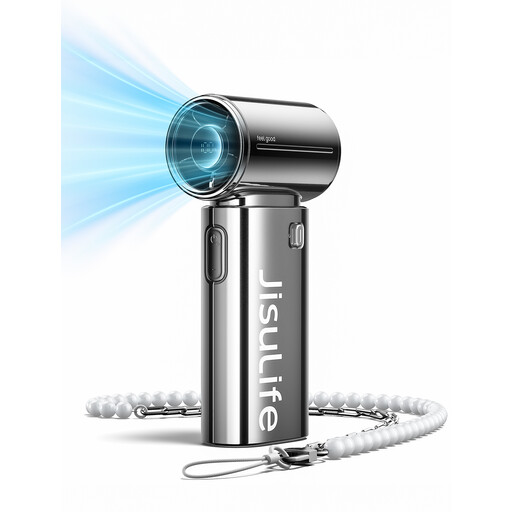
Why this choice suits this profile: This mini handheld fan is easy to carry to the office, on public transport or when out and about. Its LED screen shows the battery level and the selected speed.
Its 5 speed settings mean you don’t have to put up with a single, fixed airflow. Depending on the setting chosen, the advertised battery life can reach 22 hours.
5,000 mAh battery, compact size, wrist strap and digital display.
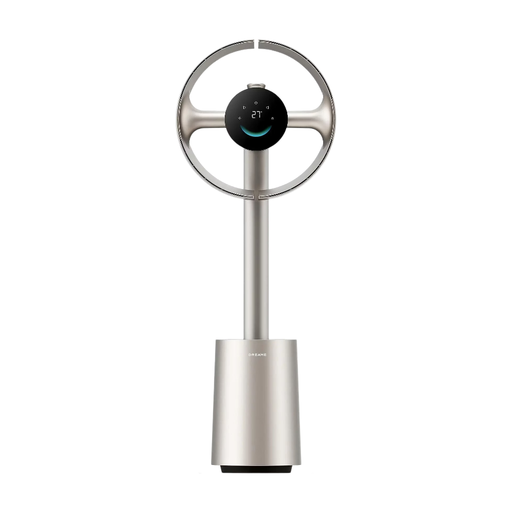
Why this choice suits this profile: This bladeless fan is designed for those who want adjustable airflow and smart controls for their living space.
Settings via the app, remote control or touch screen let you fine-tune the operation. The main removable, washable filter makes maintenance simple.
Advertised oscillation up to 180° horizontally and 90° vertically, magnetic remote control and 55 W power.
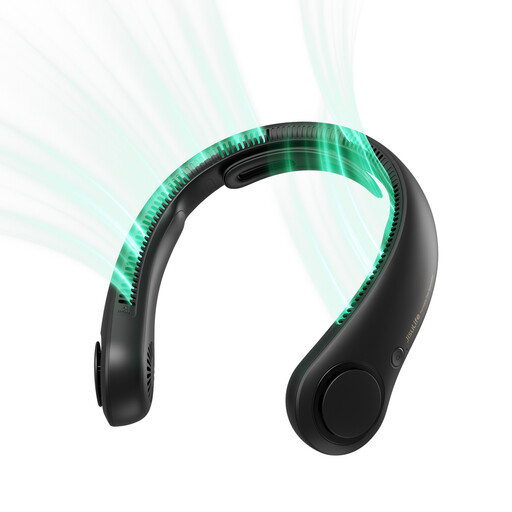
Why this choice suits this profile: This neck fan keeps your hands free during a walk, a commute, an outdoor activity or a day at work.
The bladeless design reduces the risk of catching hair, but the air intakes must remain clear. Depending on the level selected, the advertised battery life ranges from 2.5 to 16.5 hours.
5 speeds, 5,000 mAh battery, USB-C charging and an advertised weight of around 282 g.
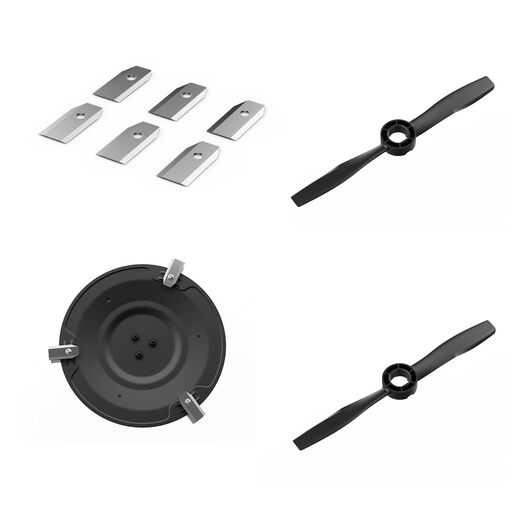
Why this choice suits this profile: This pack is aimed at users looking for mower blades and spare parts compatible with TRON/TRON SE appliances.
The pack contents are detailed before purchase: 18 mower blades, 2 disc fan blades and 1 large mowing disc. However, check its compatibility with your model.
A set bringing together several spare parts, handy for anticipating wear on cutting components.
We’ve selected a comprehensive, real-time updated list of products that meet these demanding criteria, as well as European safety requirements.
Compare the noise level stated by the manufacturer, choose a model with multiple speeds and look for a timer function. A remote control also lets you adjust settings without having to get up. The stability of the base is also worth your attention: vibrations can quickly increase the noise.
It depends on the model. The JISULIFE Portable Neck Fan Life 4 is described as usable while charging, whereas some specifications recommend not operating the appliance when it’s plugged in. Always consult the manual that corresponds exactly to the model you’ve bought.
Unplug the appliance, remove the grille only if the manual allows it, then clean the blades with a dry or slightly damp cloth. Never reassemble the blades before they are completely dry. For the blades of a mower fan, cut the power, wear suitable gloves and check the tightness and compatibility of the parts before putting it back into service.