
Livraison le jour même ou le lendemain

Qualité garantie

Débloquez vos offres de bienvenue: Livraison GRATUITE | Jusqu'à -80 % | 30 jours d'essai gratuits à JoyPlus
Téléchargez l'application
A fan does not always serve the same purpose. Cooling down while travelling, improving your comfort at your desk, distributing heat from a stove more effectively or cooling a processor all require very different features. Simply comparing the price or number of speed settings can therefore be misleading: battery life, size, compatibility and noise levels matter just as much.
Here are the main pitfalls to avoid and the criteria to consider before you buy.
A high airflow can be welcome in a room, but quickly become unpleasant when blowing directly at your face or from a desk. With a portable model, several speed settings are often more useful than a maximum power level that is difficult to control.
A portable neck fan should also remain comfortable to wear. Its weight, the shape of the neckband and the direction of the air outlets all make a difference during extended use.
The advertised battery life generally corresponds to one specific setting, often the least energy-intensive. With a USB-C rechargeable fan, it can therefore vary considerably depending on the speed selected. Check the battery capacity, charging time and whether or not the device can be used while it is charging.
With liquid PC cooling, a 240 mm water-cooling or 360 mm water-cooling radiator will not fit in every case. Measure the available space at the front or on top, check the mounting points and make sure it is compatible with your processor socket.
The same principle applies to a thermodynamic stove fan: it must be placed on a suitable surface that is sufficiently hot, without touching areas that could become scorching hot.
A capacity expressed in mAh indicates the amount of electricity stored, but it cannot by itself tell you the actual battery life. This depends in particular on the selected speed, the ambient temperature and the battery’s age and condition. The USB-C connector makes charging with a compatible charger easier, but you must still follow the voltage and current recommended by the manufacturer.
With a lithium-ion battery, avoid prolonged exposure to high temperatures, moisture and any attempt to dismantle the device. A portable fan with a USB-C port is not necessarily waterproof.
For a computer, a quiet PWM fan generally has a four-pin connector that allows its speed to be adjusted automatically according to the temperature. The dB(A) value is still only indicative: rotational speed, the case, vibrations and dust build-up can significantly alter the noise you perceive.
A PC liquid cooling system adds a pump and radiator to conventional fans. It can be suitable for a heavily loaded processor, but installation requires greater care and regular checks for potential leaks.
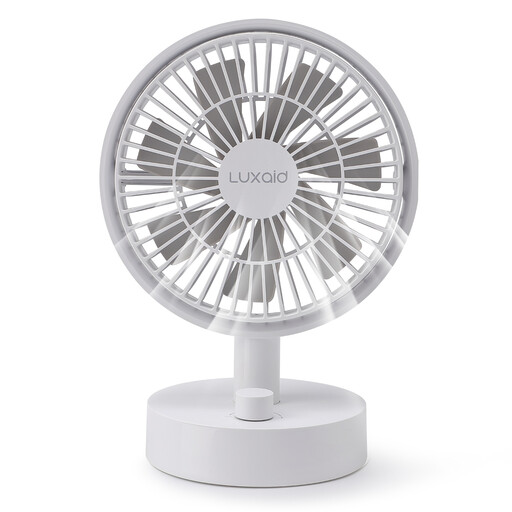
Why this choice suits this profile : Compact and easy to position, this model fits neatly on a desk or bedside table. It features a 2 000 mAh battery, ten speeds and a claimed 160-degree oscillation.
The wide range of settings lets you adapt the airflow to the situation, while USB-C charging means you are not tied to a proprietary cable.
Built-in battery, ten speed levels and cordless operation.
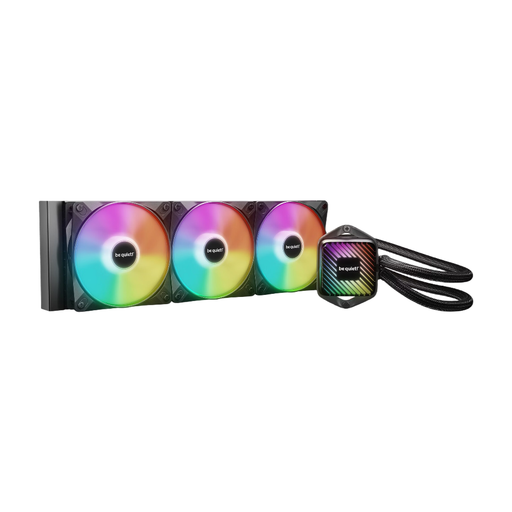
Why this choice suits this profile : This liquid cooling kit is designed for systems housed in a case compatible with a 360 mm radiator, as well as for users who want customisable ARGB lighting.
Intel and AMD compatibility is advertised, but it must be confirmed against your processor socket and case dimensions before purchase.
Three 120 mm PWM fans, a PWM pump and a claimed noise level of 15.5 to 35 dB.
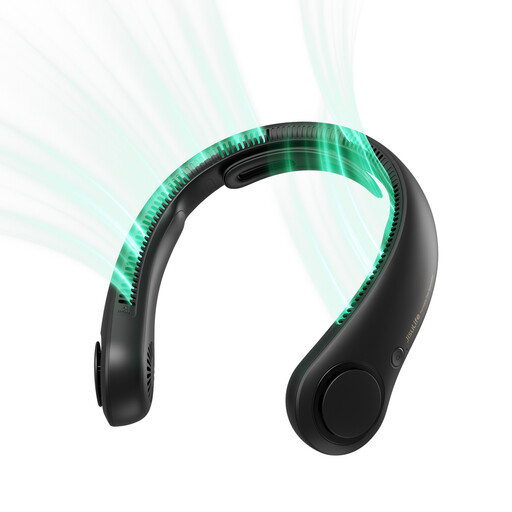
Why this choice suits this profile : Ideal for commuting, hiking or working outdoors, this hands-free model offers five speeds and a 5 000 mAh battery.
The claimed battery life ranges from 2.5 to 16.5 hours depending on the setting. This range is far more informative than quoting a maximum duration on its own.
Approximate weight of 282 g, USB-C charging in 3 to 4 hours and a bladeless design.
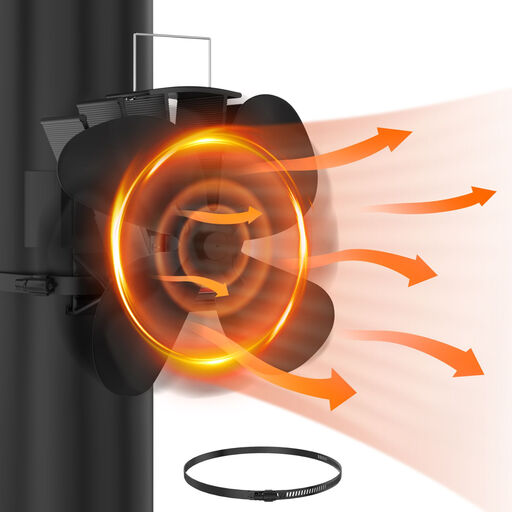
Why this choice suits this profile : This model is aimed at wood-burning stove or fireplace owners who want to distribute warm air more effectively without adding a mains power supply.
It requires neither a cable nor a battery, but its operation depends directly on the heat produced by the stove or fireplace.
Thermodynamic operation with no electrical socket required.
We have put together a complete, real-time updated selection of products that meet these demanding criteria, while also taking European safety regulations into account.
The JISULIFE Life 4 is described in some product information as usable while charging. However, the version of the manual consulted recommends not using it during this phase. Always follow the instructions supplied with your particular unit.
It depends on the processor, its settings, the case and the overall ventilation. A 240 mm radiator takes up less space than a 360 mm model, but the latter offers a larger heat-dissipation area. Start by checking the socket, the available space and the case mounting brackets.
The cost depends on the battery capacity, how often it is recharged and the price of electricity. When comparing models, focus above all on the capacity in mAh, charging time and the advertised battery life at each speed level.