
Livraison le jour même ou le lendemain

Qualité garantie

Débloquez vos offres de bienvenue: Livraison GRATUITE | Jusqu'à -80 % | 30 jours d'essai gratuits à JoyPlus
Téléchargez l'application
A fan can simply provide a welcome breeze, improve air circulation in a room or help a powerful PC dissipate heat. However, not every model is designed for the same purpose. A portable device involves different trade-offs from a quiet desk fan, while a stove fan relies on an entirely different operating principle.
Before placing your order, it is worth avoiding three common mistakes:
For a desk, bedside table or small room, a compact, adjustable fan may be perfectly adequate. The Luxaid Desk Fan, for example, offers 160° oscillation, ten power levels and a 2,000 mAh battery. This format is convenient for close-range use, but it will not necessarily replace a device designed to circulate air throughout a large room.
A portable fan or neck fan is primarily designed for personal comfort. It fits easily into commutes, outdoor activities, business trips or hot days in a poorly ventilated home. Its key advantage is directing airflow towards your face and neck while keeping your hands free.
A bladeless fan reduces exposure to moving components and may prove more practical in certain settings. Take the time to check its weight, ergonomics, air-intake position and how easy the grilles are to clean.
Noise levels vary according to the selected speed, the motor, the shape of the blades or air duct, and the distance between the device and the user. A figure between 17.6 and 37.2 dB therefore represents an operating range rather than a constant noise level.
For a quiet desk fan, prioritise:
With a USB-C rechargeable fan, the advertised runtime should always be considered alongside the power level being used. The JISULIFE Neck Fan Life 4, for example, claims 2.5 to 16.5 hours of battery life depending on the setting and usage conditions, with a 5,000 mAh battery and a charging time of three to four hours.
For a PC, choosing a cooling system is not simply a matter of radiator size. A 360 mm AIO liquid cooler generally requires a case that can accommodate a 360 mm radiator, either at the front or on the top. You must also check the clearance around the motherboard, RAM and taller components.
A 240 mm AIO liquid cooler is often easier to install in a compact case. Even so, its two fans and radiator occupy a clearly defined amount of space. Check the processor socket, mounting points and available connectors before purchasing.
Finally, an ARGB fan can synchronise its lighting only if the motherboard or controller has a compatible ARGB connection. Never connect a plug based solely on its shape: the arrow indicating the connection direction and the voltage must match.
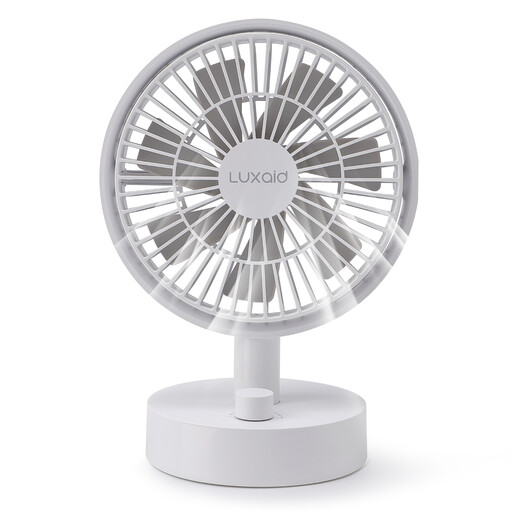
Why it suits this profile: Its desk-friendly design is ideal for working from home, a bedside table or a small personal space. USB-C charging makes everyday use more convenient.
The specifications list ten speeds and 160° oscillation—more meaningful information than a vague promise of power.
2,000 mAh battery, ten speeds, 160° oscillation and USB-C charging according to the product specifications.
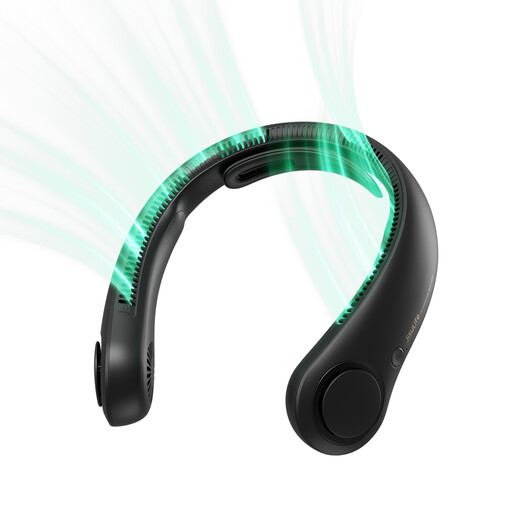
Why it suits this profile: This hands-free neck fan is ideal for travel, concerts, outdoor work and summer commutes.
The stated weight of approximately 282 g, bladeless design and five speed levels provide a more tangible indication of everyday comfort.
5,000 mAh battery, USB-C charging, five speeds and an advertised runtime of 2.5 to 16.5 hours depending on the setting.
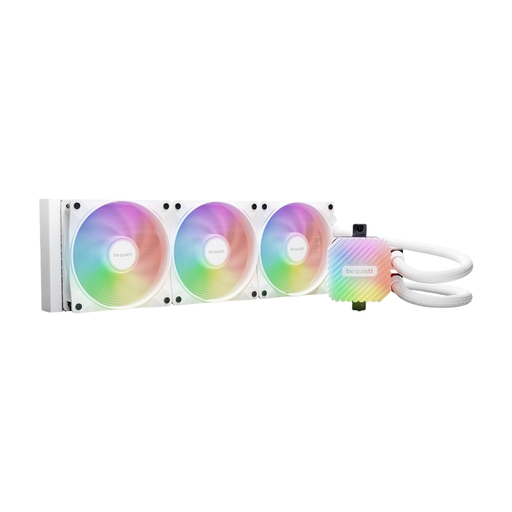
Why it suits this profile: This liquid-cooling system is intended for builds with a demanding mainstream processor, provided that the case and socket are compatible.
The 360 mm radiator and three included fans make the key pre-purchase compatibility checks clear.
Three PWM fans, ARGB lighting, an ARGB-PWM controller and a three-year manufacturer’s warranty according to the specifications.
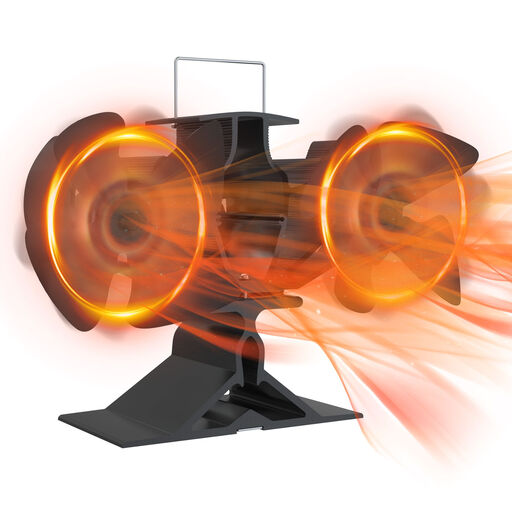
Why it suits this profile: This fireplace fan harnesses the heat from a stove or fireplace to distribute warm air more effectively, without an electrical connection.
It does not rely on a battery, but the temperature and positioning guidelines for the selected model must be followed.
No electrical power required, with a design intended for wood-burning stoves, stoves and fireplaces according to the product title.
We have brought together an up-to-date selection of products that meet these criteria, helping you compare noise levels, form factors and features more easily.
For a more compact PC build, the be quiet! Pure Loop 3 LX 240 mm combines a 240 mm radiator, two Light Wings LX fans and ARGB lighting. Its stated compatibility includes Intel LGA 1851, 1700 and 1200 sockets, as well as several AMD AM5 and AM4 sockets. The Pure Loop 3 360 mm, meanwhile, comes with three Pure Wings 3 fans and delivers a noise range of 17.6 to 37.2 dB.
These products are not fans designed to cool a room. They belong to the component-cooling category and require careful installation, with the PC switched off and unplugged. Before powering the system on, also inspect the tubes and fittings.
The JISULIFE Life 4 variants are available in black, white and purple. The main specifications remain similar, but certain instructions may vary depending on the product listing or marketed version. Always consult the safety information for the lithium-ion battery, keep the device away from moisture and do not cover the air intakes with clothing or a scarf.
Its running cost depends primarily on recharging the battery. Power consumption is generally modest compared with a device permanently connected to the mains, but runtime varies significantly depending on the selected speed, oscillation and battery condition.
No. Even when the blades are not visible, the motor and airflow still generate noise. When comparing two models, check their decibel rating, speed range and the conditions under which the measurements were taken.
Start by checking the case, processor socket and the clearance actually available. A 360 mm model features a longer radiator and three fans, while a 240 mm model requires less space. Your choice should depend primarily on your configuration and the PC’s workload—not simply on the stated size.