
Livraison le jour même ou le lendemain

Qualité garantie

Débloquez vos offres de bienvenue: Livraison GRATUITE | Jusqu'à -80 % | 30 jours d'essai gratuits à JoyPlus
Téléchargez l'application
Is your PS5 storage filled to the brim??Are your 4K video transfers taking forever??Or maybe you're just looking for a reliable, compact solution to back up your important files on the go??A good external SSD can be a game-changer, but navigating the jungle of technical specs can quickly become a headache.
As a product expert at Joybuy, my mission is to guide you. This guide breaks down the key features and presents a selection of models suited for different uses—all without the unnecessary marketing jargon.
Before comparing models, let's review the three criteria that define a good portable SSD?: speed, capacity, and durability.
Speed is often the number one selling point. Expressed in megabytes per second (MB/s), it depends on both the drive itself and its connection port (USB).
A fast external SSD drastically reduces waiting times, whether you're launching a game or copying your photo library.
The capacity you need depends entirely on your use case.
By nature, a portable SSD is much more durable than a traditional hard drive because it has no mechanical parts. Some models go even further by integrating additional protections?:
Here are three models targeting very distinct profiles?: the gamer, the content creator, and the user looking for a simple and effective backup solution.
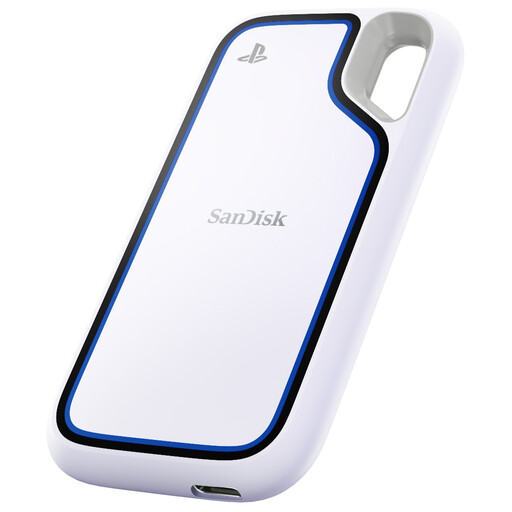
Why It Stands Out
The SanDisk Extreme is a true benchmark in the external SSD market. It offers a near-perfect balance of performance, durability, and security. Its rugged design makes it a prime choice for adventurers.
Advantages
Who Is It For?
Creators, photographers, and gamers (PC or console) looking for a fast 2?TB external SSD that can handle the rigors of daily life and travel. Its great versatility is a major asset.
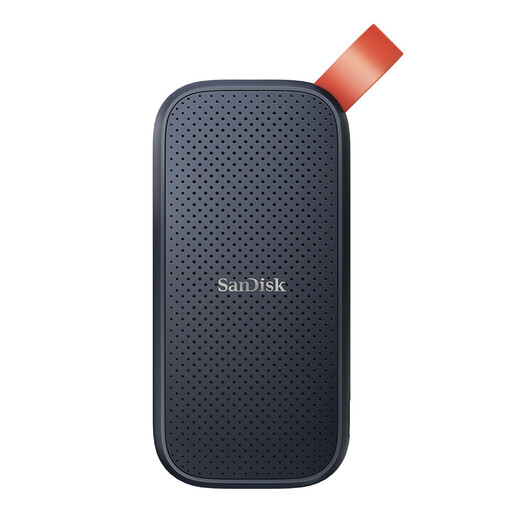
Why It Stands Out
This model gets straight to the point?: offering a large capacity in an ultra-compact and lightweight format. It's the ideal entry ticket into the world of fast SSD storage, with no frills.
Advantages
Who Is It For?
Students, mobile professionals, and anyone looking for a simple, reliable, and affordable backup solution. A smart choice for expanding a laptop's storage or transporting large files.
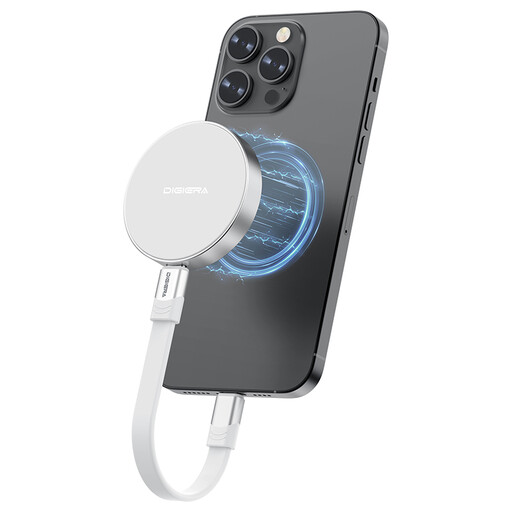
Why It Stands Out
This DigiEra stands out for two specific features?: its top-tier speed and its magnetic attachment. Designed for the most demanding workflows, it pushes the boundaries of portable external storage.
Advantages
Who Is It For?
Primarily for videographers and creators using an iPhone 15/16 Pro who shoot in ProRes. It's also an excellent choice for professional video editors whose machine is equipped with a USB 3.2 Gen 2x2 port and who want the fastest transfers on the market.
Our selection is just a glimpse. For specific needs regarding capacity, brand, or budget, feel free to explore our full category. There you will find a much wider selection to find the perfect drive.
Discover our full range of external hard drives and SSDs
The fundamental difference lies in the technology. An SSD (Solid State Drive) uses flash memory with no moving parts, while an HDD (Hard Disk Drive) works with rotating magnetic platters. In practical terms, an external SSD is therefore?:
It couldn't be simpler. Plug the external SSD into one of the SuperSpeed USB-C ports (10?Gbps) on the back of the PS5. Then, go to Settings?>?Storage?>?USB Extended Storage and select Format as USB Extended Storage. Once the process is complete, you can move your PS4 games to it to play them directly, and archive your PS5 games on it (which you will need to copy back to the console's internal SSD to launch them).
Yes, it's normal for a fast external SSD to become warm, or even hot to the touch, during large file transfers. This is a sign that its casing (often made of metal) is doing its job as a heat sink to dissipate heat from the flash memory. Just remember to place it on a flat surface and not to cover it to ensure good ventilation.