
Livraison le jour même ou le lendemain

Qualité garantie

Débloquez vos offres de bienvenue: Livraison GRATUITE | Jusqu'à -80 % | 30 jours d'essai gratuits à JoyPlus
Téléchargez l'application
An ergonomic wireless mouse can make long working days far more comfortable. However, not all models are created equal, and above all, they are not designed for the same uses. Between promises of comfort, silent clicks and sensitivity settings, certain features are often highlighted without clearly explaining their practical benefits.
To avoid a disappointing purchase, it is worth focusing on the shape, connectivity, power supply and functions you will genuinely use. Here are the criteria to consider before choosing a mouse for PC or Mac, whether you use it in the office, at home or on the move.
A rounded shape or thumb rest does not guarantee that a mouse will suit your hand. Its dimensions, weight and grip directly affect everyday comfort. A compact model slips easily into a bag, but may be less comfortable for larger hands. Conversely, a more substantial mouse may provide greater support, at the cost of taking up more space on your desk.
So check the stated dimensions and identify your usual grip: “palm”, “fingertip” or “claw”. Ergonomics also depends on whether you are right- or left-handed: some models are designed for right-handed users, while others are suitable for both.
A 6-button mouse can speed up navigation with its side controls and DPI adjustment button. But if you mainly browse the web, work with office applications and use messaging services, five buttons may already be more than enough.
The number of buttons should not distract from the essentials: their position, accessibility and compatibility with your operating system.
A rechargeable or battery-powered mouse comes with different requirements. An integrated battery means you do not need to buy batteries, but it must be recharged and may leave the mouse unusable when empty. A model powered by an AA or AAA battery can be put back into use within seconds, which is particularly useful when travelling.
Also check whether the battery is included and whether the mouse has a sleep mode. The battery life quoted by the manufacturer is only an indication: it varies according to usage time, how often you travel with the mouse and the type of connection.
A Bluetooth mouse connects directly to a compatible computer or tablet without taking up a USB port. It is particularly convenient with an ultraportable laptop or in environments where ports are limited. However, make sure your device supports the required Bluetooth version and that the pairing process is straightforward.
A 2.4 GHz mouse generally works with a nano USB receiver. Setup is often immediate, following a plug-and-play principle, but the receiver must be kept available and compatible with your computer’s ports. If your computer only has USB-C ports, an adapter may be essential.
Some models combine both technologies. This allows you to switch between a computer, tablet or another device, provided you check the stated compatibility with Windows, macOS, Chrome OS, Linux or Android.
DPI indicates the distance travelled by the cursor for the same movement of the mouse. An adjustable-DPI mouse generally offers several levels, such as 800, 1,200, 1,600 or more.
A high DPI count does not necessarily mean a better experience. For an ergonomic computer mouse, sensor stability and smooth movement are just as important as maximum sensitivity.
A silent mouse can be ideal for a shared office, library or communal room used for working from home. However, check that the claim specifically refers to click noise, rather than only the sound of the scroll wheel.
Weight also affects how much control the mouse feels to offer. Lightweight models are easy to carry, while a heavier mouse may feel more stable on the desk. Finally, check the information about the sensor and compatible surfaces: a mouse mat is strongly recommended if your desk is very glossy, uneven or dusty.
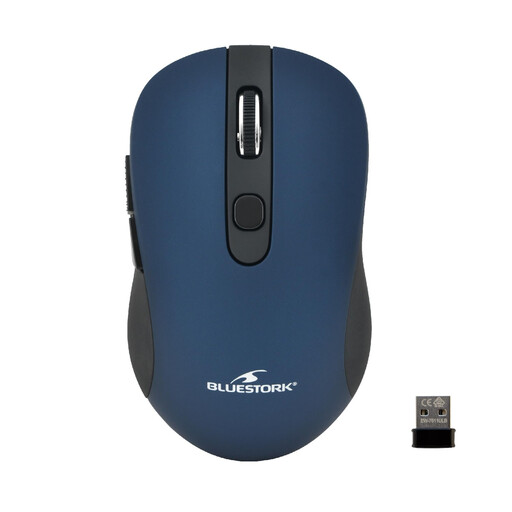
Why this choice suits this profile : This wireless office mouse offers a 2.4 GHz connection with a nano USB receiver, six buttons and three DPI levels. It is aimed at anyone looking for simple setup on Windows or Mac.
The 800, 1,200 and 1,600 DPI levels are clearly stated, as are battery power and plug-and-play operation.
Six buttons, laser sensor, DPI adjustment and USB receiver included, according to the product description.
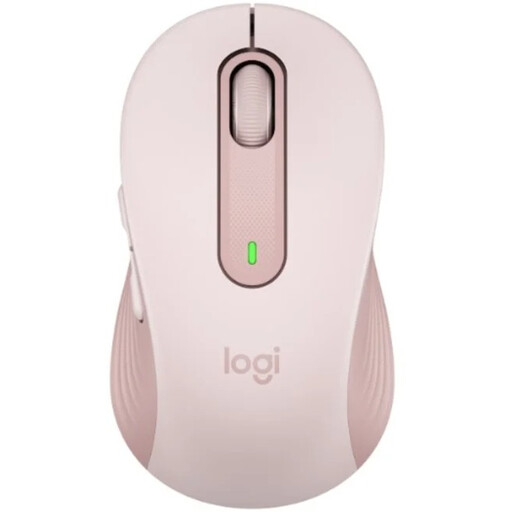
Why this choice suits this profile : Its medium size, two connection options and clicks advertised as silent make it an appealing choice for anyone looking for a comfortable mouse for everyday use, both in the office and while working from home.
The product details specify the M size, weight with battery, multi-system compatibility and the option to use Bluetooth or a Logi Bolt receiver.
Five buttons, two customisable side buttons and battery life of up to 24 months with one AA battery.
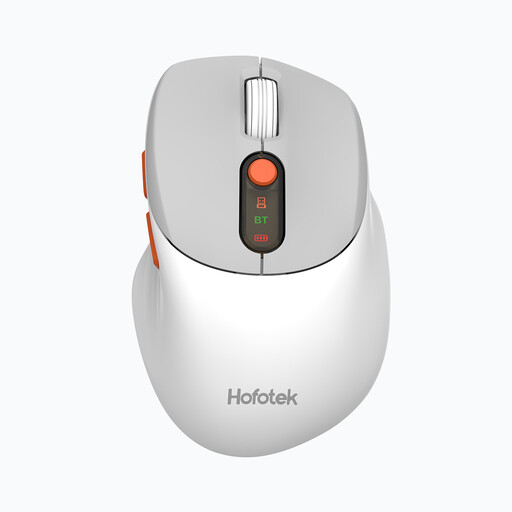
Why this choice suits this profile : The M311 is designed for users who regularly switch between devices and want a lightweight, silent mouse compatible with Windows, macOS and Android.
The product details specify a 2.4 GHz connection and Bluetooth 5.1, with the option to switch between three devices. You are therefore not limited to one type of port or connection.
Stated weight of 62 g, silent clicks, five DPI levels up to 4,000 and powered by one AA battery.
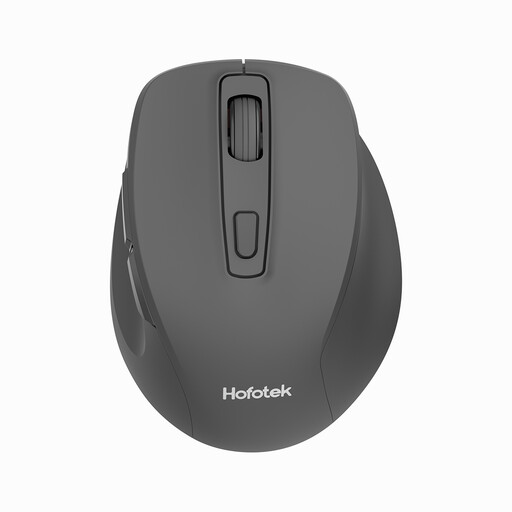
Why this choice suits this profile : Its compact size and stated weight of 55 g may appeal to students, mobile homeworkers and anyone who regularly carries their equipment with them.
The product details set out four DPI levels and a 2.4 GHz connection with a USB receiver, rather than being vague about the essential features.
Clicks advertised as silent, optical sensor, compatibility with Windows, macOS and Android, and AA battery included.
Before completing your purchase, check the following points:
Yes, provided that the PC has Bluetooth and this function is enabled. Otherwise, you will need to add a Bluetooth adapter. A 2.4 GHz mouse with a USB receiver is another option, provided you have a compatible port.
It depends on the model, the battery used, how often you use it and how sleep mode operates. Some product details quote several months of battery life, or even up to 24 months for certain models, but this remains an estimate from the manufacturer. If the mouse is not used for an extended period, removing the battery can also help reduce the risk of leakage.
It can significantly reduce noise in a shared office, study room or home-working space. However, remember to check whether the scroll wheel and side buttons are silent too: the claim most often applies to the main clicks.