
Livraison le jour même ou le lendemain

Qualité garantie

Débloquez vos offres de bienvenue: Livraison GRATUITE | Jusqu'à -80 % | 30 jours d'essai gratuits à JoyPlus
Téléchargez l'application
An ergonomic wireless mouse can make working from home, studying, creating content or gaming on a PC far more comfortable. Yet product listings often focus on DPI counts, lighting effects or advertised battery life without explaining the conditions behind those figures. The result can be an uncomfortable mouse that is difficult to connect or expensive to maintain.
Here are the key points to assess before buying, followed by a selection of recommended models for different types of users in France.
A vertical mouse, curved shell or thumb rest will not necessarily suit every hand. Size, weight, width and orientation — right-handed, left-handed or ambidextrous — all have a direct impact on how comfortable the mouse feels.
A vertical mouse may take a few days to get used to. Conversely, a compact model is easy to carry but may feel less comfortable in a larger hand. Check its dimensions and orientation before placing your order.
DPI measures cursor sensitivity, not the overall quality of the sensor. For office work, a setting between 800 and 1,600 DPI is generally sufficient. Gamers and creators may appreciate an adjustable-DPI wireless mouse, but a high figure cannot compensate for inconsistent tracking or imprecise buttons.
Adjustable profiles are only useful if changing sensitivity is straightforward and the associated software runs properly on your computer.
A battery-powered mouse can run for a long time, but you will need to replace and recycle the batteries. A USB-C rechargeable mouse avoids this recurring expense, provided you check its battery life and charging time.
The type of connection also deserves your attention. A 2.4 GHz receiver can generally be set up within seconds on a PC with an available USB port. A Bluetooth mouse leaves that port free, which is particularly useful with a laptop, but pairing can vary depending on the operating system and devices involved.
For everyday use, choose a shell that supports your palm naturally without forcing your fingers to tense up. Models marketed as ergonomic PC mice come in horizontal and vertical designs. An ambidextrous mouse may be suitable for a household where several people share it, while a right- or left-handed model often offers a more tailored shape.
Weight also matters. A lightweight mouse makes fast movements easier, while a heavier model can feel more stable. There is no single ideal weight for every use case, however.
An optical sensor is found in most office and gaming mice. In particular, check:
For a wireless gaming mouse, polling rate, advertised latency and 2.4 GHz connectivity may matter more than the maximum DPI figure alone.
The same mouse may offer different battery-life figures depending on whether it uses Bluetooth, 2.4 GHz, RGB lighting or sleep mode. When these conditions are specified, compare them separately.
Also check compatibility with Windows and Mac. Some models work immediately after plugging in the receiver, while additional buttons and lighting may require software that is sometimes less comprehensive on macOS. For a console, consult the product listing and the manufacturer’s recommendations before buying.
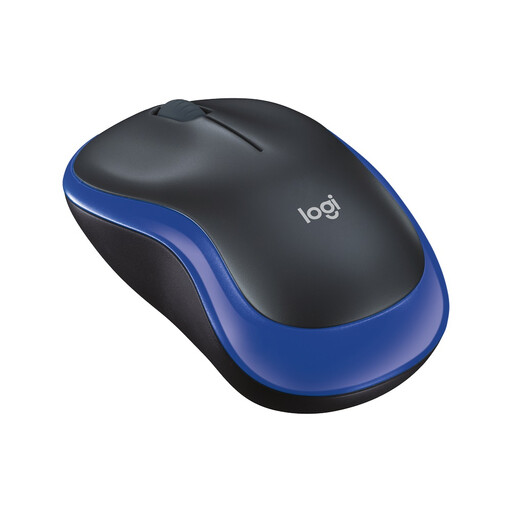
Why this model may suit you: a compact solution for studying, office work or using a laptop on the go.
The product listing specifies a 2.4 GHz connection with a USB receiver, no additional software and automatic sleep mode.
1,000 DPI optical resolution, line-by-line scrolling and advertised battery life of up to 12 months with one AA battery.
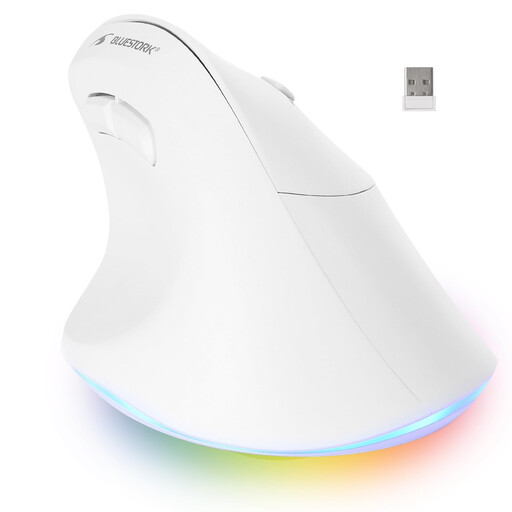
Why this model may suit you: its vertical design is aimed at right-handed users who want to try a different shape for everyday work.
The listing specifies a right-handed design, dual 2.4 GHz and Bluetooth connectivity, and adjustable sensitivity.
Adjustable DPI from 800 to 2,400, an integrated battery and USB-C charging, with advertised compatibility with Windows and macOS.
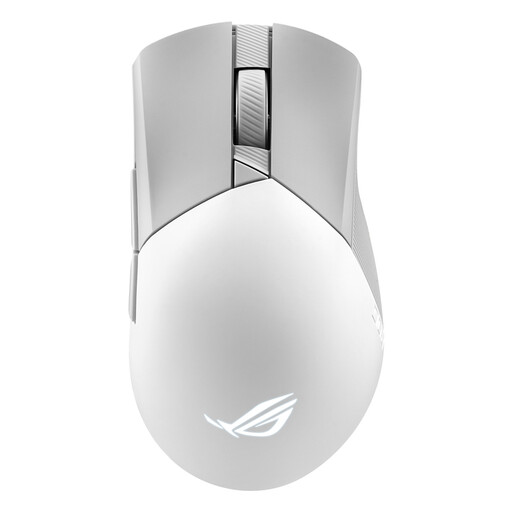
Why this model may suit you: it is designed for gamers who want to switch between PC, Bluetooth and a wired USB-C connection.
Its three connection modes eliminate reliance on a single protocol. RGB lighting can be customised through ASUS software.
Sensor rated at up to 36,000 DPI, six buttons, listed weight of 79 g and advertised battery life of up to 119 hours over 2.4 GHz.
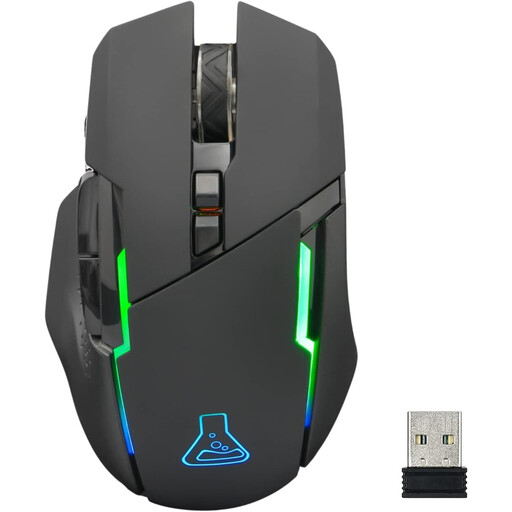
Why this model may suit you: an option for PC gamers and users of selected consoles who want to adjust sensitivity and lighting.
The advertised operating time distinguishes between scenarios with RGB lighting enabled and disabled, making comparisons more meaningful.
Five DPI levels from 400 to 7,200, six buttons, a stated two-hour charging time and compatibility with PC, PS4, Xbox One and Mac.
We have assembled an up-to-date selection of products suited to different use cases, systems and comfort requirements.
Bluetooth leaves your USB port free and is well suited to compatible laptops. A 2.4 GHz model with a receiver is often easier to set up, particularly on a desktop PC. Dual-connectivity mice offer greater flexibility, but check how many devices they can remember.
Battery life depends on the battery type, connection mode, automatic sleep function and lighting. Battery-powered models may advertise several months of use, while rechargeable models require regular charging. Figures supplied by manufacturers remain estimates based on specific usage conditions, so actual battery life may vary.
No. It can change the position of your hand, but its height, angle and orientation need to suit your body shape and habits. If you are unsure, compare the dimensions, check the returns policy and allow a few days to adjust. Left-handed users should search specifically for a left-handed vertical mouse, as most models are designed for right-handed users.