
Same-day & Next-day Delivery

Quality Guaranteed

Unlock Your Welcome Offers: FREE Delivery | Up to 80% OFF | Free 30-day JoyPlus trial
Download the APP
With remote work becoming the norm and hours in front of the screen getting longer, setting up a comfortable home office is no longer a luxury—it's a matter of health. The problem: the ergonomic office furniture market is a jungle of often misleading marketing promises. A poor choice doesn't just impact your productivity; it can also harm your health in the long run.
Our mission: to help you see things more clearly. Let's cut through the marketing jargon and focus on what truly matters. Here are the pitfalls to avoid and the essential criteria for investing wisely.
Before you pull out your credit card, watch out for these common mistakes that can turn a good investment into a costly regret.
To successfully set up your home office, you need to learn how to decipher technical specifications. Here are the points you must check.
A good office chair with lumbar support goes far beyond a simple cushion. Look for these three fundamental adjustments:
The performance of an electric sit-stand desk rests on two pillars:
Every profile has its solution. Here are a few products that check all the boxes for the quality criteria we've just discussed.
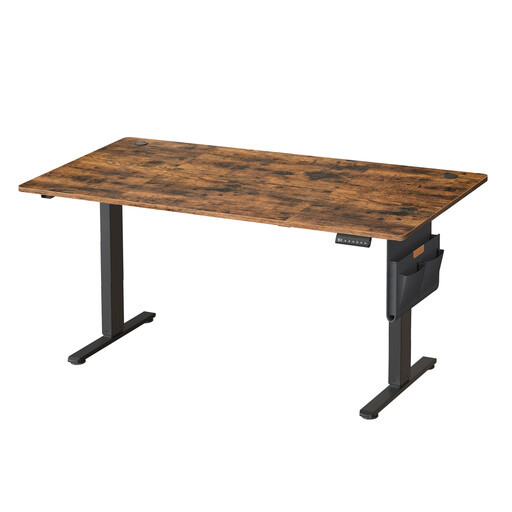
Why we recommend it: Perfect for a complete remote work setup. Its large desktop can accommodate multiple monitors and accessories, while its 4 memory presets make it easy to alternate postures throughout the day.
It avoids the unstable and noisy desk trap with its robust steel frame and a motor designed for smooth, discreet transitions.
4 memory presets for maximum ease of use; large desktop (160 × 70 cm); thoughtful accessories (pouch, hook, cable grommets).
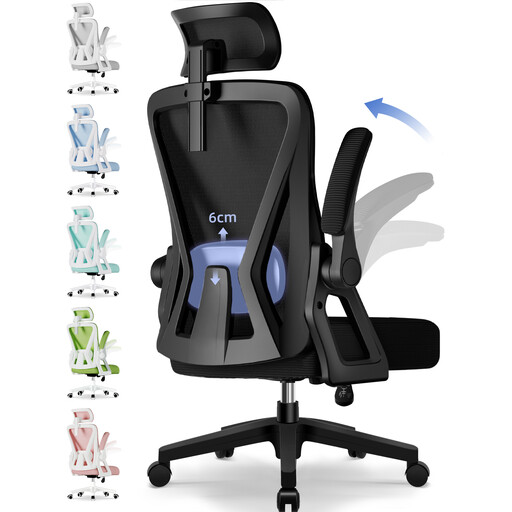
Why we recommend it: This chair offers the essential ergonomic adjustments (headrest, lumbar support, armrests) at an affordable price. It's an excellent first step to improving your comfort without breaking the bank.
It avoids the "pseudo-ergonomic" trap by offering real, functional adjustments, including a lumbar support that is adjustable by 6 cm.
Breathable mesh backrest; recline function up to 135°; 90° flip-up armrests to easily slide it under the desk.
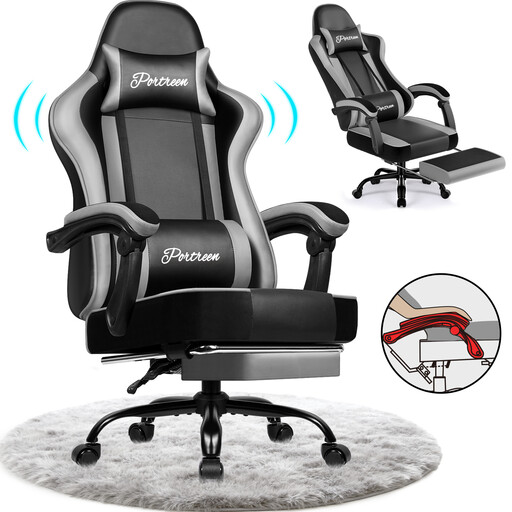
Why we recommend it: A **gaming chair** built for long sessions. Its deep recline and telescopic footrest offer superior comfort for gaming, work, or relaxation.
It tackles the problem of low-quality materials with a water- and scratch-resistant PU leather cover and a robust metal frame.
Backrest reclines up to 170°; integrated telescopic footrest; head and lumbar cushions included.
Discover our full selection of products that meet our quality criteria and current safety standards.
The lifespan of a motorised desk primarily depends on the quality of its motor and frame. A model with a steel frame and a certified motor can operate without issues for many years, often well beyond the warranty period. Usage is also a factor: a desk used daily in a professional setting will experience more wear. Adhering to the maximum load capacity and avoiding abrupt movements will help extend its life.
The ideal size depends on three things: the space you have available, the number of monitors you use, and the space needed for other tasks (note-taking, etc.). A 120?×?60?cm desktop is a good starting point for a setup with a laptop and an external monitor. If you use two or more monitors, or if you need more space, a width of 140?cm or 160?cm will be much more comfortable.
Yes, and the difference is fundamental. A standard chair offers passive, often minimal, support. In contrast, an ergonomic chair provides active and fully customisable support. Thanks to its multiple adjustments (lumbar support, armrests, height, seat depth), it adapts to your body to maintain a healthy posture, reduce strain on the spine and shoulders, and thus prevent pain associated with prolonged sitting.