
Same-day & Next-day Delivery

Quality Guaranteed

Unlock Your Welcome Offers: FREE Delivery | Up to 80% OFF | Free 30-day JoyPlus trial
Download the APP
With the rise of remote work, the home office has become a true extension of our professional lives. Yet, many of you experience discomfort, neck strain, or persistent back pain. The cause? All too often, it's unsuitable equipment, chosen in a hurry. Before investing in ergonomic office furniture, it's crucial to know the common pitfalls to make an informed and, most importantly, lasting choice.
As a Product Specialist at Joybuy, my mission is to provide clarity, relying on objective criteria rather than marketing slogans.
The market is flooded with products promising absolute comfort. But be warned: certain features (or the lack thereof) can quickly turn a good investment into a regret.
For a home office setup that combines well-being and productivity, focus on these non-negotiable technical points.
A good chair is the cornerstone of your comfort. Here are the points to scrutinize:
Alternating between sitting and standing is an excellent habit. For an electric sit-stand desk, quality is in the details:
The ideal choice depends on your usage. Here is a selection of products tailored to specific needs.
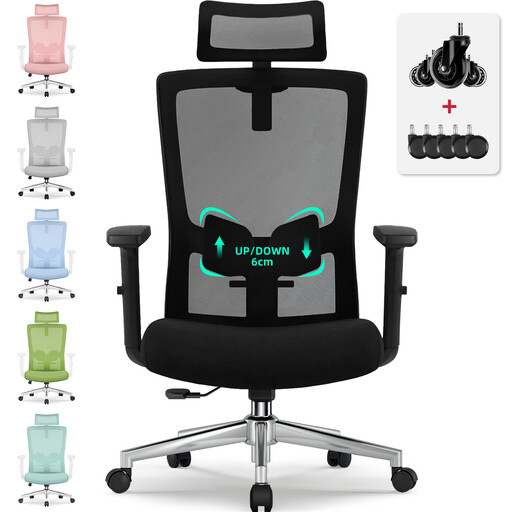
Why this choice? This chair checks all the boxes for essential ergonomic adjustments (lumbar support, headrest, tilt) for daily use, all at an accessible price. Ideal for a first serious setup.
It stands out from falsely "ergonomic" products by offering concrete, measurable adjustments, like a lumbar support adjustable by 6 cm and a recline of up to 135°.
Its breathable mesh back ensures long-lasting comfort, even during long workdays. Its tilt function is perfect for taking short breaks.
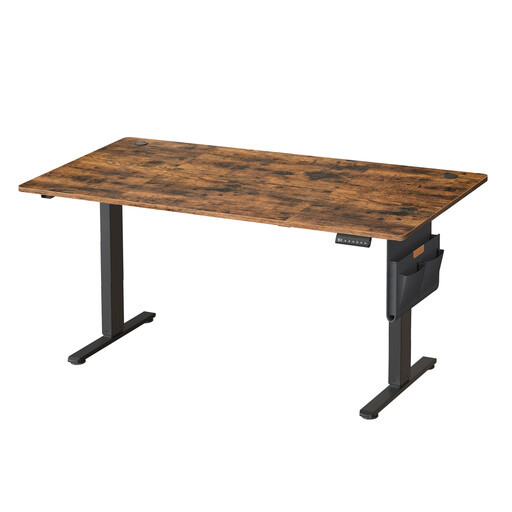
Why this choice? The perfect partner for those who spend more than 8 hours at their desk. It allows for easy posture changes, an invaluable practice for maintaining energy and long-term postural health.
It debunks the "one-size-fits-all" myth by offering a wide height range (from 72 to 120 cm) and 4 memory presets. Its robust steel frame guarantees rock-solid stability, even in the highest position.
Its motor provides smooth and quiet adjustments. Handy extras, like the storage pouch and cable management grommets, help maintain a pristine workspace.
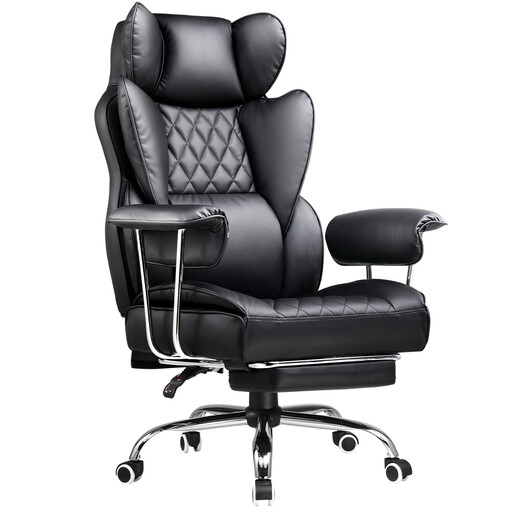
Why this choice? Designed for maximum comfort during extended sessions, whether for gaming, studying, or working. The focus is on support and relaxation, with features built for that purpose.
It goes beyond the simple "gamer look" by integrating real ergonomic elements, like a removable lumbar cushion and a sturdy frame. It offers real support where many competitors focus solely on aesthetics.
Its deep recline capability, combined with the retractable footrest, transforms the workstation into a true cocoon of relaxation for breaks between intense sessions.
If your workspace has specific constraints, explore our selection of products that meet the same high standards of quality and comfort.
For an ideal posture, follow these steps:
Absolutely. It's an excellent tool to counter the negative effects of prolonged sitting. The goal isn't to stand all day, but to alternate postures regularly. This promotes blood circulation, reduces pressure on the spine, and helps maintain a good energy level throughout the day. It's an investment in a more dynamic and healthier workday.
While both aim for comfort, their philosophy is different. The classic ergonomic office chair is designed for an active work posture, with precise adjustments that adapt to your tasks. The gaming chair, often inspired by racing car bucket seats, offers more enveloping support. It emphasizes relaxation features (deep recline, footrests), ideal for gaming sessions or moments of relaxation. The choice, therefore, depends on your primary use.