
Livraison le jour même ou le lendemain

Qualité garantie

Débloquez vos offres de bienvenue: Livraison GRATUITE | Jusqu'à -80 % | 30 jours d'essai gratuits à JoyPlus
Téléchargez l'application
With the rise of remote work and home study spaces, our interiors have been transformed. But let's be honest: the dining room chair and the corner of the kitchen table aren't enough to protect our backs and focus in the long run. Investing in ergonomic office furniture is no longer a luxury, but a necessity for combining comfort and productivity.
However, the market is saturated with products making tempting marketing promises that often hide disappointment. As the Head of Product Selection at Joybuy, I review dozens of items every week. My mission is to help you navigate the common traps to make a truly informed choice.
To ensure you don't regret your purchase, here are the pitfalls that lead directly to a poor investment.
For a worthwhile and lasting investment, focus on a few non-negotiable technical parameters.
A good seat is the cornerstone of preventing back pain at the office. Forget vague marketing descriptions and verify these three points:
The height of your work surface is just as crucial as your seating.
A cluttered desk is the enemy of concentration. A mobile pedestal or integrated storage solutions help keep essentials within reach without overloading your work surface.
To each profile, its solution. Here are a few hand-picked options based on your usage to help you find the perfect fit.
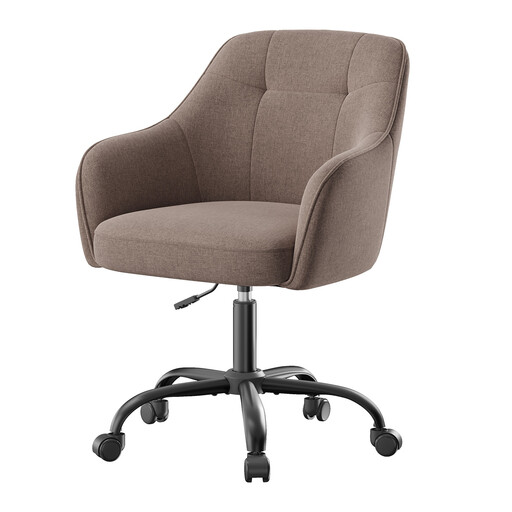
Why we chose it: Ideal for students or as a first-time setup, this chair combines a clean design with essential ergonomic adjustments for daily use.
It doesn't sacrifice support for the sake of design. Its contoured backrest and padded seat provide far superior comfort to a kitchen chair, all at a modest price.
Easy-to-adjust seat height to align with most desks. Breathable fabric and express assembly.
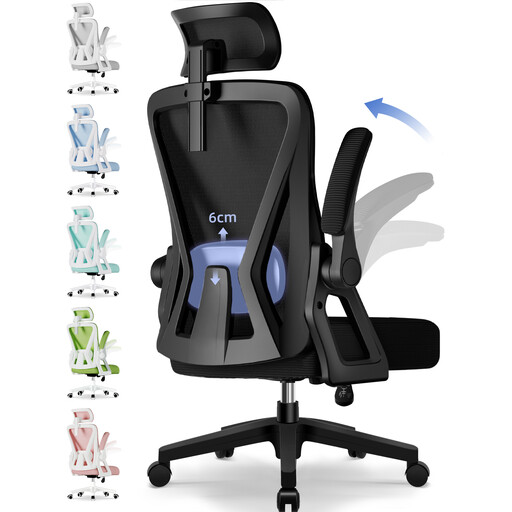
Why we chose it: Designed for professionals in intensive remote work and gamers who endure long sessions. This chair deploys a full arsenal of adjustments for tailored, long-lasting support.
No gimmicky settings here. We're talking about real, precise, and robust adjustments: lumbar support (6 cm), headrest (10 cm), pivoting armrests (90°), and a generous recline up to 135°.
Its high-density mesh back ensures excellent ventilation. Its solid frame supports up to 150 kg, a guarantee of stability.
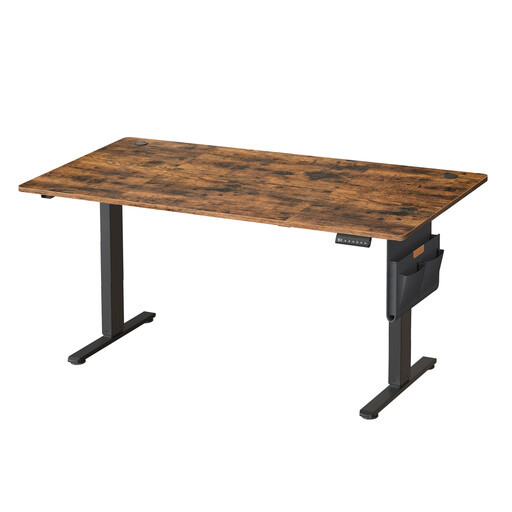
Why we chose it: The perfect ally for those who want a truly active workstation. It lets you vary your posture by switching from sitting to standing in seconds, keeping you dynamic all day long.
It tackles the "ecosystem" problem head-on: it adapts to you (and your chair), not the other way around. Its variable height ensures a perfect posture, whether you're sitting or standing.
Quiet motor, 4 memory presets to switch positions with one click, and thoughtful accessories (storage pouch, headphone hook, cable management).
Discover our full selection of products that meet our demanding specifications and current safety standards.
The lifespan of an ergonomic chair depends on the quality of its components, as well as the intensity of your use. An entry-level model will typically last 2 to 3 years, while a premium chair with a steel frame, high-density foam, and a reinforced mechanism can last for 7 to 10 years, or even longer. A good indicator is the length of the manufacturer's warranty. It's often an excellent barometer of the brand's confidence in its own product.
Step 1: The chair. Adjust its height so your feet rest flat on the floor, with your knees bent at 90°. Step 2: The desk. The work surface should allow your forearms to rest flat, with your elbows also at 90°, without you having to raise your shoulders. Step 3: The finishing touches. Adjust the lumbar support to fit the curve of your back, and position your monitor so that the top of the screen is at eye level.
The main benefit of an electric sit-stand desk is that it encourages you to move. As we know, a sedentary lifestyle is public enemy number one in the office. The simple act of alternating between sitting and standing improves circulation, prevents back pain, and even boosts your energy. It is therefore a more than worthwhile investment if you spend more than four hours a day in front of a screen.