
Livraison le jour même ou le lendemain

Qualité garantie

Débloquez vos offres de bienvenue: Livraison GRATUITE | Jusqu'à -80 % | 30 jours d'essai gratuits à JoyPlus
Téléchargez l'application
Long remote workdays, endless gaming sessions... The outcome is all too familiar: discomfort creeps in, and then back pain follows. Far from a luxury, a good ergonomic office chair is a crucial investment in your daily health and comfort. But with an overwhelming number of options on the market, how can you navigate the various materials, dozens of adjustments, and sometimes confusing features??
As a product expert at Joybuy, my mission is to cut through the noise for you. This guide gets straight to the point, presenting concrete options and the essential criteria for choosing the perfect chair for heavy use—all without the superfluous marketing jargon.
Before we dive into our selection, keep these key points in mind. Never forget the golden rule: the chair should adapt to you, not the other way around.
For anyone sitting for more than two hours a day, an ergonomic chair with lumbar support is non-negotiable. Prioritise models that offer a maximum number of adjustment points?:
The upholstery of your comfortable office chair plays a crucial role in your day-to-day well-being.
The versatility of a reclining office chair is a significant plus. The ability to tilt the backrest lets you change positions throughout the day, which is an excellent habit for preventing fatigue. A 90° angle is ideal for focused work, while a 135° recline (or more) invites relaxation for reading or a power nap. The most comprehensive models even include a retractable footrest for ultimate comfort.
We've selected three models that meet a range of needs and budgets, whether you're a dedicated remote worker or a gaming enthusiast searching for the perfect PC chair.
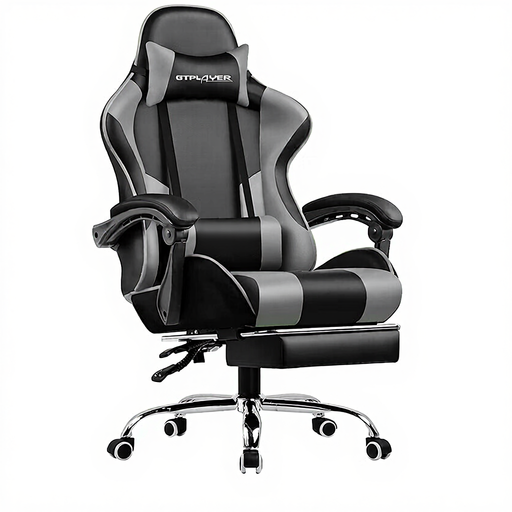
Key Feature?: This model combines the aesthetics of a gaming chair with advanced comfort features, notably a USB-powered massaging lumbar cushion.
Highlights?:
Who is it for?? For gamers and remote workers who want the complete package: an immersive experience with maximum comfort features, such as the massage function and footrest.
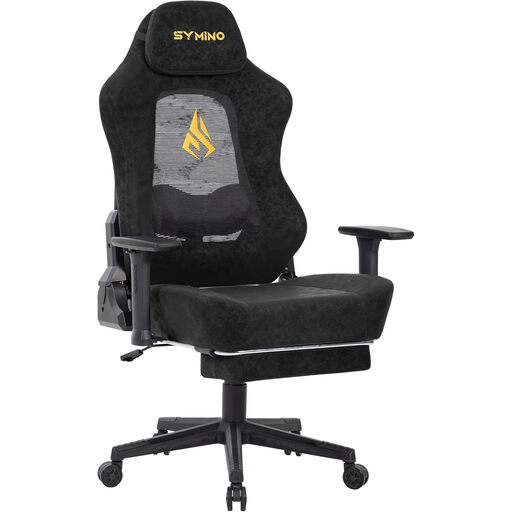
Key Feature?: Its bold design, featuring a breathable cutout backrest and a borderless seat, ensures maximum airflow and total freedom of movement.
Highlights?:
Who is it for?? The perfect choice for those who easily overheat and are looking for a less restrictive seat, whether for working or gaming for hours.
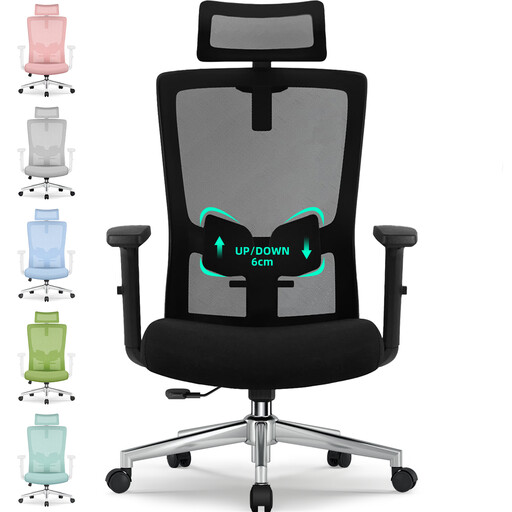
Key Feature?: This office chair focuses on the essentials: pure ergonomics, with a minimalist design and certified components for total peace of mind.
Highlights?:
Who is it for?? Perfect for professionals, whether in the office or at home, who want a minimalist, reliable ergonomic office chair that focuses on postural support without the frills of a gaming chair.
Choosing a chair is a highly personal decision that depends on your body type, your habits, and your workspace. If these three models don't check all your boxes, don't worry! There are many other styles and features to explore.
Feel free to explore our complete collection to find that perfect chair that will serve you well for years to come.
? See All Our Ergonomic Chairs
Historically, the gaming chair was known for its racing-style "bucket seat" look, flashy colours, and winged sides. The ergonomic office chair, in contrast, was typically more understated, focusing on precise adjustments and technical materials like mesh. Today, the lines are blurring: many gaming chairs offer excellent ergonomics, and some ergonomic chairs adopt gaming aesthetics.
It can often take a few days, or even up to a week, to adjust. A good ergonomic chair works to correct your posture. Initially, this new, correct posture might feel strange or even a little uncomfortable. That's simply your body readjusting to proper alignment.
The correct adjustment in 3 key steps?: