
Livraison le jour même ou le lendemain

Qualité garantie

Débloquez vos offres de bienvenue: Livraison GRATUITE | Jusqu'à -80 % | 30 jours d'essai gratuits à JoyPlus
Téléchargez l'application
Whether you're working from home or in the office, long hours spent sitting can quickly become a nightmare for your back, leading to constant discomfort. Investing in an ergonomic office chair is no longer a luxury but a necessity for protecting your well-being and productivity. But with an overwhelming number of options, how do you find the right one?
As product experts at Joybuy, our mission is to do the legwork for you. This guide gives you the keys to making an informed choice and discovering models that deliver on their promises, all without the unnecessary marketing jargon.
Before we dive into our selection, let's cover the fundamentals. A good ergonomic office chair is defined by a few key features. Here are three to examine closely.
An office chair with good lumbar support is the first line of defence against back pain. This area in the lower back bears the most strain when sitting. Effective support should conform to the natural curve of your spine.
The secret to ergonomics is adaptability. A chair is only truly effective if it adjusts perfectly to your body and your desk. Essential adjustments include:
The long-term comfort and sturdiness of your chair depend directly on its materials.
With these criteria in mind, here are a few products that caught our attention for their thoughtful design and excellent value for money.
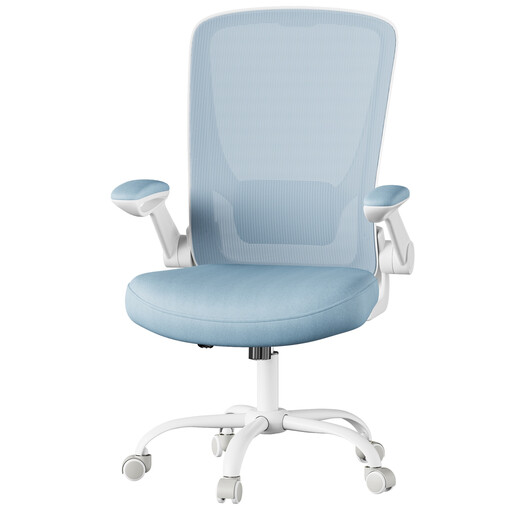
The verdict: This model checks all the essential ergonomic boxes with a smart design. Its curved backrest and adjustable lumbar support align with the spine to reduce fatigue. We also appreciate its gentle rocking function, perfect for stretching during micro-breaks.
Key features:
Who is it for? This work-from-home chair is an excellent option for professionals and students looking for the best compromise between comfort, adjustments, and practicality. It is particularly well-suited for spaces where every square inch counts.
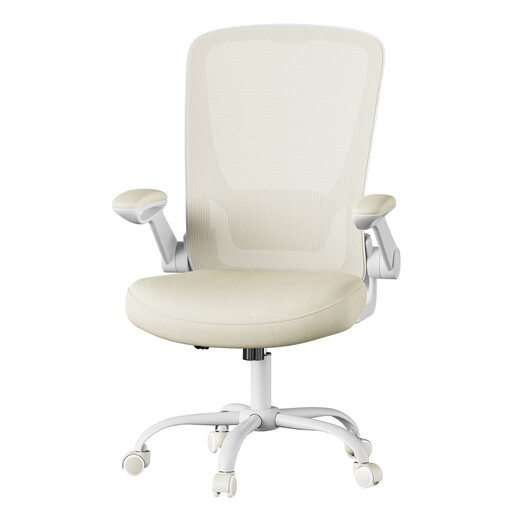
This model is also available in beige to blend into any decor.
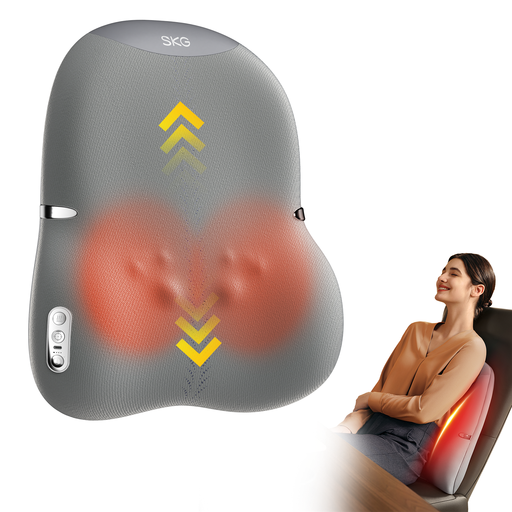
The verdict: More than just an accessory, this support transforms any seat into a true cocoon of relaxation. It directly targets back tension with its massage and heat functions.
Key features:
Who is it for? This is the perfect solution for those who want to boost the comfort of their current chair without replacing it, or for anyone looking for an effective way to relieve muscle tension after a long day.
Usage precautions: The manufacturer states that individuals with acute spinal injuries, osteoporosis, or those recovering from back surgery should seek medical advice before using the massage function. The device is designed for sessions of 30 minutes maximum.
The ergonomics of your workstation aren't just about the chair. A well-organised environment is just as crucial for comfort and concentration. To discover other clever accessories, like laptop stands, take a look at our dedicated Laptop Stands category.
A standard chair simply offers a basic seat. An ergonomic office chair, on the other hand, is a tool designed to adapt to your body. Thanks to its multiple adjustments (height, lumbar support, armrests, seat depth), it promotes a healthy posture and minimises physical strain.
Here are the 4 basic adjustments to make:
Expect an adjustment period of a few days to a week. If your body has become accustomed to poor posture, the active support of an ergonomic chair might feel strange at first. That's a good sign! It means your posture is correcting itself. If discomfort persists for more than two weeks, consider fine-tuning your settings.