
Livraison le jour même ou le lendemain

Qualité garantie

Débloquez vos offres de bienvenue: Livraison GRATUITE | Jusqu'à -80 % | 30 jours d'essai gratuits à JoyPlus
Téléchargez l'application
Whether for remote work, in the office, or gaming, we spend hours glued to our chairs. The result: aching backs, stiff necks, and sore shoulders. This pain isn't inevitable, but it's a warning sign you need to heed. To protect your long-term health and comfort, a good chair isn't a luxury—it's a necessity.
As the Head of Product Selection at Joybuy, my mission is to help you navigate the jungle of office chairs. Let's cut through the marketing jargon: this guide gives you the keys to making an informed choice and finding THE ergonomic office chair that's truly right for you.
Before comparing models, let's review the key features that separate a simple seat from a true ally for your back. Here are the criteria to examine closely.
A truly ergonomic chair must adapt to your body, not the other way around. Carefully check the following features?:
Staying static is the surest way to build up tension. A good reclining office chair encourages you to move. Be aware that not all mechanisms are created equal?:
The choice of upholstery isn't just about aesthetics; it directly impacts your daily comfort and ease of maintenance.
To move from theory to practice, here are three models that have caught our eye. Each has its own strengths and is suited to a different type of user.
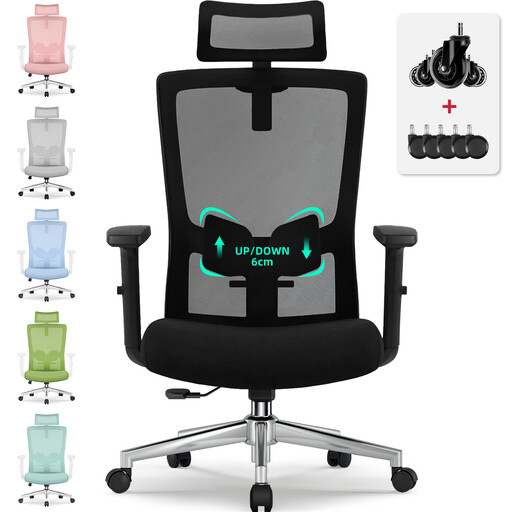
Why it stands out?: This chair gets straight to the point by focusing on the fundamentals of ergonomics. Its S-shaped backrest, 6 cm adjustable lumbar support, and adjustable headrest make it a valuable ally for maintaining good posture all day long. The BIFMA and SGS certification for the gas lift and base is a guarantee of reliability and safety.
Pros:
Who is it for? Ideal for professionals working from home or in the office who are looking for a reliable, comfortable office chair focused on essential postural adjustments, without unnecessary gadgets.
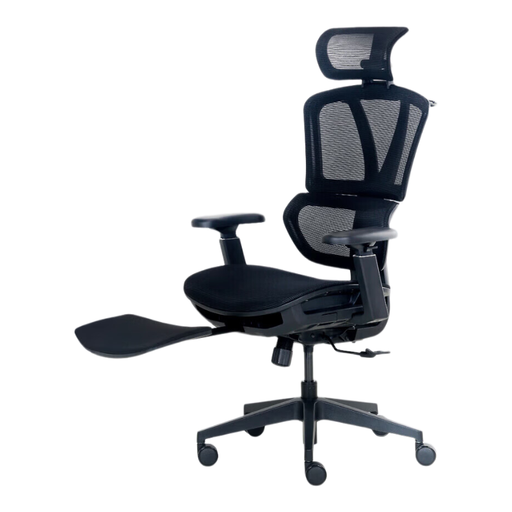
Why it stands out?: The Z9 stands out with its holistic approach to comfort. It combines a modern design with features designed for long sessions, such as its dual back support and integrated footrest. It's a versatile solution that blurs the line between an office chair and a gaming chair.
Pros:
Who is it for? Perfect for versatile users who switch between work and play and appreciate extra comfort features. The footrest is a major asset for those who like to stretch out and relax between tasks.
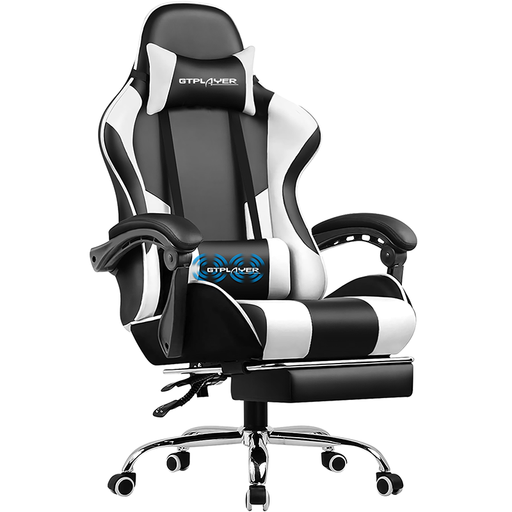
Why it stands out?: This GTPLAYER gaming chair takes comfort a step further by integrating a massage function via a vibrating lumbar cushion. Combined with its faux leather upholstery, footrest, and enveloping design, it's built for immersive and extended sessions.
Pros:
Who is it for? Primarily aimed at gamers, but also for remote workers who want maximum comfort with relaxation options like massage and a footrest. Its bold aesthetic will appeal to those who want a setup with a dynamic look.
Our selection gives you a glimpse of what's possible, but choosing a chair is ultimately a personal matter. If these models don't tick all your boxes, don't worry: many other configurations, materials, and designs await you.
Explore our full collection to find the model that will perfectly suit your space and your habits.
? Discover our entire range of adjustable chairs
While both aim for long-term comfort, their approaches differ. A classic ergonomic office chair prioritises a subtle design, fine-tuned adjustments (lumbar support, seat depth), and technical materials like mesh. A gaming chair adopts a bolder, racing-seat-inspired aesthetic with pronounced side bolsters, removable cushions, and relaxation-oriented features like a footrest or massage function.
To combat back pain, fine-tuning your chair is crucial. Here are the 4 key steps?:
A chair with a footrest is a real bonus for relaxation and blood circulation. In a reclined position, elevating your legs helps reduce pressure and allows you to relax more effectively during a break. For shorter individuals, it can also serve as a support if their feet don't reach the floor, although an external footrest is often more suitable in this case. Therefore, it's a highly appreciated comfort feature, but not essential for a good working posture.