
Livraison le jour même ou le lendemain

Qualité garantie

Débloquez vos offres de bienvenue: Livraison GRATUITE | Jusqu'à -80 % | 30 jours d'essai gratuits à JoyPlus
Téléchargez l'application
Working from home, in the office, or during gaming sessions… the hours fly by, and your back is starting to feel it. Poor posture is a fast track to discomfort and chronic pain. Far from being a luxury, choosing an excellent ergonomic office chair is the best investment you can make for your health and productivity.
But faced with a jungle of models and sometimes opaque marketing jargon, how do you make the right choice? Our team has analyzed the market for you. This guide delivers our expert advice and a selection of chairs to help you find the one that perfectly matches your body type and habits.
Before diving into our selection, let's review the criteria that separate an ally for your back from a future regret. Here are the essential points to check to find the comfortable office chair that's made for you.
The number one cause of back pain at the office? Absent or poorly designed lumbar support. A good ergonomic chair must perfectly hug the curve of your lower back to maintain the natural alignment of your spine. Target a chair with integrated lumbar support. The gold standard is a support that's adjustable in height and depth for a custom fit, but a well-designed fixed support can already make all the difference.
An ergonomic chair is only effective if it adapts to you, not the other way around. The essential adjustments to demand are:
Don't underestimate the importance of materials. A mesh back is praised for its breathability, a major asset during hot weather. It prevents the buildup of heat and moisture. For the seat, a fabric cover over high-density foam ensures lasting comfort without sagging after a few months. Also, consider the quality of the casters for smooth, quiet movement that won't scratch your floor.
Here are a few models that stand out from the crowd for their design and features, created for all uses, from the ergonomic WFH chair to the versatile all-rounder.
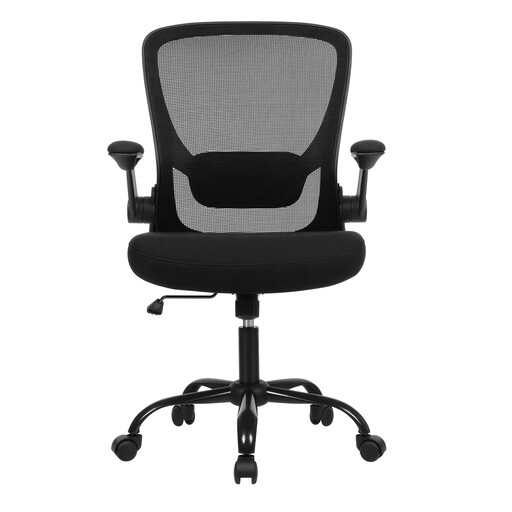
What Makes It Stand Out
This model gets straight to the point by focusing on the fundamentals of ergonomics, without unnecessary frills. Its understated design and smart features make it an excellent choice for anyone looking to upgrade their workstation without breaking the bank or overcomplicating things.
Key Features
Who is it for? Ideal for remote workers and students looking for a functional, comfortable, and discreet chair that's easy to integrate into any home interior.
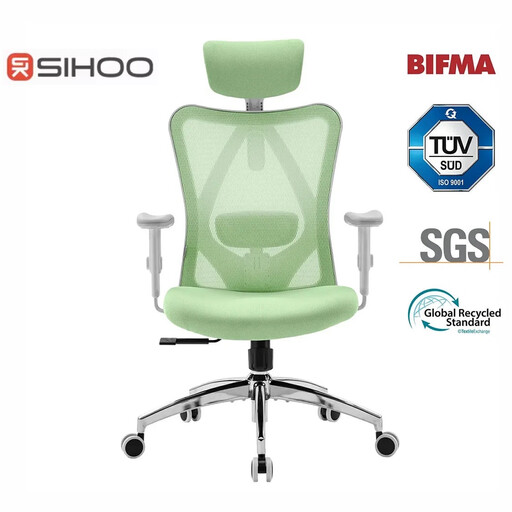
What Makes It Stand Out
The Sihoo M18 takes it to the next level with full-body support, from the neck to the lower back, thanks to its high backrest and adjustable headrest. It is designed to adapt to a wide range of body types and for those who spend most of their day seated.
Key Features
Who is it for? Recommended for taller users (the brand suggests a range of 1.68 m to 1.88 m) and those who require total support for intensive use, both at the office and at home.
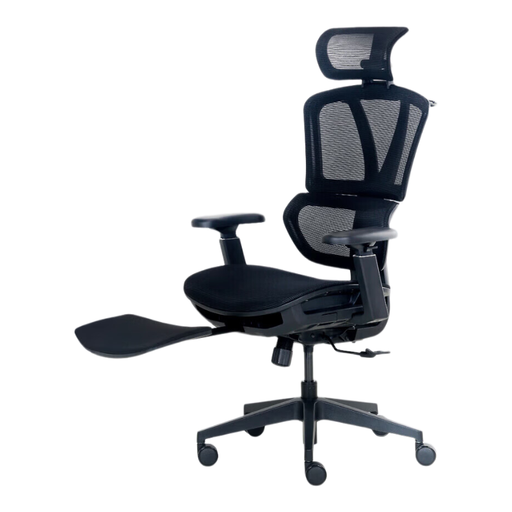
What Makes It Stand Out
At the crossroads between a pure office chair and a gaming chair, this model is a true chameleon. With its integrated office chair with a footrest and relaxation-focused features, it's aimed at those who want a workstation that can transform into a relaxation space.
Key Features
Who is it for? Perfect for gamers, developers, and all professionals who spend long hours at their desk and love being able to switch to relaxation mode without leaving their station.
If buying a new chair isn't on the agenda yet, improving your current seat is an excellent first step. A well-chosen accessory can already transform your comfort.
Take a look at our range of Lumbar Support for Chairs for immediate relief and better support.
For a perfect setup, follow these steps:
Although both promise comfort, their approach is radically different. The gaming chair often focuses on an aggressive aesthetic inspired by racing seats, with removable head and lumbar pillows that are sometimes more decorative than effective. The ergonomic office chair, on the other hand, prioritizes integrated adjustments, a sober design based on postural principles, and materials like mesh for breathability. The Z9 model above is an excellent example of a successful hybrid between these two worlds.
It all depends on the quality of the materials, the sturdiness of the mechanism, and the intensity of use. On average, a well-made ergonomic chair will last between 5 and 10 years. The most common wear-and-tear parts are the gas lift (which controls the height), the casters, and the seat upholstery. Investing in a quality model is almost always more cost-effective in the long run.