
Livraison le jour même ou le lendemain

Qualité garantie

Débloquez vos offres de bienvenue: Livraison GRATUITE | Jusqu'à -80 % | 30 jours d'essai gratuits à JoyPlus
Téléchargez l'application
Working from home, gaming, marathon days at the office… Long hours spent sitting always take a toll on your back. Faced with a jungle of models, finding the perfect one can feel like an uphill battle. Don't panic! This guide gets straight to the point: we break down the criteria that really matter when choosing an ergonomic office chair and present our selection of the best models available right now, without the unnecessary marketing jargon.
The goal? To help you make a smart investment in your comfort and posture for years to come.
Before you fall for a particular model, you need to know what truly makes a difference. To ensure you make the right choice, here are the three crucial points to check before buying.
A good ergonomic office chair must take care of your back. When sitting, the lumbar region takes the biggest hit. A desk chair with lumbar support isn't an option—it's a must-have. The most advanced models go a step further with dynamic lumbar support: it adjusts in real time to your movements and body shape for perfect support at all times. This is THE feature to prioritise if you want to say goodbye to postural back pain.
Ergonomics is simple: a good chair must be fully adjustable. "One size fits all" is a myth. Be sure to check the adjustment possibilities:
The lifespan and comfort of your home office chair directly depend on its materials. Mesh fabric is an excellent choice for its breathability, ideal for preventing overheating during long sessions. For the structure, opt for a sturdy aluminium or steel frame.
One last point not to be overlooked: certifications like BIFMA or SGS. These aren't just logos; they guarantee that the chair has successfully passed rigorous tests for safety, durability, and performance. A true seal of approval.
Now that you have the key information, here are the models that caught our eye for their performance and intelligent design.
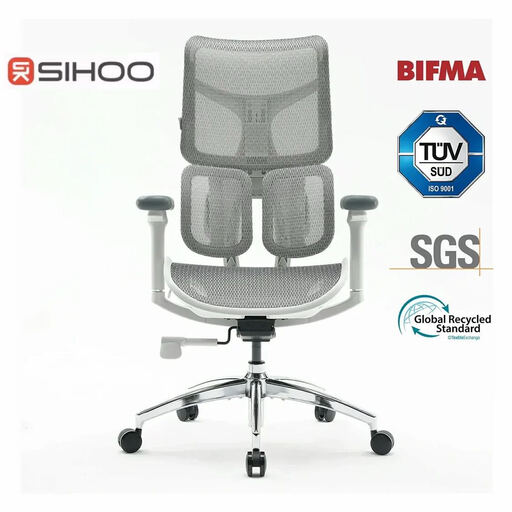
The SIHOO Doro S100 chair puts technology at the service of your back. Its dual dynamic lumbar support is a marvel of engineering: thanks to a 6D adaptive mechanism and four springs, it hugs the curve of your spine and anticipates your slightest postural changes. The result? Custom, continuous support.
For demanding professionals working from home and gamers who make no compromises on back comfort. Its multiple adjustments make it an almost custom-fit model, ideal for users from 1.50 m to 1.90 m tall.
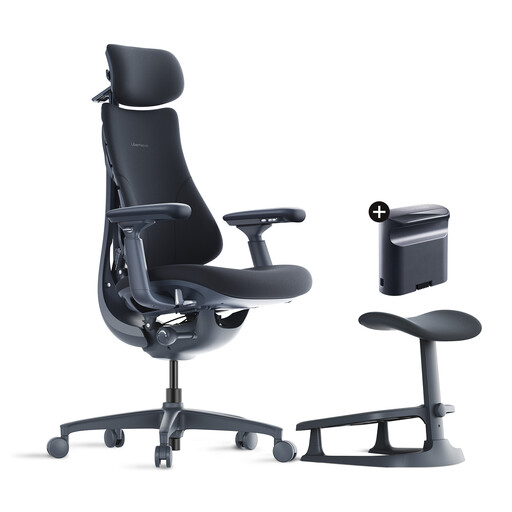
The LiberNovo Omni plays the versatility and relaxation card. Its standout feature? A retractable footrest and an impressive 160° recline. It can transform your workstation into a relaxation cocoon for breaks in the blink of an eye.
For those looking for a 2-in-1 chair that is as effective for working as it is for relaxing without leaving their desk. The perfect ally for fans of power naps or video breaks.
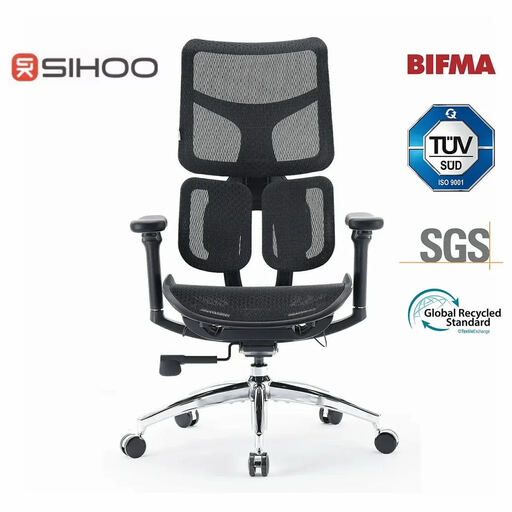
For fans of sleek, timeless aesthetics, the SIHOO Doro S100 is also available in black. It features the exact same cutting-edge technologies as the white version, from the dynamic lumbar support to the precision adjustments.
Like its white counterpart, this chair is aimed at demanding users who spend long hours at their desk and expect active, fully customisable support.
A good chair is the foundation of a comfortable workstation, but it's just the beginning. To boost your productivity and well-being, organising your space is just as essential.
To take it a step further, a well-designed desk is indispensable. Take a look at our selection of corner desks, perfect for optimising every square inch and creating an ultra-functional workspace.
To put it simply: a classic chair imposes its shape on you, often with very limited adjustments. An ergonomic office chair, on the other hand, is designed to adapt to your body. Thanks to its multiple adjustments (height, seat depth, armrests, lumbar support, recline), it promotes a healthy posture, reduces pressure points, and combats fatigue.
It varies from person to person, but generally, you should allow a few days. If you have poor postural habits, the support of an ergonomic chair might feel surprising at first. This is the time your body needs to readjust to comfort and for you to find the perfect settings.
Your checklist for an optimal basic setup: