
Livraison le jour même ou le lendemain

Qualité garantie

Débloquez vos offres de bienvenue: Livraison GRATUITE | Jusqu'à -80 % | 30 jours d'essai gratuits à JoyPlus
Téléchargez l'application
Back pain, stiff neck… Spending hours at your desk, whether working from home or not, often takes its toll. An ergonomic office chair isn't a luxury; it's a crucial investment in your well-being and productivity. The problem? The market is flooded with models where the word "ergonomic" is overused, serving more as a marketing buzzword than a genuine guarantee. To help you separate the wheat from the chaff, here are the pitfalls to avoid and the criteria that truly matter.
Before you pull out your credit card, watch out for these common mistakes that can turn a good deal into a purchase you'll regret.
To ensure you make the right choice, here are the technical features that make all the difference in daily use.
This is non-negotiable: a good office chair must have adjustable lumbar support. Make sure you can adjust this support vertically so it sits perfectly in the small of your back. This single adjustment is the key to going the distance without ending up with an aching back, especially if you're looking for a work-from-home chair.
A desk chair worthy of the name should let you customise everything:
The upholstery and foam are what separate a great chair from a disappointment.
A chair for every profile. Here are our recommendations, chosen for different uses.
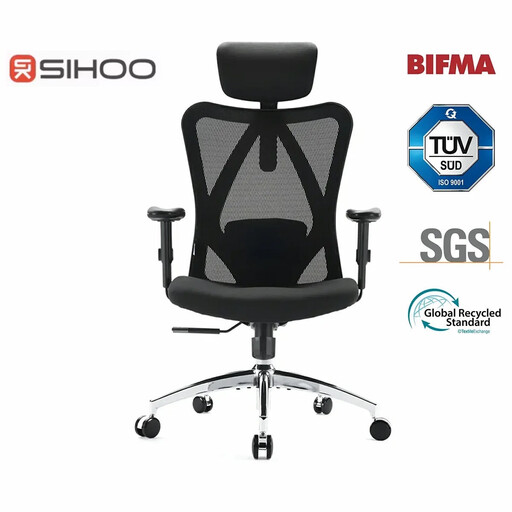
Why this model? Perfect for those who work 8+ hour days. Its fine-tuned adjustments help you find the perfect posture and stave off fatigue.
There's no smoke and mirrors here: the lumbar support is adjustable, as are the headrest and armrests. This is far from just a marketing claim.
Its breathable mesh back keeps you cool, its "W" shaped seat relieves pressure on the thighs, and its BIFMA certification is a guarantee of sturdiness (up to 150 kg).
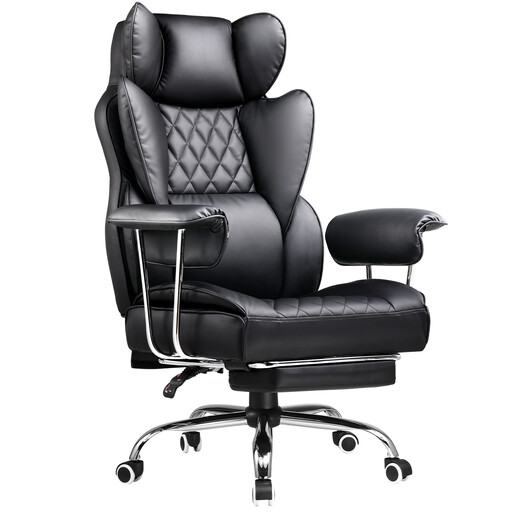
Why this model? Ideal for switching between a day of remote work and an evening of gaming. Its high back, generous recline, and footrest make it an ally for both focus and relaxation.
This gaming chair goes beyond just looks. It packs genuinely useful features: a nearly flat recline, an integrated footrest, and lumbar support (admittedly, a removable cushion) that make a real difference.
Its deep recline for power naps, its retractable footrest, and its high back that perfectly supports the head and shoulders.
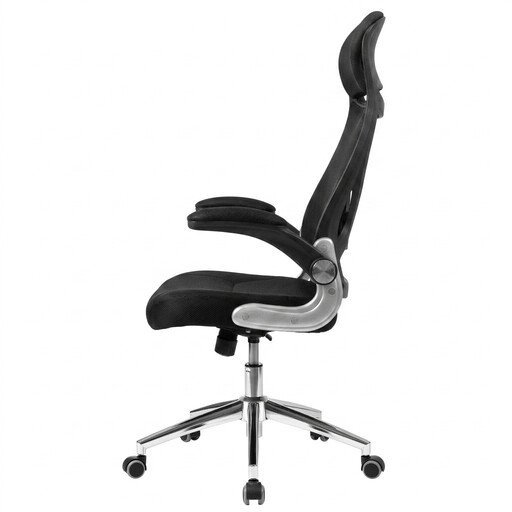
Why this model? Designed for small apartments and makeshift home offices. Its key feature: armrests that flip up to slide the chair under the desk and save space.
Proof that compact can still be ergonomic. It combines its space-saving function with essential adjustments: height, tilt, and real integrated lumbar support.
Its flip-up armrests, of course. But also its durable high-density foam padding and its headrest/lumbar support duo for proper posture.
Discover our full selection of chairs that check all the boxes on our list: comfort, durability, and safety.
It all depends on the build quality and materials. An entry-level model will last 1 to 2 years before the foam sags or the faux leather peels. A good chair with a metal frame, dense foam, and a quality mechanism can last you 5 to 10 years, or even longer if you take care of it.
The 4 key adjustments for a perfect posture:
Yes, a gaming chair can absolutely be suitable for remote work. Its style, high back, and bucket-seat feel are often appreciated, and their deep recline is a plus for taking breaks. The downside? Their ergonomic adjustments are often less advanced than those on a dedicated ergonomic office chair. The lumbar support, for example, is often just a removable cushion, which is less precise than an integrated, adjustable support. It all depends on your priorities: the versatility of a gaming chair or the ultra-precise adjustments of a purpose-built office chair.