
Livraison le jour même ou le lendemain

Qualité garantie

Débloquez vos offres de bienvenue: Livraison GRATUITE | Jusqu'à -80 % | 30 jours d'essai gratuits à JoyPlus
Téléchargez l'application
Whether you work from home or in an office, one reality is undeniable: we spend hours glued to our chairs. This sedentary lifestyle comes at a cost: discomfort, muscle tension, and back pain creep in insidiously. Far from being a luxury, an ergonomic office chair is a true investment in your well-being and productivity.
But with an overwhelming number of options available, how do you find the right one? This guide is designed to give you clear benchmarks and objective recommendations, helping you choose the perfect chair for your needs without getting lost in marketing jargon.
Before you start shopping, it's crucial to understand the features that truly make a difference. Here are the three key points to check to ensure you make the right choice.
A good ergonomic office chair should adapt to your body, not the other way around. Look for an adjustable office chair with several essential settings:
The upholstery of your chair directly impacts your comfort, especially after several hours of use.
A professional office chair is a long-term investment. Check the quality of the base (opt for metal or reinforced nylon) and the castors. The maximum supported weight is also a critical safety criterion. For heavier individuals, an office chair rated for 150 kg (or more) is essential to ensure stability and longevity.
Enough theory, let's get practical. We've scoured the market to select three models that stand out for their features and value for money.
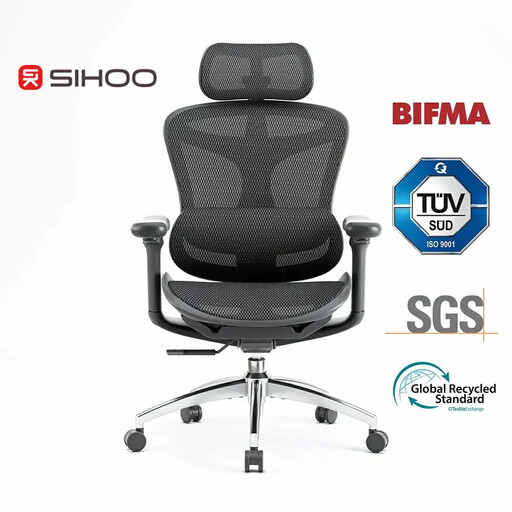
What sets it apart
The SIHOO Doro C300 is built around a 'dynamic flow' concept. Its flexible backrest follows the movements of your upper body, while its lumbar support adjusts to your posture in real-time. Its all-mesh, breathable structure and comprehensive adjustments make it an excellent choice for long workdays.
Highlights
Who is it for?
For remote workers and demanding users looking for active support and perfect ventilation, even in the height of summer.
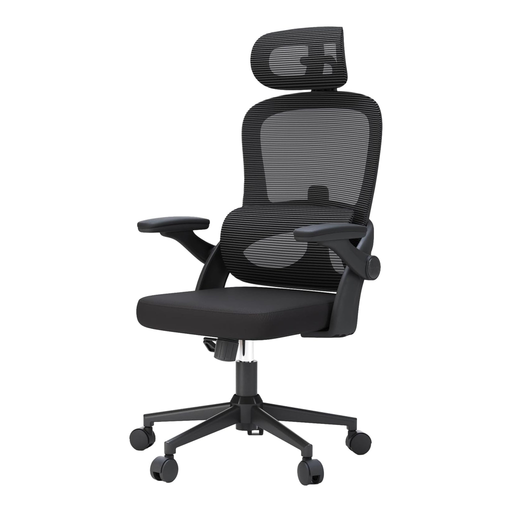
What sets it apart
The SIHOO M102C strikes the perfect balance between ergonomics and practicality. It combines a breathable mesh back with a wide, comfortable high-density foam seat. Its key advantage? Flip-up armrests that allow it to slide easily under a desk to optimise space.
Highlights
Who is it for?
For students, remote workers, and anyone looking for a versatile and comfortable solution, including taller individuals.
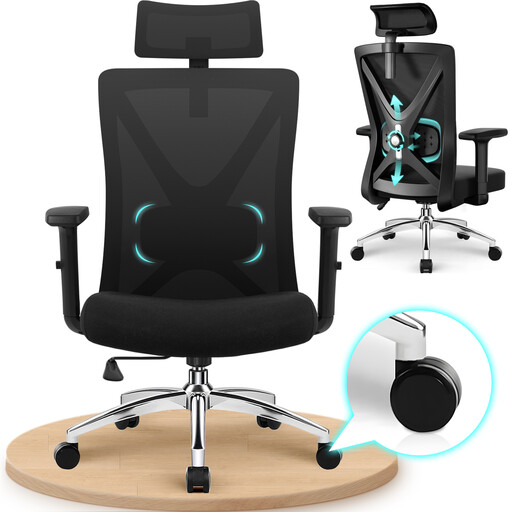
What sets it apart
This GTIMEX model is all about fine-tuned, personalised adjustment. Its lumbar cushion is adjustable not only in height (by 6 cm) but also in depth (by 3 cm), for truly customised support. Its generous recline of up to 135° makes it the ideal companion for alternating between intense work sessions and relaxing breaks.
Highlights
Who is it for?
For those who want maximum adjustability to find their perfect position and relieve back pain. Ideal if you're looking for a chair specifically for back pain and appreciate a wide range of recline.
Our selection is an excellent starting point, but the choice of a chair is highly personal. To explore a wider range of models, designs, and features, feel free to browse our full collection.
? Discover our entire collection of chairs with lumbar support
Simply put: a standard chair lets you sit. An ergonomic chair, however, is designed to actively support your posture, reduce pressure on the spine, and adapt to your body through its multiple adjustments (lumbar support, armrests, height, recline).
An adjustment period of a few days to a week is perfectly normal. An ergonomic chair encourages you to adopt a better posture, which may engage muscles you're not used to using at first. The key is to take the time to properly fine-tune each setting to your body.