
Livraison le jour même ou le lendemain

Qualité garantie

Débloquez vos offres de bienvenue: Livraison GRATUITE | Jusqu'à -80 % | 30 jours d'essai gratuits à JoyPlus
Téléchargez l'application
With the widespread adoption of remote work, the hours spent in front of a screen are piling up—and so is the pain. Backaches, neck strain, poor posture... These ailments are often the direct result of improper seating. Investing in an ergonomic office chair is no longer a luxury but a necessity for protecting your health and productivity.
As a product selection expert at Joybuy, I'm here to help you make sense of it all. This guide gets straight to the point: concrete criteria and a selection of proven models to help you make the right choice, free from superfluous marketing jargon.
Before comparing models, let's go back to basics. What defines a good ergonomic office chair? Here are the points you should never overlook.
The primary mission of an ergonomic chair? To conform to and support the natural curve of your spine. An office chair with lumbar support is therefore non-negotiable. There are two main types of support:
A good ergonomic chair should adapt to you, not the other way around. Make sure it includes the following adjustments:
The choice of materials is a dual challenge: it determines your daily comfort and the lifespan of your chair. Mesh is highly valued for its breathability, which prevents overheating. High-density foam, on the other hand, offers softer comfort. Finally, check the sturdiness of the frame (base, gas lift). Certifications like BIFMA or SGS are guarantees of quality and safety, attesting that the product has undergone rigorous strength and durability tests.
Let's get practical. We have selected models that stand out for their features and design, suitable for both a home office chair and for intensive professional use.
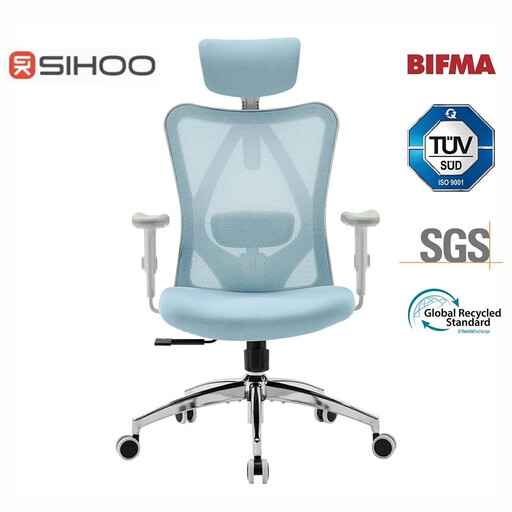
Why it stands out: The SIHOO office chair M18 is an excellent entry point into the world of ergonomics. It combines a full suite of essential adjustments with a sleek and effective design. Its W-shaped seat and "waterfall" edge are designed to reduce pressure on the thighs, promoting good blood circulation even after several hours.
Pros:
Who is it for?: Ideal for remote workers and students looking for their first comfortable office chair that is highly functional without breaking the bank. Its versatility makes it a reliable choice for daily use.
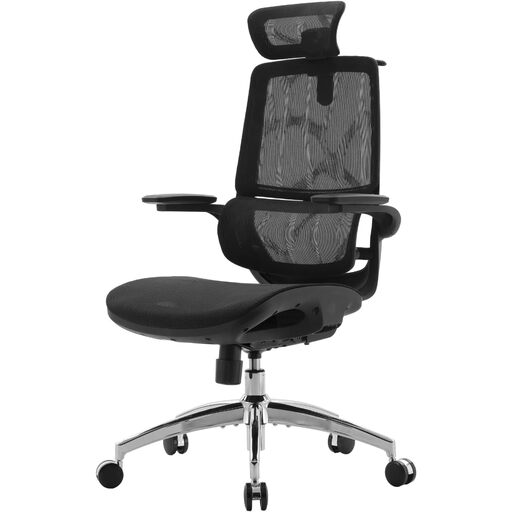
Why it stands out: The M59AS model is distinguished by its dual backrest and adaptive lumbar support. This unique design conforms to the curve of your back and automatically adjusts to your movements, providing continuous and dynamic support. A major advantage for small spaces, its 80° flip-up armrests allow the chair to be easily slid under the desk.
Pros:
Who is it for?: Perfect for people with sensitive backs or those who tend to fidget in their chair. It's also an excellent solution for small apartments or multi-functional offices thanks to its retractable armrests.
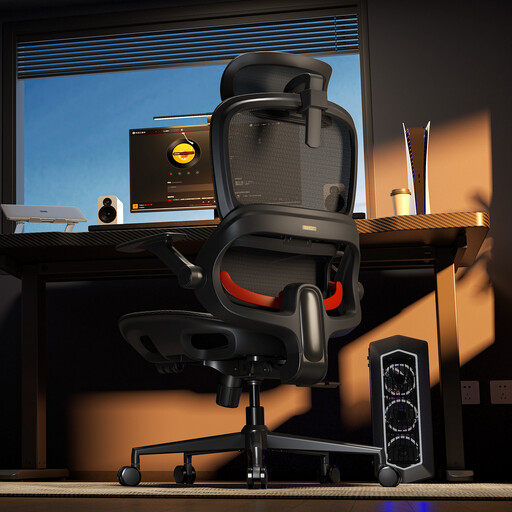
Why it stands out: The B100JT takes comfort to the next level by integrating a retractable footrest. Combined with a generous recline of up to 135°, it transforms a simple workstation into a true cocoon of relaxation. The ideal model for those who like to take a real break without leaving their desk.
Pros:
Who is it for?: Aimed at users who work long hours and appreciate being able to lie back for a power nap or a moment of relaxation. It is the ultimate comfortable office chair for hybrid work/relaxation use.
Ergonomic office chairs are designed primarily for posture and work. If your use also includes long gaming sessions and you prefer a bolder aesthetic with reinforced side supports, a gaming chair could be an interesting alternative.
? Discover our selection of gaming chairs with PC support
A standard office chair merely provides basic seating with few or no adjustments. An ergonomic office chair, in contrast, is designed to support the body and encourage a healthy posture. It offers a multitude of adjustments (height, armrests, lumbar support, recline) to adapt to your body shape and prevent musculoskeletal disorders (MSDs).
Even with the best chair in the world, the golden rule is to get up and move every 30 to 60 minutes. An ergonomic chair is not meant to allow you to sit indefinitely, but to make long working hours as healthy and comfortable as possible by reducing pressure on the spine and muscles.
Here is a simple 4-step method: