
Livraison le jour même ou le lendemain

Qualité garantie

Débloquez vos offres de bienvenue: Livraison GRATUITE | Jusqu'à -80 % | 30 jours d'essai gratuits à JoyPlus
Téléchargez l'application
By Joybuy, your product expert
Working from home, marathon gaming sessions, or intense study periods?: long hours spent sitting take a toll on our bodies. Poor posture has immediate consequences, with tension building up in the back, neck, and shoulders. Investing in an ergonomic office chair is therefore not a luxury, but a necessity to protect your well-being and focus every day.
But with an overwhelming number of options, how do you find the right one?? This guide is here to give you clear benchmarks and practical advice. The goal?: to help you choose THE right chair for your needs and body type, beyond the marketing hype.
Before diving into our selection, let's review the key criteria for making an informed decision.
A good comfortable office chair must conform to the natural curve of your spine. The lumbar support is the cornerstone?: it supports the lower back and prevents you from slouching after several hours. Some models offer lumbar support that is adjustable in height and depth for precision adjustment, while others integrate a fixed but equally effective reinforcement. For a work-from-home chair used daily, this is a non-negotiable feature.
Ergonomics is simple?: the chair should adapt to you, not the other way around. Be sure to check for the following adjustment options?:
Although their purpose is the same (your comfort?!), a classic office chair and a gaming chair have different approaches. The gaming chair embraces its racing-inspired "bucket seat" design, with pronounced side bolsters and dedicated accessories (head and lumbar cushions). The traditional office chair, on the other hand, focuses on a more understated aesthetic and materials like breathable fabric or mesh, which are more versatile in a professional setting.
We have reviewed several models based on their technical specs, modularity, and user reviews to bring you a selection that gets straight to the point.
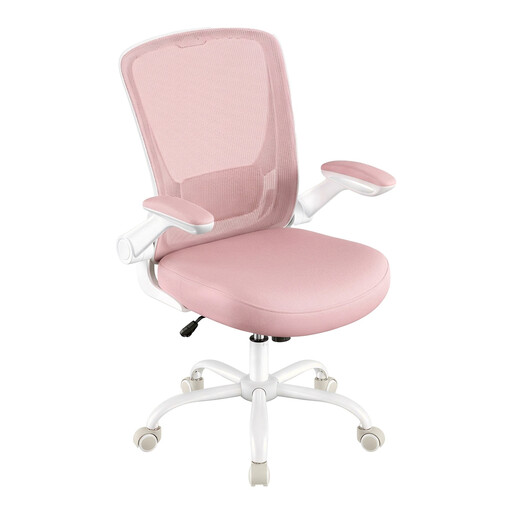
Why it stands out?: This model combines a sleek design with essential ergonomic features. Its breathable mesh back is a real bonus during hot weather, while its flip-up armrests make it the perfect solution for small workspaces.
Key Features?:
Who is it for?? For remote workers and students looking for a functional, discreet chair that's suitable for small spaces without sacrificing essential support.
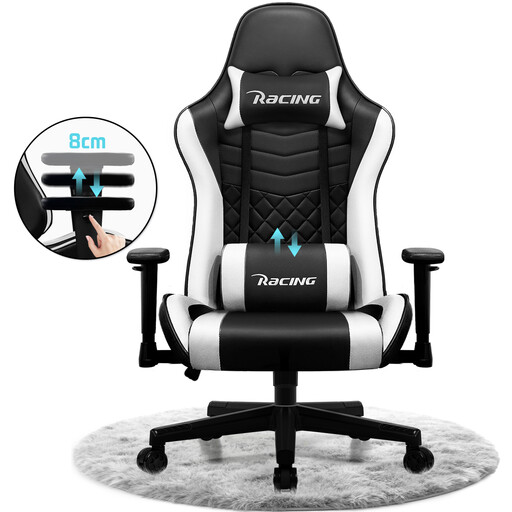
Why it stands out?: This gaming chair is all about durability and enveloping support. With its steel frame, SGS-certified gas lift supporting up to 150?kg, and numerous adjustments, it is built for intensive use and larger body types.
Key Features?:
Who is it for?? Perfect for hardcore gamers and anyone who spends more than 8 hours a day at their desk and requires an ultra-durable chair with maximum, customizable support.
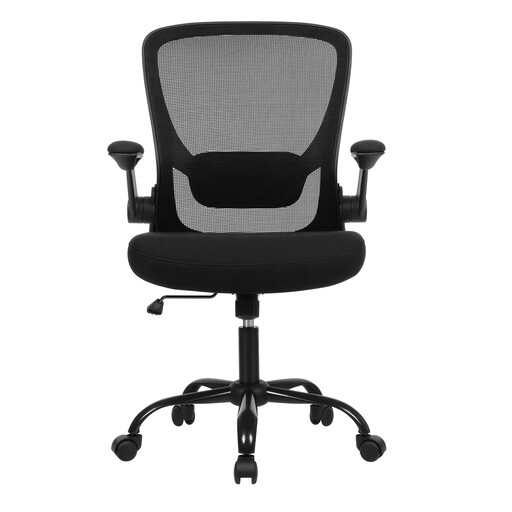
Why it stands out?: This chair takes the excellent foundation of its "Cloud White" counterpart but offers it in a more classic and timeless black fabric finish. It retains all the key features, like adjustable lumbar support and flip-up armrests, making it a reliable choice for a traditional office or home setup.
Key Features?:
Who is it for?? The smart choice for those who want the effectiveness of a modern ergonomic office chair in a timeless design. It's equally at home in a remote work setup or a shared office.
Not ready to replace your chair just yet?? To improve the comfort of your current seat, there's a smart alternative. Adding a simple accessory can make all the difference.
? Discover our selection of chair support cushions to improve your posture cost-effectively.
The difference lies mainly in the design and certain features. An ergonomic office chair focuses on an understated look, materials like fabric or mesh, and adjustments centered on work posture (lumbar support, armrests). A gaming chair has a more assertive aesthetic (bucket seat style, bright colors), more enveloping support, and accessories (removable head and lumbar cushions) designed for very long sessions, including in a semi-reclined position.
For an optimal basic setup, follow these steps?:
An adjustment period of a few days to a week is completely normal. If your body was used to poor posture, an ergonomic chair "forces" it to realign. At first, this might feel unusual or even slightly uncomfortable. This is simply a sign that your postural muscles are getting used to working correctly again. Be patient and ensure all adjustments are properly tailored to your body type.