
Livraison le jour même ou le lendemain

Qualité garantie

Débloquez vos offres de bienvenue: Livraison GRATUITE | Jusqu'à -80 % | 30 jours d'essai gratuits à JoyPlus
Téléchargez l'application
Remote work, studying, gaming… the hours fly by in front of the screen, and your back pays the price. An ergonomic office chair is no longer a luxury, but a crucial investment in your well-being and productivity. But with a dizzying array of options, how do you find the right one? This guide is here to cut through the noise and help you choose the perfect model, without the marketing fluff.
Before diving into our selection, let's review the key factors to ensure you make the right choice.
A quality office chair must provide premium support for your back. Lumbar support is designed to follow the natural curve of your spine, reducing pressure on the intervertebral discs. Some models offer height-adjustable lumbar support, allowing for a more precise fit for your body type. This is a detail that makes all the difference, especially if you are prone to lower back pain.
Ergonomics is all about a chair adapting to you, not the other way around. Beyond the standard height adjustment, armrests play a vital role. An office chair with flip-up armrests is a particularly smart feature: they support your forearms to relieve tension in your shoulders and neck, but can also be raised to slide the chair completely under the desk. A real bonus for optimising small spaces.
The upholstery of your chair has a direct impact on your comfort, especially after several hours. A swivel mesh office chair is often praised for its breathability. Air circulates freely, preventing overheating and sweat, particularly in the summer. As for the seat, it should be padded with high-resilience foam, dense enough to distribute your weight evenly and prevent painful pressure points.
We have selected a few models that tick all the boxes for comfort, practicality, and design, perfect for outfitting your home office.
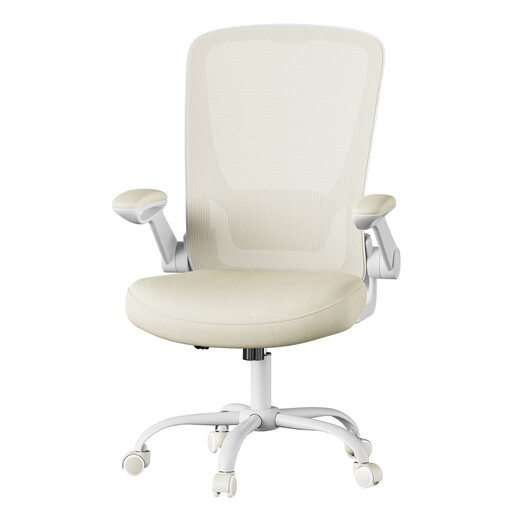
Key Highlights
This model combines several highly sought-after ergonomic features. Its curved backrest and adjustable lumbar support are designed to conform to the shape of your spine. Its understated oatmeal beige colour blends seamlessly into a contemporary interior.
Advantages
Who is it for?
Ideal for remote workers looking to optimise a compact space without sacrificing ergonomics or style.
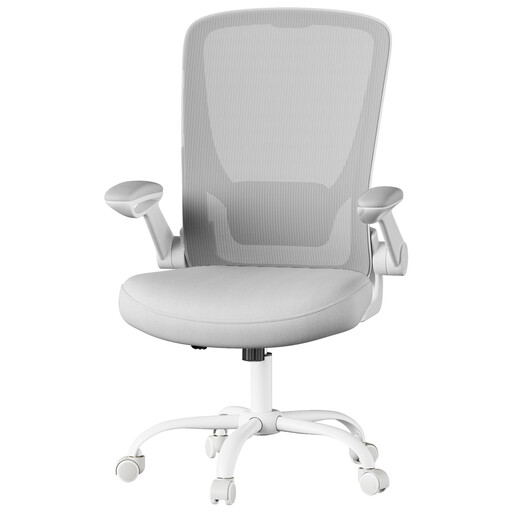
What Sets It Apart
With its light grey hue, this chair opts for an understated and modern aesthetic. It incorporates the range's core ergonomic principles, focusing on versatile functionality that suits any office environment.
Advantages
Who is it for?
An excellent choice for students or professionals who prioritise practicality and a timeless design.
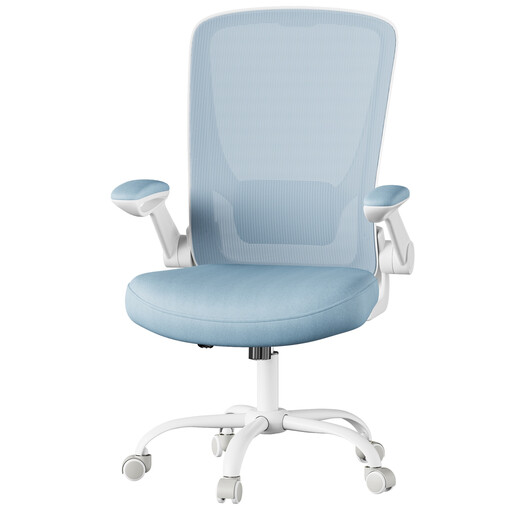
Its Unique Edge
This model injects a touch of colour and energy into the workspace, without any compromise on ergonomics. The vibrant blue enlivens a room while offering the same level of comfort and adjustability as its counterparts.
Advantages
Who is it for?
For those who want their office to reflect their personality and are looking to combine serious ergonomic support with a bolder aesthetic.
Our selection focuses on versatile models that offer an excellent balance of ergonomics, practicality, and design for daily use. If you have more specific needs (ultra-compact models, advanced features, etc.), other solutions are certainly available.
Feel free to explore our complete category of portable office chairs to discover a wider range.
A standard office chair often offers the bare minimum: height adjustment, and that's about it. An ergonomic office chair, on the other hand, is designed to adapt to your body. It offers multiple adjustments: seat height, lumbar support, backrest tilt, and sometimes armrest height and angle. The goal is to promote a healthy posture and reduce muscle strain associated with prolonged sitting.
To fully enjoy the benefits of your chair, fine-tuning your setup is essential. Here are the key steps:
The adjustment period varies from person to person. It generally takes a few days to a week for your body to get used to this new posture, which is often much healthier than your old habits. Don't hesitate to fine-tune the settings during the first few days to find your perfect configuration.