
Livraison le jour même ou le lendemain

Qualité garantie

Débloquez vos offres de bienvenue: Livraison GRATUITE | Jusqu'à -80 % | 30 jours d'essai gratuits à JoyPlus
Téléchargez l'application
Whether you're working from home, in the middle of a long gaming session, or cramming for exams, we're spending more and more time glued to our desks. The result? Discomfort, fatigue, and pain can quickly set in. Far from being a luxury, a good ergonomic office chair is a true investment in your health and productivity. But with an overwhelming number of options, how do you make sense of it all?
As a product expert for Joybuy, my mission is to give you the keys to making the right choice, with complete objectivity. This guide breaks down the essential criteria and presents a selection of models that have caught our eye—all without technical jargon or unrealistic marketing promises.
Before you jump on the first model you see, let's review the features that truly make a difference. Here are the key points to check to find the office chair that's right for you.
This is the golden rule: a good ergonomic chair must adapt to your body, not the other way around. Make sure you can find the following adjustments:
The upholstery of your chair has a direct impact on your comfort, especially after several hours of use.
Some chairs go the extra mile by offering options that truly enhance the experience, especially if you have a mixed-use case (work and relaxation). An office chair with a built-in footrest, for example, is ideal for taking a proper break. Similarly, features inherited from ergonomic gaming chairs, like support cushions or a bucket seat design, will appeal to those looking for more enveloping support.
Here are a few models that caught our attention for their design, features, and value for money. They cater to a variety of needs and budgets.
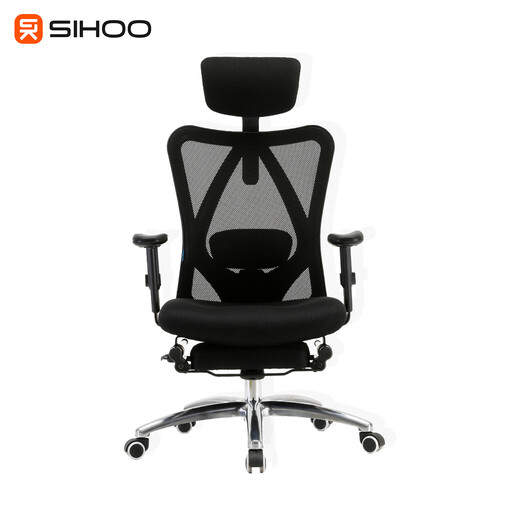
Why this model? The Sihoo M18JT is an all-in-one solution that combines essential ergonomic adjustments with true relaxation features. It was designed for those who work long days at the office and appreciate being able to switch to relaxation mode in the blink of an eye.
Key features:
Who is it for? Ideal for remote work and versatile users who want a chair that can switch from work mode to relaxation mode without compromise.
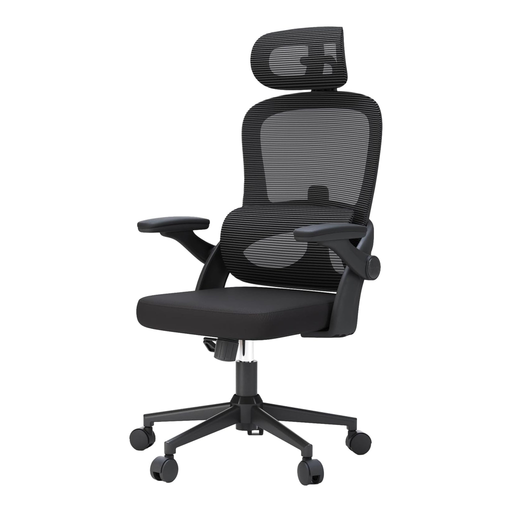
Why this model? The M102C goes all-in on lumbar support, with a dedicated and fully adjustable component. Its design is focused on pure ergonomic performance, offering precise adjustments for customised back support.
Key features:
Who is it for? This is the perfect choice for people suffering from lower back pain or those who require particularly effective and customisable back support. Its spacious seat also makes it highly suitable for users with larger frames.
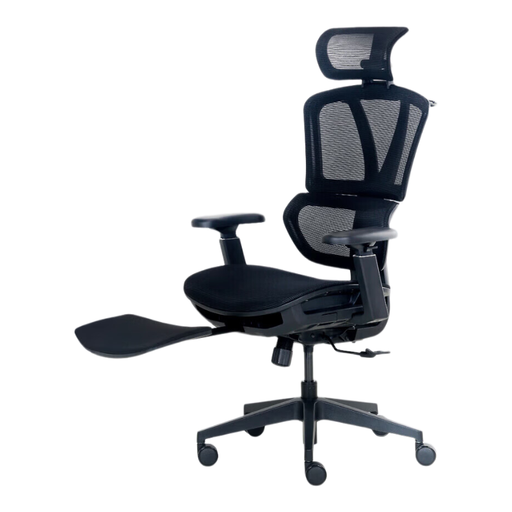
Why this model? The Z9 Smart Chair is a true hybrid, halfway between a classic office chair and an ergonomic gaming chair. Its bold design with dual back support and integrated features (footrest, coat hanger) make it an ultra-versatile model.
Key features:
Who is it for? Perfect for those who juggle work and leisure (gaming, streaming...). Its look and features make it a true command centre, comfortable for all activities.
This selection is just a preview. Comfort and posture are highly personal, and the perfect chair for one person won't necessarily be right for another. If these models don't check all your boxes, feel free to explore our full range to discover other designs, materials, and configurations.
Discover Our Entire Collection of Office Chairs
A good setup involves 4 key steps:
Although the lines are increasingly blurred, the core concept is different. A classic ergonomic office chair typically prioritises a minimalist design, a neutral working posture, and precise micro-adjustments. An ergonomic gaming chair, on the other hand, often features a more aggressive design (like a racing bucket seat), very enveloping support for immersion, a deep recline, and removable support cushions.
It all depends on the quality of the materials, the design, and the intensity of your use. An entry-level chair might last 2 to 3 years, while a well-maintained, high-quality model can easily last for 7 to 10 years, or even longer. Typically, the gas lift (which controls the height) and the tilt mechanism are the first parts to show signs of wear.