
Livraison le jour même ou le lendemain

Qualité garantie

Débloquez vos offres de bienvenue: Livraison GRATUITE | Jusqu'à -80 % | 30 jours d'essai gratuits à JoyPlus
Téléchargez l'application
Spending hours sitting down, whether for work or play, takes a toll on the body. Poor posture inevitably leads to tension in the back, shoulders, and neck—a dangerous mix that undermines your well-being and productivity. And when it's time to choose THE right ergonomic office chair, the headache begins when faced with the jungle of available models.
This guide is here to help you see things more clearly. Our mission: to give you the keys and objective criteria to find the chair that meets your comfort and support needs, without drowning you in marketing jargon.
Before diving into our selection, let's review the key points to check to make an informed choice.
An ergonomic chair must adapt to your body, not the other way around. Make sure it has the following adjustments?:
A good chair is also a long-term investment. The quality of the materials is therefore essential.
We've sifted through dozens of models to bring you the best, whatever your budget or use case.
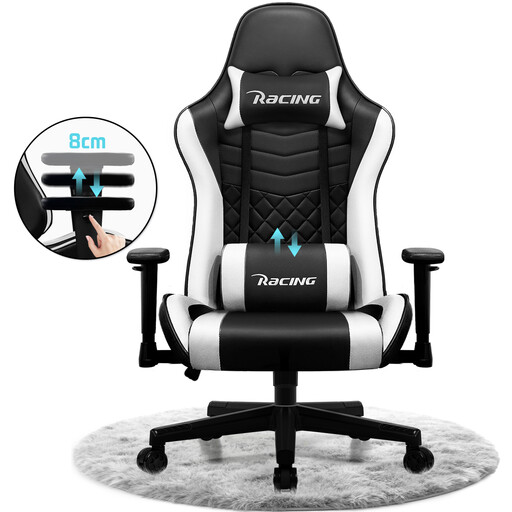
Why it stands out?: This model combines the aesthetics of a gaming chair with genuine ergonomic qualities. Its steel frame and SGS-certified gas lift give it unbeatable durability.
The pros?:
Who is it for?? Hardcore gamers and anyone who spends long hours in front of their screen, looking for enveloping support and exceptional sturdiness.
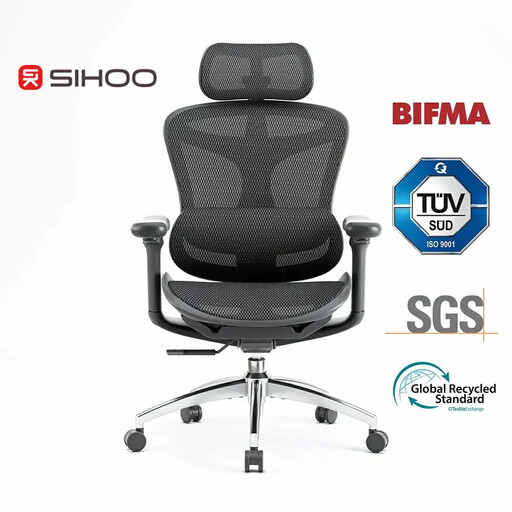
Why it stands out?: The SIHOO Doro C300 is an ergonomic chair for remote work that focuses on innovation. Its self-adapting lumbar support and a backrest that follows the body's movements offer dynamic and personalised support.
The pros?:
Who is it for?? Remote work professionals looking for a premium chair with a sleek design and packed with technology for absolute comfort.
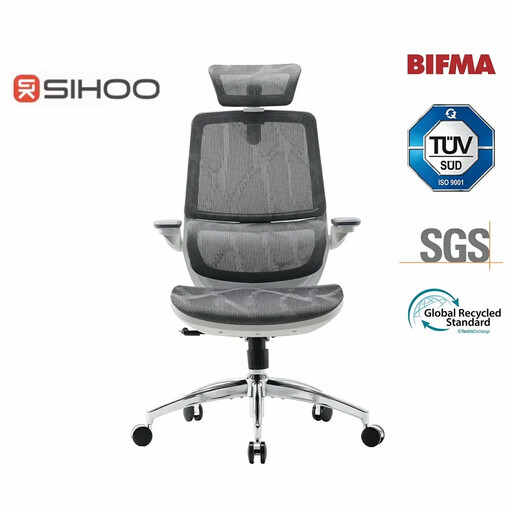
Why it stands out?: This Sihoo model is a smart solution for those who need flexibility. Its 80° flip-up armrests allow the chair to be easily slid under the desk to optimise space.
The pros?:
Who is it for?? Those looking for a smart and comfortable office chair, perfect for home offices where every square inch counts.
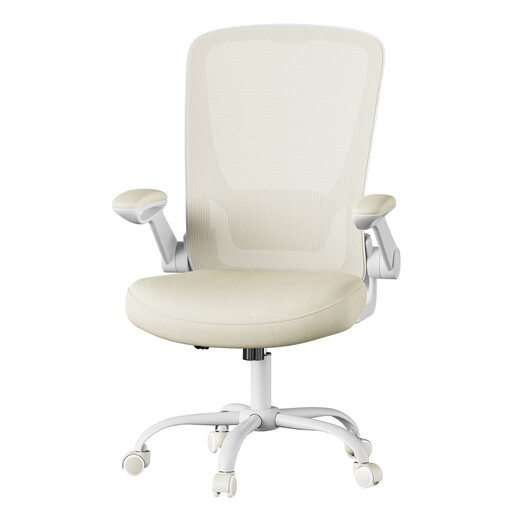
Why it stands out?: This Ochama model gets straight to the essentials of ergonomics, with a minimalist design and an accessible price. A practical option to improve your comfort without breaking the bank.
The pros?:
Who is it for?? Students or remote workers who want to get a serious setup without breaking the bank.
Doesn't our selection cover every scenario? If you're looking for a specific design or special features, feel free to explore our full catalogue.
? Discover our entire collection of office chairs
1. What is the difference between an ergonomic office chair and a gaming chair?? While both promise long-lasting comfort, their philosophy differs. The ergonomic office chair focuses on subtlety, fine-tuned adjustments, and breathable materials like mesh. The gaming chair, on the other hand, has a more assertive, bucket-seat style look, an enveloping backrest, and removable cushions for the lumbar and neck areas.
2. How do you properly adjust an ergonomic office chair?? Start with the seat height: your feet should be flat on the floor with your knees bent at a 90° angle. Next, adjust the lumbar support so it perfectly fills the curve of your back. Finish with the armrests: your elbows should form a right angle when your forearms are resting on them, with your hands on the desk.
3. How long does it take to assemble an office chair?? Most models are designed for quick assembly. Generally, expect it to take between 15 and 30 minutes, following the instructions. The good news: the necessary tools are almost always included.