
Livraison le jour même ou le lendemain

Qualité garantie

Débloquez vos offres de bienvenue: Livraison GRATUITE | Jusqu'à -80 % | 30 jours d'essai gratuits à JoyPlus
Téléchargez l'application
Whether you're working from home, at the office, or deep in your studies, spending hours sitting down can quickly become a nightmare for your back and neck. An ergonomic office chair isn't a luxury; it's a crucial investment in your health. The problem is, the market is flooded with marketing promises, making it easy to make the wrong choice. As a product expert at Joybuy, I'm here to help you decode the spec sheets to make a truly informed decision.
Before you start shopping, here are the three most common pitfalls that can turn a promising purchase into a costly regret:
To ensure you make the right decision, here are the features that truly matter for your daily comfort and posture.
The heart of a good reclining office chair is its mechanism. There are two main types:
Ergonomics is all about customisation. A quality adjustable office chair must offer at least the following:
The material of your office chair affects both comfort and maintenance.
Instead of an endless list, we've selected three models that meet specific needs while adhering to the essential quality criteria we've just discussed.
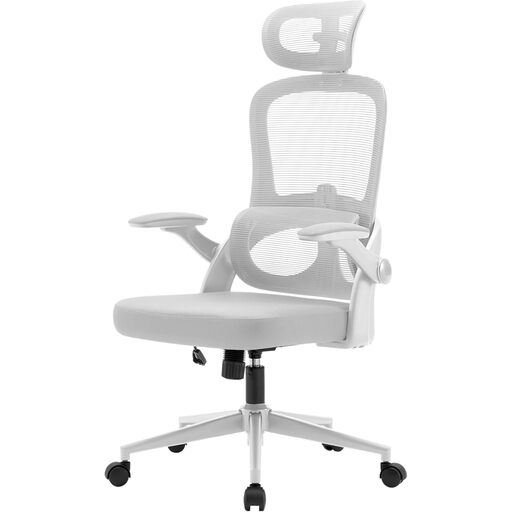
Why this model? Perfect for a modern home office, this model combines an understated design with full ergonomics, engineered for long workdays.
Its independent lumbar support is height-adjustable by 6 cm for targeted support. Better yet, its 3D armrests are flip-up: no more hassle trying to slide the chair under your desk.
The excellent balance between its comprehensive adjustments (headrest, lumbar, armrests) and the comfort of its breathable mesh frame. The T?V and BIFMA certifications are a true guarantee of durability.
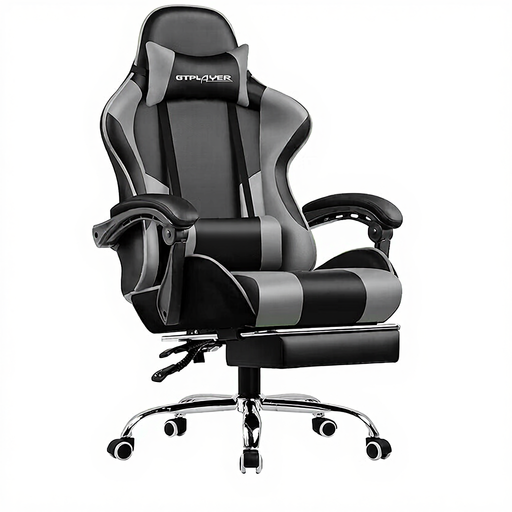
Why this model? Built for long gaming or work sessions, this chair combines a bold look with features entirely focused on comfort and relaxation.
Its seat features cold-cured, high-density foam, the best guarantee against sagging. The lumbar support isn't just a cushion: it includes a USB-powered massage function.
The winning combination: a chair with a retractable footrest and a recline of up to 150°, letting you switch from focus mode to nap mode in an instant.
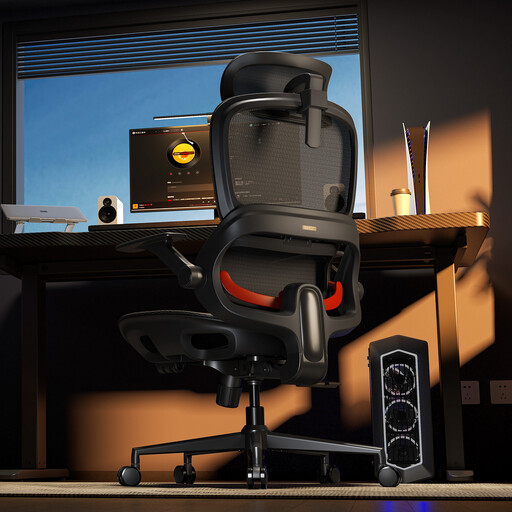
Why this model? The ideal companion for those who alternate between intense work and well-deserved breaks. With its integrated footrest and multiple locking angles, it's a true 2-in-1 workstation and relaxation station.
Its "adaptive" lumbar support is designed to follow your body's movements and reduce fatigue. It offers three lockable recline angles (110°, 123°, 135°), which is far more precise than a standard tilt mechanism.
The combination of ultra-breathable mesh and an integrated footrest, delivering optimal comfort whether you're in the middle of a rush or a nap.
We have curated a full range of chairs that meet our quality criteria and European safety standards.
The lifespan of a computer chair depends on the quality of its components and how you use it. A well-made model with a metal base, sturdy casters, and a certified gas lift (BIFMA or SGS) can easily last 5 to 10 years. Regular maintenance, like tightening the screws once a year, will also extend its longevity.
Absolutely, especially if you spend more than two hours a day sitting. Good lumbar support helps maintain the natural curve of the spine (the "S" shape), reducing pressure on your discs and preventing lower back pain. The key is that it must be adjustable to perfectly fit your body.
A good initial setup is crucial. Follow these simple steps: