
Livraison le jour même ou le lendemain

Qualité garantie

Débloquez vos offres de bienvenue: Livraison GRATUITE | Jusqu'à -80 % | 30 jours d'essai gratuits à JoyPlus
Téléchargez l'application
By Joybuy, Your Product Advisor
Whether you're working from home or in the office, long hours of sitting take a toll on the body. Poor posture quickly leads to back pain and persistent fatigue. Far from being a luxury, investing in an ergonomic office chair is an essential step for your daily well-being.
But with an overwhelming number of options available, how do you find the right one?? This guide provides clear guidance and objective criteria to help you choose the perfect chair, cutting through the marketing noise.
Before we dive into our top picks, here are the key factors to consider to make an informed decision.
A true ergonomic office chair should adapt to your body, not the other way around. Make sure it offers the following adjustments?:
The choice of materials directly impacts both the comfort and the lifespan of your chair.
Staying still is your back's worst enemy. A reclining office chair encourages you to move. So-called synchronous mechanisms, which coordinate the tilt of the backrest and the seat, are highly recommended?: they allow you to stretch while maintaining optimal support.
We have analysed several models based on their technical specifications, adjustment options, and overall design. Here are three options that stand out from the crowd.
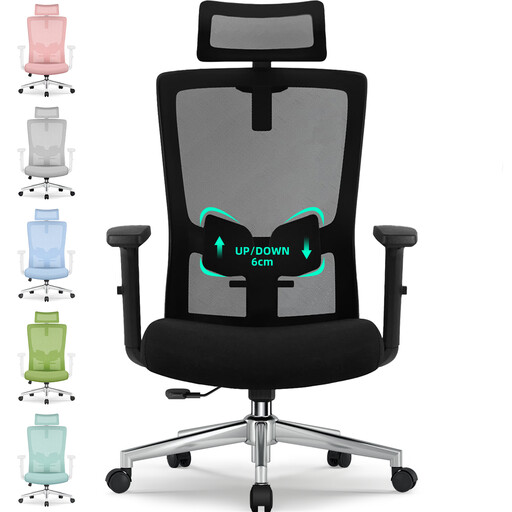
What makes this model stand out??
This chair focuses on comprehensive ergonomics and rock-solid safety. Its S-shaped backrest is designed to follow the body's natural curves, while its triple-layer seat cushion promises long-lasting comfort. The BIFMA and SGS certifications for the gas lift and base, validated after more than 120,000 tests according to the manufacturer, are a true mark of reliability.
Key Features?:
Who is it for?? Ideal for professionals working from home or in the office who need a versatile chair with multiple adjustments to fit different body types (from 155 cm to 185 cm) and ensure optimal support during long workdays.
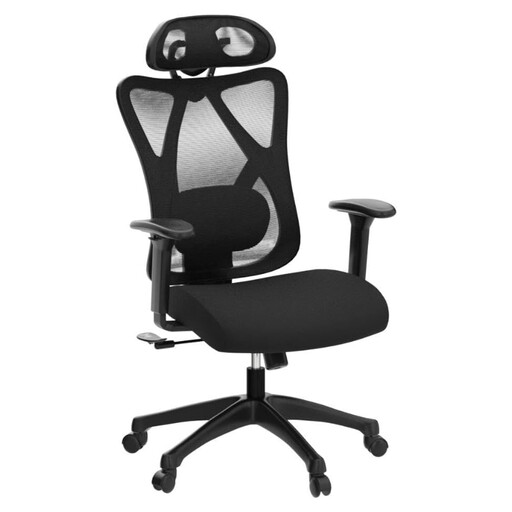
What makes this model stand out??
This chair emphasises durability and highly targeted lumbar support. Its steel frame and solid base ensure excellent longevity, while its 3D adjustable lumbar cushion effectively reduces pressure on the lower back. A functional and resilient option for heavy daily use.
Key Features?:
Who is it for?? Perfect for users who prioritise sturdiness and pronounced lumbar support. Its durable construction makes it a smart choice for shared office environments or intensive home use.
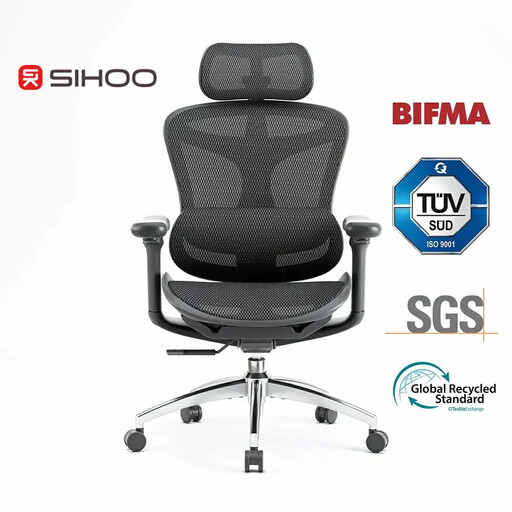
What makes this model stand out??
The SIHOO Doro C300 incorporates advanced technology for a truly dynamic sitting experience. Its self-adapting lumbar support system and intelligent weight-sensitive mechanism adjust the recline tension in real time. The backrest follows the movements of the upper body, offering flawless support. According to the manufacturer, this model is T?V-certified and compliant with EU REACH and EN1335 standards.
Key Features?:
Who is it for?? Aimed at demanding users—whether professionals, creatives, or gamers—who are looking for a chair with cutting-edge ergonomic technology for dynamic comfort and support that adapts to their posture in real time.
If these models don't quite meet your needs or you simply want to explore more options, other solutions are available. A well-designed workspace starts with the right chair.
? Explore our full collection of office chairs and seats to find the perfect model for you.
A standard office chair often offers the bare minimum?: height adjustment. An ergonomic office chair, on the other hand, is designed to adapt to you through a multitude of adjustments?: lumbar support, armrests, seat depth, headrest, and more. Its goal is to promote a healthy posture and reduce the physical strain associated with long hours of sitting.
Here are the 4 key steps for an optimal setup?:
A short adjustment period is often necessary, especially if your body has become accustomed to poor posture. It can take anywhere from a few days to two weeks for your muscles to adapt to the new support. The most important thing is to take the time to fine-tune the settings at the beginning.