
Livraison le jour même ou le lendemain

Qualité garantie

Débloquez vos offres de bienvenue: Livraison GRATUITE | Jusqu'à -80 % | 30 jours d'essai gratuits à JoyPlus
Téléchargez l'application
Sitting for hours on end, whether for remote work, studying, or gaming sessions, can take a serious toll on your back. An ergonomic office chair isn't a luxury; it's a crucial investment in your well-being and productivity. But with an overwhelming number of options on the market, finding the right one can be a challenge.
Our mission with this guide is to help you decipher the technical specs and make the right choice, without all the marketing jargon. We've analysed the essential features and selected models that cater to a variety of needs.
Before diving into our top picks, let's review the key points to consider to make an informed decision.
A good ergonomic office chair should adapt to your body, not the other way around. Make sure it offers the following adjustments:
The upholstery of your computer chair plays a major role in your comfort, especially after several hours.
Certain options can truly transform your experience:
Let's move on to our selection of models that stand out for their design, catering to different uses and budgets.

What sets it apart: This model is all about breathability and comprehensive adjustments. Its mesh back and numerous customisation options make it an excellent choice for long days of remote work.
Highlights:
Who is it for? Remote workers and anyone who spends more than 8 hours a day at their desk and is looking for a versatile, well-ventilated model.
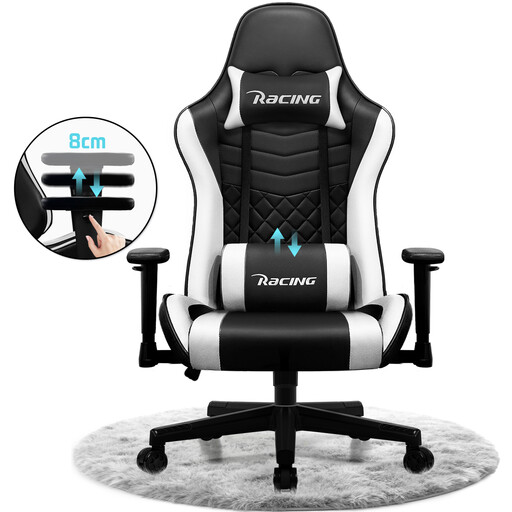
What sets it apart: Built for endurance, this gaming chair combines an immersive bucket-seat design with an exceptionally sturdy frame. Its steel frame and durable upholstery are ready for the most intense sessions.
Highlights:
Who is it for? Gamers and users looking for firm support and an immersive design, without sacrificing the essential ergonomic adjustments needed for long sessions.
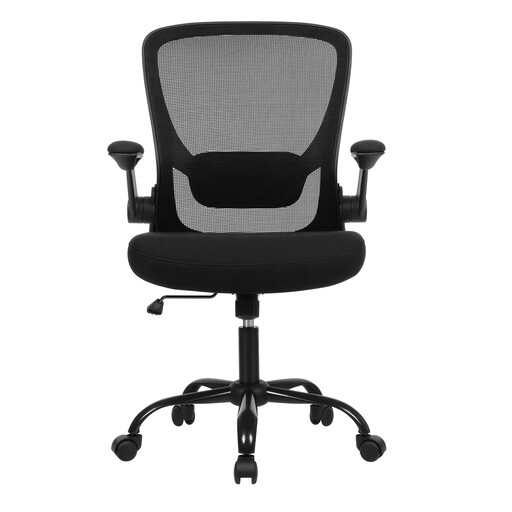
What sets it apart: This model focuses on comfort and practicality with its fabric upholstery and flip-up armrests. A smart, space-saving solution for the home office.
Highlights:
Who is it for? Ideal for remote work in a small space, for those looking for a comfortable, functional, and easy-to-store chair.
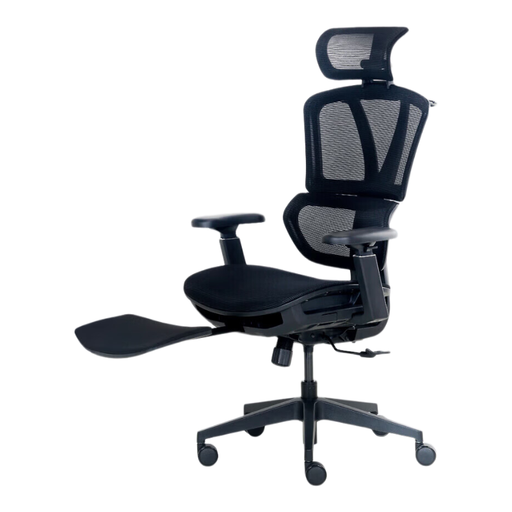
What sets it apart: This chair presents itself as the ultimate all-in-one solution, with advanced features like dual back support and a retractable footrest.
Highlights:
Who is it for? The versatile user who wants a single chair for work, play, and relaxation, and who appreciates innovative features like the footrest or advanced back support.
Our selection is just a glimpse. To discover other styles, materials, or price ranges, feel free to explore our full category of office chairs.
While both aim for long-term comfort, their design philosophies are quite different. The ergonomic office chair prioritises a minimalist aesthetic, breathability (hello, mesh!), and fine-tuned adjustments for a healthy work posture. The gaming chair, on the other hand, adopts a more enveloping "bucket-seat" design, with head and lumbar cushions (often removable) and a much bolder style.
For an ideal basic posture, follow these three key steps:
Absolutely. An adjustable lumbar support is one of the most important elements. It helps maintain the natural "S" curve of your spine, thereby reducing pressure on the intervertebral discs. It's the best weapon against slouching and the back pain that results from long hours of sitting.