
Livraison le jour même ou le lendemain

Qualité garantie

Débloquez vos offres de bienvenue: Livraison GRATUITE | Jusqu'à -80 % | 30 jours d'essai gratuits à JoyPlus
Téléchargez l'application
With the widespread adoption of remote work and the long hours spent in front of our screens, one thing is clear: a good office chair is no longer a luxury, but a necessity. A poor, ill-fitting office chair is a surefire recipe for back pain, dwindling concentration, and persistent fatigue. Faced with an overwhelming number of options, it can be difficult to separate marketing claims from real ergonomic benefits.
Our mission, as product experts at Joybuy, is to guide you through this jungle. This guide will give you the keys to making an informed choice and finding the ergonomic office chair that perfectly suits your needs and body type.
Before diving into our selection, let's review the essential criteria that define a truly ergonomic chair. Here are the key points you shouldn't overlook.
A good ergonomic chair should adapt to you, not the other way around. Its range of adjustments is therefore the number one criterion. Look for at least the following:
The upholstery of your chair has a direct impact on your daily comfort.
Some chairs go a step further by integrating game-changing options, like an ergonomic chair with a footrest. This feature is a real bonus for those who like to vary their position or fully relax during a break, relieving pressure on the legs.
After analysing technical specifications and user reviews, here is a selection of models that stand out for their design and features.
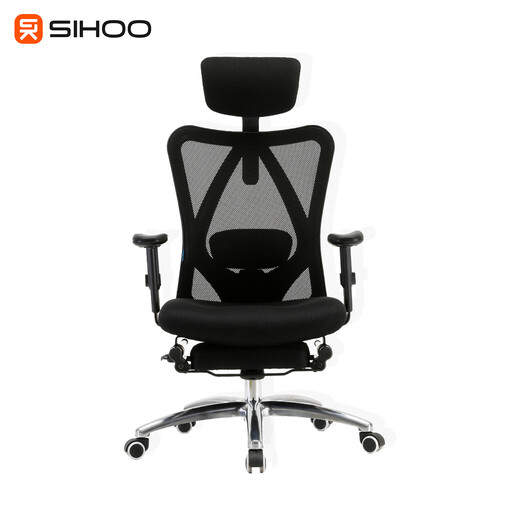
Why it stands out: The Sihoo M18JT is distinguished by its holistic approach to comfort. It doesn't just offer the essential ergonomic adjustments for a productive work session; it adds a telescopic footrest. This dual-purpose design makes it an excellent choice for remote work, where the same chair must perform during hours of concentration and moments of relaxation.
Key features:
Who is it for? Ideal for remote workers looking for an all-in-one solution that allows them to maintain a healthy posture at work and switch to relaxation mode for reading or resting.
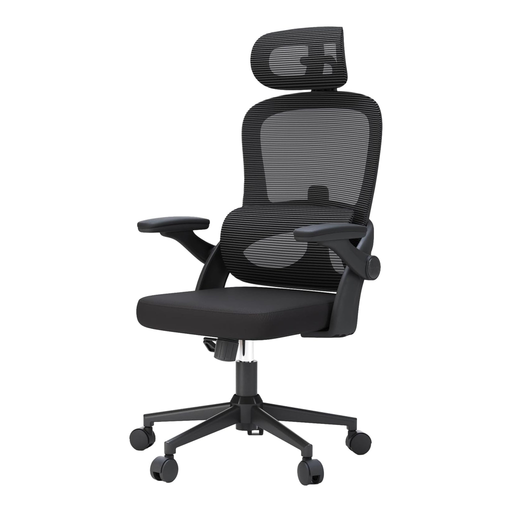
Why it stands out: The SIHOO M102C was designed to offer reinforced support and adapt to a wide range of body types. Its key advantage: an independent lumbar support, vertically adjustable by 6 cm, for a pinpoint adjustment at the lower back. Its wide seat and maximum load capacity of 136 kg make it particularly comfortable for larger frames.
Key features:
Who is it for? Recommended for those seeking very precise lumbar support, as well as for tall or heavy individuals who need a chair that is both robust and spacious.
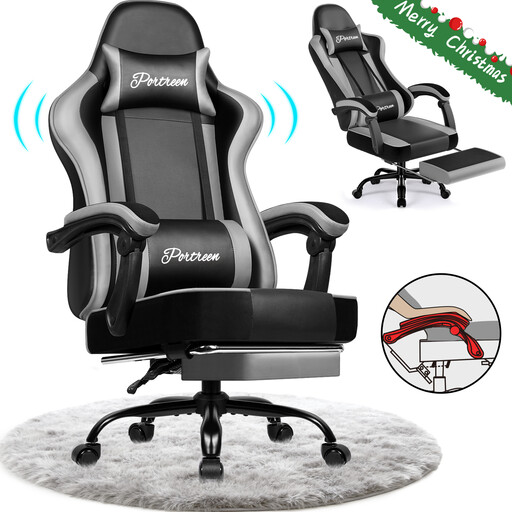
Why it stands out: Although it bears the "gaming chair" label, this GTIMEX model has ergonomic features that are perfectly relevant for office use. Its strong point is its wide recline range (up to 170 degrees), coupled with a telescopic footrest. The PU leather upholstery is even advertised as being resistant to cat scratches, a detail that pet owners will appreciate.
Key features:
Who is it for? Perfect for gamers and streamers, but also for those in the office who appreciate the "bucket seat" design and the ability to recline generously during breaks.
If your main concern is back pain and you want to improve your current chair without replacing it, targeted solutions are available. An additional lumbar support can already make a world of difference.
Discover our selection of lumbar supports to complete your setup and improve your daily comfort.
The fundamental difference lies in the design philosophy. A classic ergonomic office chair promotes an upright, active posture, optimised for work with fine-tuned adjustments (lumbar support, 4D armrests, etc.). A gaming chair, on the other hand, is often inspired by racing bucket seats, favouring lateral support and a very deep recline for long, relaxed gaming sessions. That said, the lines are increasingly blurred, and many gaming chairs incorporate excellent ergonomic features.
An adjustment period is often necessary, especially if your old chair accustomed you to poor posture. Allow a few days to two weeks for your body to get used to being properly supported. Don't hesitate to experiment with the different settings to find the perfect configuration for you.
Here is the simple 3-step method: