
Livraison le jour même ou le lendemain

Qualité garantie

Débloquez vos offres de bienvenue: Livraison GRATUITE | Jusqu'à -80 % | 30 jours d'essai gratuits à JoyPlus
Téléchargez l'application
Whether working from home or in the office, spending hours sitting down has become a part of our daily lives. This flexibility is welcome, but it too often comes with a sworn enemy: back pain. Far from being a luxury, an ergonomic office chair is a true investment in your health. The problem is, the market is saturated with marketing promises, and it's easy to make the wrong choice.
As a product expert at Joybuy, my mission is to help you see things more clearly. Let's break down the common pitfalls to avoid and the criteria that truly matter to make an informed choice, perfectly tailored to your body type and work habits.
The excitement of a new purchase can quickly turn to disappointment if you overlook certain crucial details. Here are the most common mistakes that transform a promising chair into a veritable torture device for your back.
To transform your workspace and finally say goodbye to back pain, here are the technical features on which you should never compromise.
The heart of your computer chair is its mechanism. Avoid basic tilt systems where the seat and backrest recline as a single unit. The ideal is a synchronous mechanism: when you lean back, the backrest tilts more than the seat. This movement follows your body, promotes dynamic posture, stimulates blood circulation, and relieves pressure on the intervertebral discs. A multi-position tilt lock is also a significant plus.
A good office chair is a long-term investment. Its frame should be made of solid materials like steel or an aluminium alloy. For the gas lift (which controls the height), the presence of certifications like BIFMA or SGS is an excellent indicator. They guarantee that the chair has undergone resistance, stability, and durability tests, often supporting loads up to 150 kg (330 lbs). A worthy ergonomic chair for remote work must be built to withstand heavy use.
Because every user is unique, here is our selection of recommended models, categorised by user profile, to help you find the chair that's right for you.
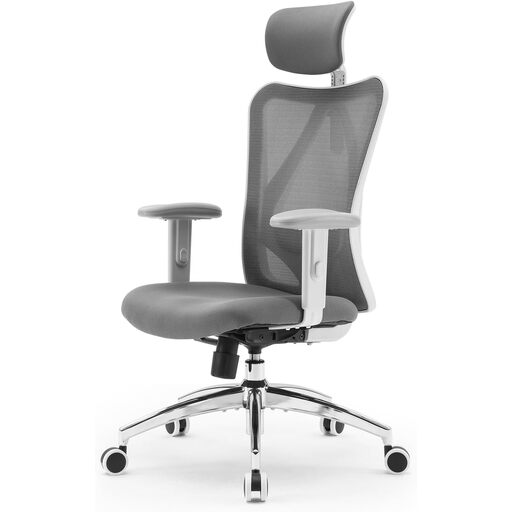
Why we love it: Perfect for typical work-from-home days. It includes all the essential ergonomic adjustments (lumbar support, headrest, height-adjustable armrests) without breaking the bank. It's the ideal starting point for getting properly equipped.
With its adjustable lumbar support and breathable mesh back, it checks the two most important boxes: real back support and excellent ventilation.
Its unbeatable value for money. The BIFMA and SGS certifications are a guarantee of sturdiness for daily use.
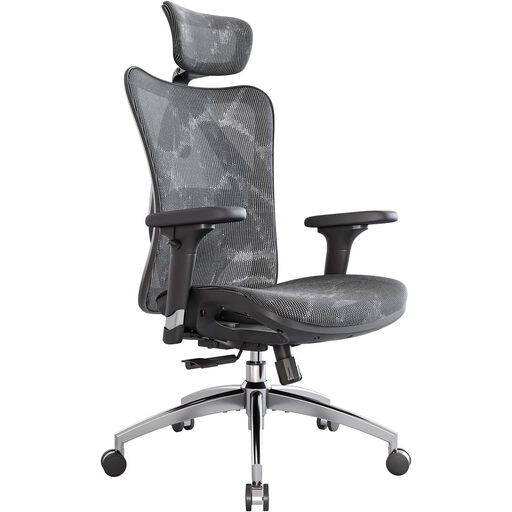
Why we love it: Designed for professionals, developers, or anyone who works more than 8 hours a day. Its advanced adjustments allow for fine-tuned customisation, providing flawless support even over long periods.
It shatters the basic armrest trap with its 3D adjustments. Its S-shaped backrest and fully adjustable lumbar support offer far superior support compared to entry-level models.
Its comprehensive adjustments for truly customised ergonomics. The all-mesh design ensures optimal airflow for maximum comfort, even in the middle of summer.
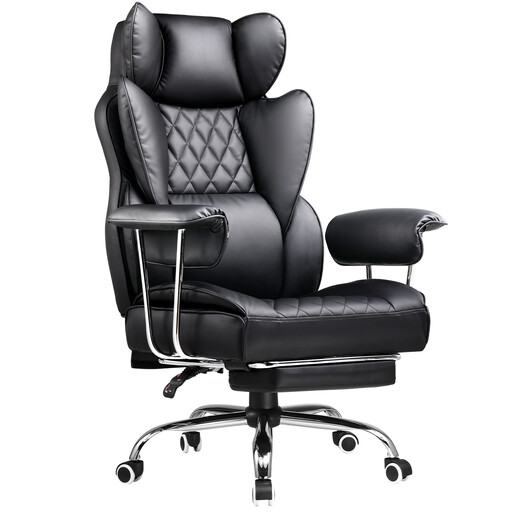
Why we love it: The perfect companion for long gaming sessions and movie nights. Its high back, support cushions, and integrated footrest are all about comfort in relaxation mode.
While the PU leather is less breathable than mesh, its design is built for relaxation. It compensates with a generous recline and a footrest that standard office chairs don't have.
Its all-in "relax" mode: a deep recline and a retractable footrest for absolute comfort during breaks, gaming, or watching movies.
Explore our full selection of equipment for your office or gaming setup, all tested and approved by our experts.
What is the lifespan of a good ergonomic chair? It all depends on the quality and usage. An entry-level model will rarely last more than 1-2 years. Conversely, a quality chair, certified by BIFMA and covered by a good warranty (3 years or more, like with SIHOO), can easily last you 5 to 10 years.
Is mesh really more comfortable? For long hours of sitting, the answer is a resounding yes. Mesh's trump card is its breathability: goodbye to heat and moisture. Quality mesh also provides firm support that ideally distributes pressure. However, some may prefer the softer feel of fabric. Ultimately, it's also a matter of personal preference!
How do I properly adjust my lumbar support? It's simple, but essential. Sit all the way back in the chair with your feet flat on the floor. Adjust the height of the support so it fits into the natural curve of your lower back. It should support your back without pushing you forward. If the depth is also adjustable, set it to feel a firm yet comfortable contact that helps you maintain an upright posture without effort.