
Livraison le jour même ou le lendemain

Qualité garantie

Débloquez vos offres de bienvenue: Livraison GRATUITE | Jusqu'à -80 % | 30 jours d'essai gratuits à JoyPlus
Téléchargez l'application
Remote work is now a part of our daily lives, and with it come long days glued to our desks. Is your back aching? Does your concentration wane as the hours go by? It's likely a sign that your current chair has seen better days. Far from a luxury, investing in an ergonomic office chair is a necessity for protecting your health and productivity.
But with an overwhelming number of options and sometimes opaque marketing jargon, how do you navigate it all? Don't panic. At Joybuy, our role is to cut through the noise for you. In this guide, we get straight to the point: breaking down the criteria that truly matter and highlighting chairs that have proven their worth.
Before comparing models, let's go back to basics. What makes an office chair not just comfortable, but truly ergonomic? Here are the three pillars of a smart choice.
A good office chair designed for back pain must offer lumbar support worthy of the name. Our spine has a natural S-curve that long hours of sitting tend to put under strain. Without proper support, we slouch, and pain begins to set in. Prioritise models with adjustable lumbar support for height and, ideally, depth. The goal? To perfectly conform to the curve of your lower back to relieve pressure on your vertebrae and muscles.
There is no one-size-fits-all posture. An excellent ergonomic chair must therefore adapt to your body. Here are the must-have adjustments:
It's often overlooked, but thermal comfort is essential. A backrest and seat made of mesh fabric make all the difference: air circulates freely, preventing overheating and the discomfort of sweating. This is a major advantage, especially in the summer or during long workdays. As a bonus, this type of material distributes pressure more evenly and flexibly supports your movements.
By applying these criteria for adjustments, support, and materials, we have selected three models from the SIHOO brand. They stand out for their excellent balance of features and price.
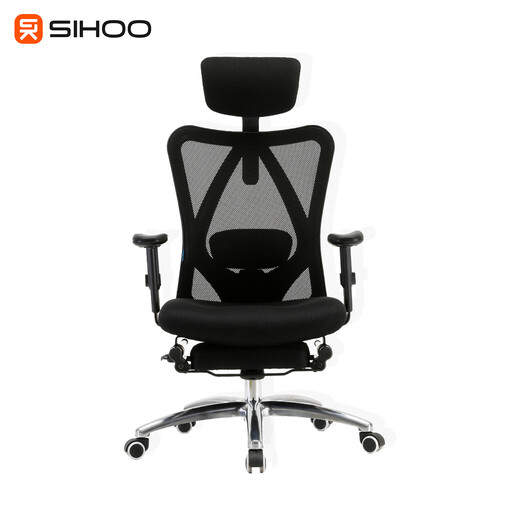
Why it stands out: The SIHOO M18 is the ideal entry point into the world of ergonomics. It checks all the boxes for essential adjustments without sacrificing build quality (backed by BIFMA certification).
Key features:
Who is it for? Perfect for remote workers and students who want to get serious about their setup without breaking the bank. It's the smart first investment for lasting comfort in a remote work office chair.
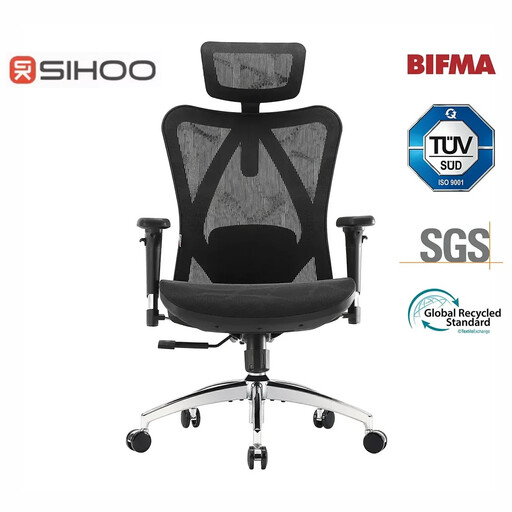
Why it stands out: The M57S takes things to the next level with its 3D armrests and reinforced lumbar support. A highly relevant choice for those who work long, consecutive days.
Key features:
Who is it for? For professionals and intensive remote workers looking for a versatile and ultra-customisable chair that can support them without fail during long work sessions.
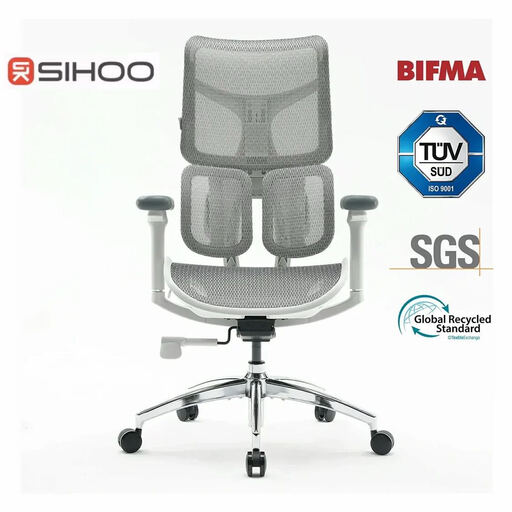
Why it stands out: The Doro S100 plays in the major leagues. It incorporates cutting-edge technologies, like its dynamic lumbar support that adjusts to your movements in real time for flawless support.
Key features:
Who is it for? For demanding users and those who are particularly prone to back pain. It's the ultimate investment for anyone seeking cutting-edge ergonomics and support that adapts to every moment.
A good chair is the foundation. But to truly transform your daily routine, consider your entire workstation. Pairing it with a height-adjustable desk is the winning combination: you can easily alternate between sitting and standing, a golden rule for boosting circulation and fighting fatigue.
Discover our selection of sit-stand desks to create the ideal workspace.
A standard chair often provides the bare minimum (height adjustment). An ergonomic chair, on the other hand, is a true postural tool. It is designed to adapt to your body through a multitude of adjustments (lumbar support, armrests, seat depth, tilt...) to promote good posture and reduce strain.
Yes, and that's completely normal. Expect it to take a few days, or even a week. If your body has become accustomed to poor posture, the active support of an ergonomic seat can be surprising at first. Don't worry: it's simply a sign that your body is readjusting to a healthy posture.
The checklist for a perfect setup:
The Joybuy Product Expert Team