
Livraison le jour même ou le lendemain

Qualité garantie

Débloquez vos offres de bienvenue: Livraison GRATUITE | Jusqu'à -80 % | 30 jours d'essai gratuits à JoyPlus
Téléchargez l'application
With the rise of remote work and long days spent in front of a screen, one piece of equipment has been thrust into the spotlight: the office chair. Long overlooked, poor seating is the cause of numerous ailments: back pain, loss of concentration, fatigue... Choosing an ergonomic office chair is no longer a luxury, but a true investment in your health and productivity.
Our team of experts breaks down the essential criteria and offers a selection of models to help you make the right choice, whatever your needs and budget.
Before you dive in, it's crucial to know the features that make all the difference. Here are the three key points you shouldn't overlook to find the comfortable and durable office chair that will support you for years to come.
The secret to ergonomics is adaptability. A model worthy of the name must offer a full range of adjustments to perfectly match your body shape?:
This is arguably the number one criterion for anyone looking for a chair for back pain. The lumbar support is the reinforcement, ideally adjustable in height and depth, that fits into the small of your back to maintain the natural curve of your spine. Good lumbar support is the key to maintaining a healthy posture, reducing pressure on your vertebrae, and saying goodbye to muscle fatigue after hours of work.
The upholstery isn't just about looks; it determines your daily comfort and the longevity of your chair.
Enough theory, let's get practical! Here are three models that caught our attention, each with its own strengths to meet various uses and budgets.
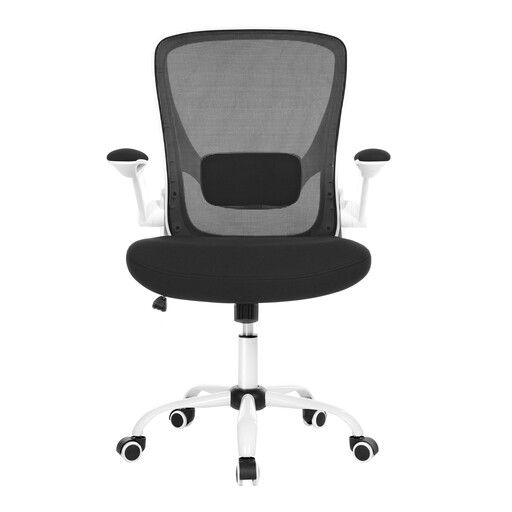
Why it stands out: This model is an excellent entry point into the world of ergonomics. It gets the essentials right with a smart twist?: its flip-up armrests allow it to slide easily under a desk. A highly appreciated space-saving feature.
Key Features:
Who is it for? Ideal for students, remote workers in apartments, or as a smart first purchase without breaking the bank.
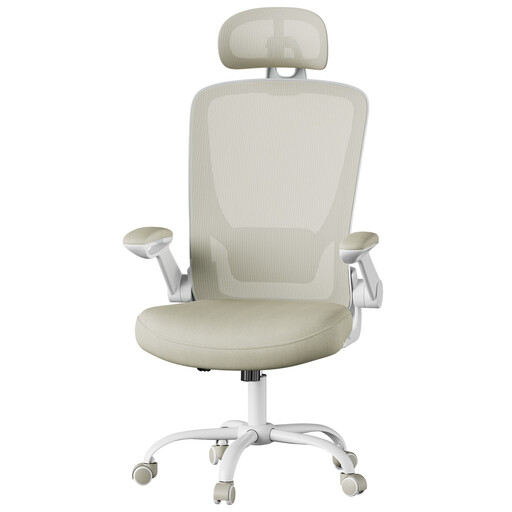
Why it stands out: We're moving up in class with this model, which includes an adjustable headrest—a valuable ally for relieving neck tension. Its clean design and light beige color make it a designer office chair that will blend elegantly into your home.
Key Features:
Who is it for? An excellent choice for professionals who spend more than 6 hours a day seated and are looking for complete support, from the lumbar region to the neck.
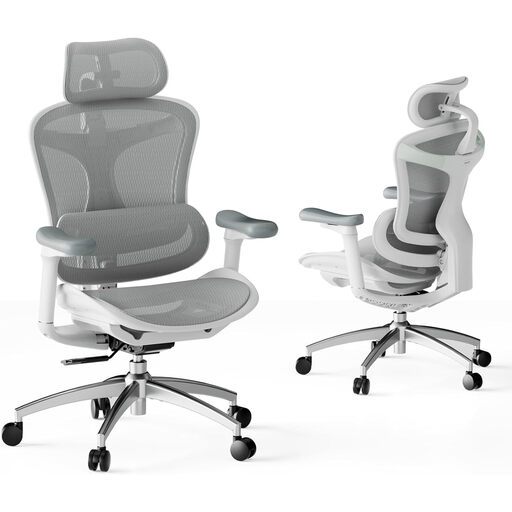
Why it stands out: Here, we're entering the major leagues. The SIHOO Doro C300 incorporates dynamic support technologies, like its lumbar support that adapts to your movements in real time. A personalized and responsive experience.
Key Features:
Who is it for? For demanding users, those who suffer from chronic back pain and are looking for active support, or companies that want to invest in durable and high-performance equipment for their teams.
This selection is just a preview. Because every body shape is unique and your tastes are your own, feel free to explore our full range to find the chair that seems like it was designed just for you.
Discover our full range of office chairs
To put it simply?: a classic chair is passive; you endure it. An ergonomic office chair is active?: it's designed to adapt to you. Thanks to its multiple adjustments (height, backrest, armrests, lumbar support), it encourages good posture, reduces fatigue, and prevents pain related to prolonged sitting.
For a perfect setup, follow these 4 key steps?: