
Livraison le jour même ou le lendemain

Qualité garantie

Débloquez vos offres de bienvenue: Livraison GRATUITE | Jusqu'à -80 % | 30 jours d'essai gratuits à JoyPlus
Téléchargez l'application
An ergonomic mouse can make a real difference to your comfort at the office, while working from home or during a gaming session. The key is to choose a shape that suits your hand. An oversized vertical model may tire smaller hands, while a compact mouse may not provide enough support during long working days.
Before you place your order, watch out for these three common mistakes:
A vertical ergonomic mouse usually positions your hand in a natural, handshake-like position. However, this shape won’t suit everyone. Before choosing one, check:
If several people use the same workstation, an ambidextrous mouse such as the Logitech M185 or Logitech M170 is often more practical. Left-handed users are better off choosing a model designed for the left hand, so the controls are positioned to suit them.
DPI measures movement sensitivity, not the overall quality of the mouse. A few adjustable settings are usually enough for office work. Creatives may prefer finer adjustment, while gamers will appreciate a dedicated button for changing sensitivity quickly.
A high-DPI mouse should above all track consistently on the surface you use. With a wired mouse, the signal travels directly through the USB cable. With a wireless model, range, interference and the type of connection — a 2.4 GHz receiver or Bluetooth — have more of an impact on ease of use.
A wired ergonomic mouse plugs into a USB port and works straight away, with no battery or charging needed. It’s ideal for a fixed workstation, but its cable can quickly clutter your desk.
A wireless ergonomic mouse frees up your workspace. If you’re choosing one, compare:
In an open-plan office, library or shared home-working space, a silent mouse can make a real difference. However, check whether the quiet-click claim applies to every button or just the main clicks.
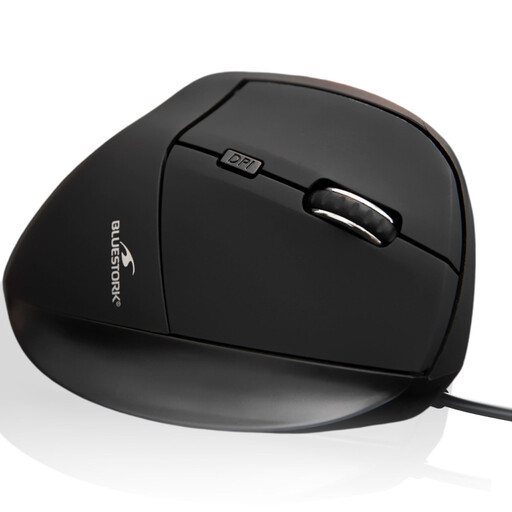
Why it suits this profile : Its wired USB connection and battery-free operation make it a good choice for students and people working from home who want a simple set-up for a desktop computer.
The product is clearly described as an ergonomic right-handed mouse, with USB power and driver-free set-up for its essential functions.
Adjustable sensor up to 7,200 DPI, anti-slip coating and compatibility with Windows, macOS and Linux.
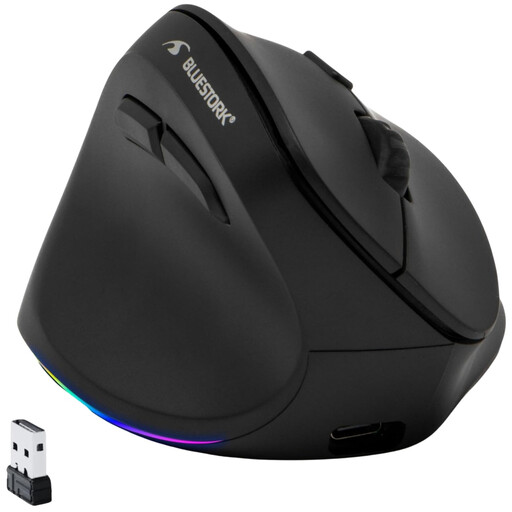
Why it suits this profile : Its vertical design for left-handed users means you won’t have to adapt a right-handed mouse to use with your left hand. USB-C charging is ideal if you want to cut down on disposable batteries.
The product listing clearly states that it’s designed for left-handed users, and specifies a 2.4 GHz USB nano receiver and a built-in rechargeable battery.
Adjustable 4,800 DPI, RGB lighting and USB-C cable included.
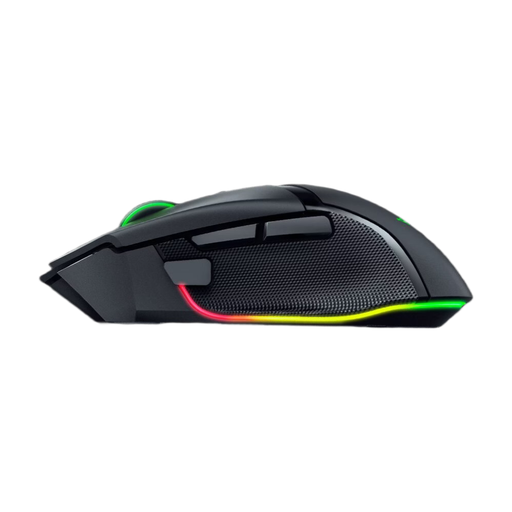
Why it suits this profile : This model is aimed at gamers and creatives who want personalisation, multiple connection options and plenty of configurable controls.
The product listing clearly distinguishes between HyperSpeed 2.4 GHz, Bluetooth and USB-C modes, rather than treating wireless as a single option.
Sensor rated up to 30,000 DPI, 11 programmable controls and a multidirectional scroll wheel.
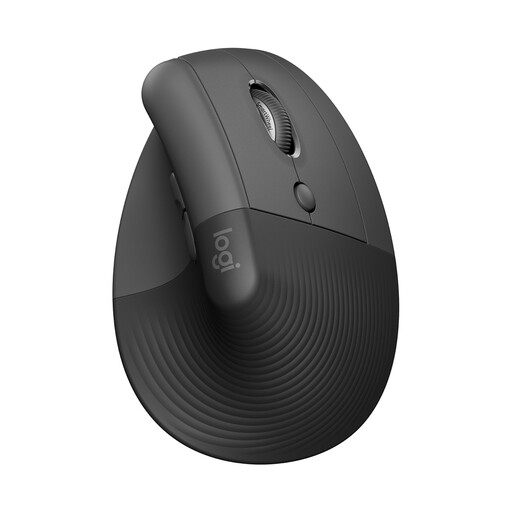
Why it suits this profile : Its 57° angled vertical shape and four customisable buttons are designed for people who work long hours across multiple devices.
The product listing specifies that it’s designed for right-handed users and suits small to medium-sized hands. It also details the two available connection modes.
Bluetooth Low Energy and Logi Bolt, connection to up to three devices, silent clicks and a SmartWheel scroll wheel.
We’ve brought together a comprehensive, regularly updated selection of products that meet these exacting criteria, while complying with European safety regulations.
No. Its angle and height can make a noticeable difference to how it feels in your hand. You may need some time to get used to it, and its dimensions should suit your hand. If you regularly move between workstations, a conventional or ambidextrous shape is often more versatile.
A USB-C rechargeable mouse saves you from buying batteries regularly and can be charged with a compatible cable. A battery-powered model may offer excellent battery life and be ready to use straight away, as long as you keep a spare battery to hand. The right choice mainly depends on your habits and how you feel about recharging.
Its lifespan depends on how intensively you use it, how well you look after it, and the durability of its buttons and cable. Unplug a wired mouse before cleaning it, avoid liquids and follow the battery care instructions. When electronic equipment reaches the end of its life, take it to a WEEE collection point rather than putting it in your household waste.