
Livraison le jour même ou le lendemain

Qualité garantie

Débloquez vos offres de bienvenue: Livraison GRATUITE | Jusqu'à -80 % | 30 jours d'essai gratuits à JoyPlus
Téléchargez l'application
An ergonomic gaming chair can work just as well in front of a PC as it can in front of a console, in a home office or a student's bedroom. But a flattering photo and a long list of features aren't enough to make a good purchase. The shape of the backrest, the precision of the adjustments and the space available around your desk often matter more than an extra gadget.
Here are the criteria to consider before making your decision, followed by a selection of models suited to different needs.
A reclining gaming chair isn't automatically suitable for every body type. A wide range of movement, for example from 90 to 170°, mainly tells you about the backrest angle. You also need to look at the seat height, the position of the armrests and the ability to adjust the lumbar support.
A backrest that doesn't align properly with your lower back can quickly become uncomfortable during a long session, even if the chair has a footrest or a rocking mechanism.
A telescopic footrest needs enough clearance in front of the desk. Similarly, a bulky gaming chair can prevent you from opening a cupboard or make it difficult to move around a room. Before ordering, measure the available depth, the height of your desk and the space taken up when the backrest is reclined.
Claims like "long-lasting comfort" or "reinforced structure" should be backed up by concrete data: maximum weight capacity, materials, gas lift class, dimensions and adjustment mechanisms. If a gaming chair is advertised for 150 kg, this capacity must be clearly stated on the product page and must not be exceeded.
The massage function also deserves careful scrutiny: on some models, it's simply a vibrating lumbar cushion powered by USB, not a medical device. It can add a touch of relaxation, but it doesn't replace good posture or regular breaks.
An ergonomic gaming chair with lumbar support should allow you to position that support at the natural curve of your lower back. A removable cushion offers more flexibility, while built-in support often feels more consistent. The headrest, meanwhile, should support your neck without pushing your head forward.
For a mix of work and gaming, also look at adjustable armrests. They should be positionable so that your shoulders stay relaxed and your elbows remain close to your body.
An adjustable gaming chair should at least offer a seat height that's compatible with your desk. A reclining backrest is great for relaxing, but your working position needs to stay stable and reasonably upright. 360° rotation and multi-directional castors make moving around easier, provided the floor is level and the base is properly assembled.
Product pages may mention a certification or standard, such as BIFMA, SGS, or a gas lift class. These should be taken as declared information for that particular model. Always check the details supplied with the product as well as the safety instructions.
A gaming chair in faux leather, usually PU or PVC, is most often cleaned with a soft, slightly damp cloth. However, this material can be more sensitive to heat, friction and poorly ventilated rooms. Fabric often feels more breathable, but it requires more care if stained.
High-density foam padding is commonly used to help the seat keep its shape. However, it doesn't allow you to predict an exact lifespan: maintenance, the weight it supports and how often it's used all affect wear and tear.
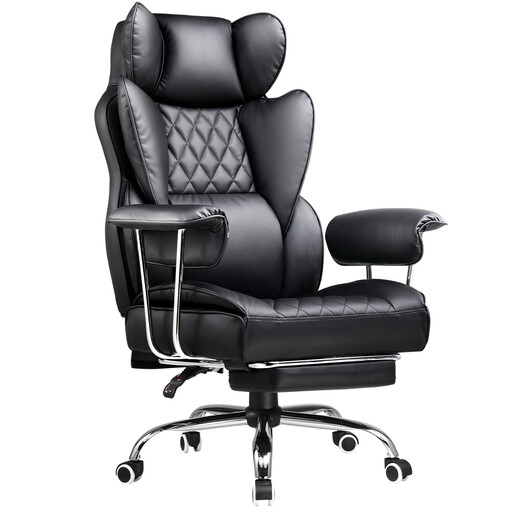
Why this model suits this profile: It brings together the essential features for getting started: high backrest, lumbar support, swivel and built-in footrest. It will easily find its place in a multi-purpose space for gaming, working or relaxing.
The presence of a footrest is clearly stated. However, it's still a good idea to check its dimensions and locking mechanism during assembly.
A high backrest, swivel function and footrest for relaxing breaks.
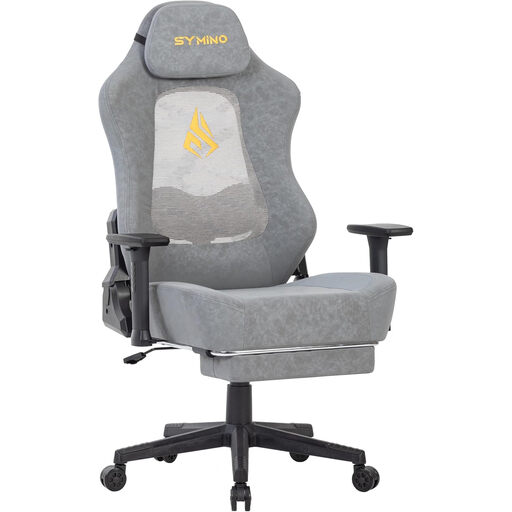
Why this model suits this profile: Its mesh cut-out backrest is designed to promote air circulation, a welcome advantage in a warm room or during prolonged use. The backrest reclines from 90 to 155° and the product page states a 150 kg capacity.
The ventilation relies on a very specific backrest design, not just a vague promise of comfort. Consult the manual for usage conditions.
A breathable backrest, advertised 3D lumbar support and a recline from 90 to 155°.
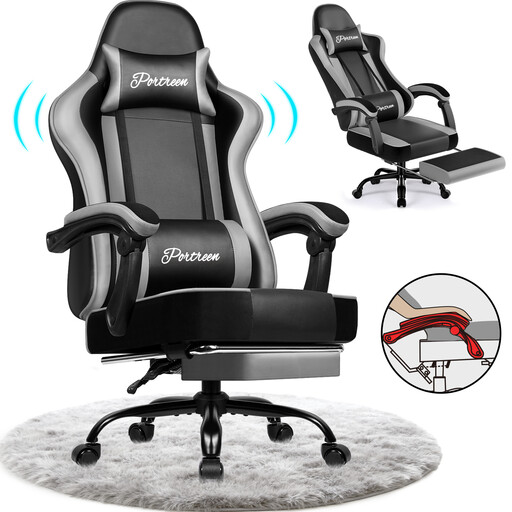
Why this model suits this profile: This reclining gaming chair is designed for switching between work, gaming and reading. The product page states an adjustable backrest from 90 to 170°, a height adjustment of 10 cm, a footrest and a maximum weight capacity of 150 kg.
The main adjustments are given as specific figures: backrest range, seat height and maximum weight. The footrest must be fully extended and locked before use.
Backrest reclines from 90 to 170°, telescopic footrest, headrest and lumbar support.
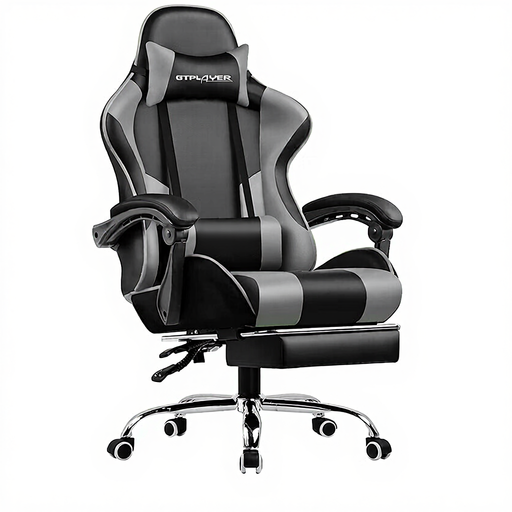
Why this model suits this profile: This gaming chair with massage function combines a USB-powered vibrating lumbar cushion, a retractable footrest and a recline from 90 to 150°. It's aimed at those who want to alternate between focus and relaxation.
The massage function is presented for what it is: a vibrating USB accessory. It should not be mistaken for a promise of medical wellbeing or treatment.
A recline from 90 to 150°, footrest, headrest and USB vibrating lumbar cushion.
We've selected a complete, real-time updated range of models that meet these demanding criteria as well as European safety regulations.
Choose a gaming chair designed for long sessions, with an adjustable height, adjustable lumbar support, positionable armrests and a reclining backrest. The chair should also suit your height and the height of your desk. Remember to take breaks and change position regularly, rather than staying reclined for several hours.
It can be handy for watching a video, reading or relaxing when the backrest is reclined. For working or gaming with precision, the footrest is usually kept folded away to maintain a stable position. Check its locking mechanism and the space you have in front of your desk.
There's no universal lifespan. Longevity depends on the weight it supports, the number of hours of use per day, the quality of assembly and how well the upholstery is maintained. Regularly check the screws, castors and recline mechanism, while respecting the maximum weight capacity stated.