
Livraison le jour même ou le lendemain

Qualité garantie

Débloquez vos offres de bienvenue: Livraison GRATUITE | Jusqu'à -80 % | 30 jours d'essai gratuits à JoyPlus
Téléchargez l'application
An ergonomic gaming chair needs to suit your real-life uses: long gaming sessions, remote work, studying, reading or simply relaxing. A chair's sporty look, however, doesn't guarantee good support or lasting comfort. Some models boast an impressive list of adjustments, but reveal their limitations once you use them day in, day out.
A reclining gaming chair that tilts to 160° or 170° can be pleasant for relaxing, but its maximum angle says nothing about the quality of support in a working position. Check the backrest's stability, the locking mechanism for different positions and the presence of a genuinely adjustable lumbar support, or at least one that's properly sized.
Faux leather is easy to clean and stands up well to spills. On the other hand, it can retain more heat depending on the room temperature and the season. Choosing a fabric or faux leather gaming chair therefore also depends on your environment: ventilation, whether you have pets, how often you clean and how long your sessions last. Fabric generally promotes air circulation, while faux leather can be wiped clean in seconds with a damp cloth.
A chair that's too narrow or too low will eventually become uncomfortable, even if it offers a multitude of adjustments. Compare the seat width and depth, the overall height of the chair and the space available under your desk. If you're a larger build, a 150 kg gaming chair must clearly state its maximum load. This limit must be strictly observed.
For a chair for remote work and video games, choose a seat height that suits your desk and your body shape. Your feet should rest flat on the floor, with your knees forming roughly a right angle. An adjustable backrest lets you switch from a near-90° working posture to a more relaxed position.
The models featured here offer different ranges: some backrests recline from 90° to 170°, while others offer three fixed positions at 95°, 135° and 160°. A wide range is only useful if the mechanism remains stable and locks easily.
An ergonomic gaming chair with lumbar support should allow you to position the cushion or mechanism at the lower back, without pushing you excessively forward. A high backrest and a gaming chair with a headrest can prove invaluable during long sessions, provided the support is suited to your height.
Adjustable armrests also play an important role. They should help you keep your shoulders relaxed and your elbows close to your body. Some models advertise 8 cm of vertical adjustment or multi-directional armrests; however, take the time to check their exact dimensions in the product listing.
A gaming chair with a footrest can be handy for watching videos or reading. However, make sure the footrest is fully extended and locked before you put your weight on it. It is in no way a substitute for a good working position.
Also inspect the base, castors and gas lift. Mentions of BIFMA or SGS highlighted by the manufacturer refer to standards or certifications indicated in the product listing; they don't exempt you from following the assembly instructions or respecting the maximum weight limit. Once the chair is assembled, regularly check the tightness of the screws and the condition of the mechanisms.
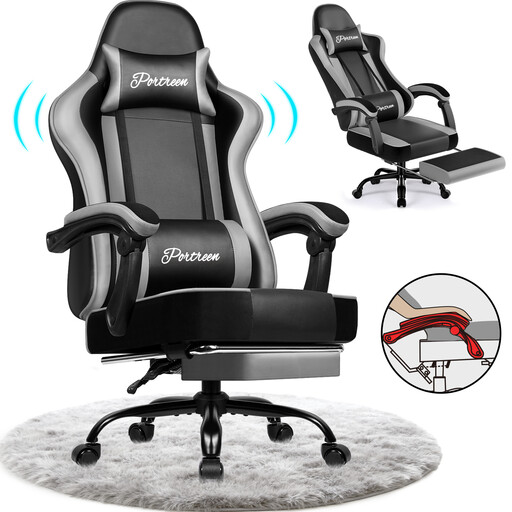
Why this choice suits this profile: this chair brings together the essential features for getting started: adjustable height, headrest, lumbar support and footrest, equally suited to gaming and working.
The listing states a backrest that reclines from 90° to 170° and a maximum capacity of 150 kg, rather than relying solely on its looks.
Faux leather upholstery described as water-repellent and a footrest with a metal frame. The manufacturer also provides an assembly manual.
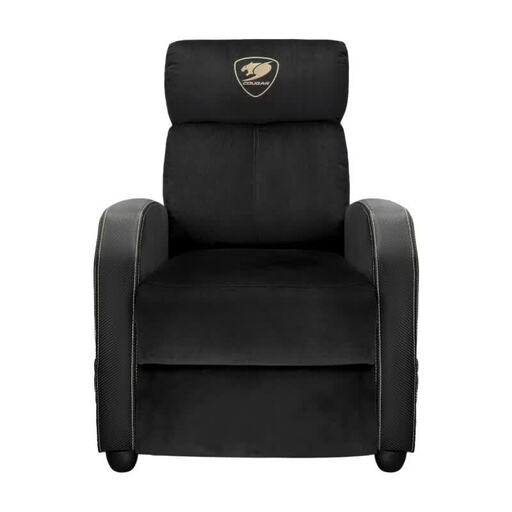
Why this choice suits this profile: its sofa format is aimed at gamers who want a wraparound seat and a real relaxation vibe in their media space.
The backrest positions are clearly stated: 95°, 135° and 160°. The maximum load of 135 kg is also specified.
Velvet upholstery, foldable footrest and side pocket. The manufacturer states a steel frame for a total weight of 24.6 kg.
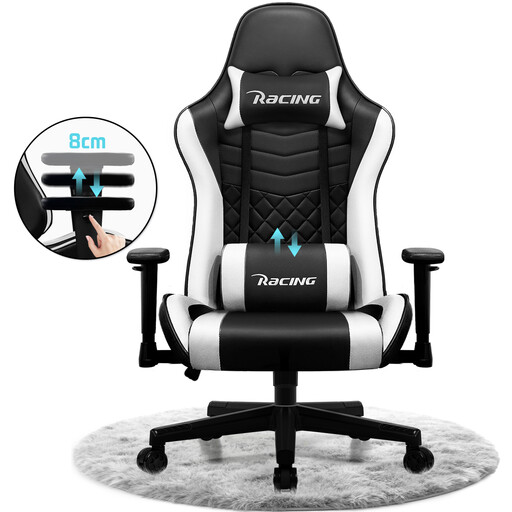
Why this choice suits this profile: the lumbar support and armrest adjustments are ideal for those who alternate between screen work and long gaming sessions.
The listing mentions armrests adjustable by 8 cm, an adjustable lumbar cushion and a stated maximum load of 150 kg.
High backrest, 360° rotation and high-density foam seat as stated. Assembly is presented as straightforward thanks to the included instructions.
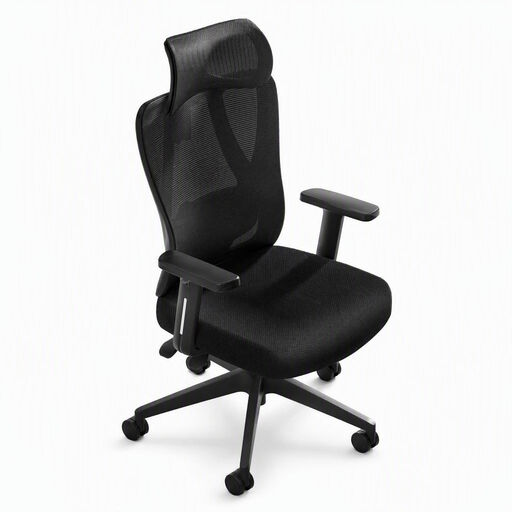
Why this choice suits this profile: its more discreet design fits easily into a home office that also serves for gaming, reading or video calls.
The listing details the adjustments: recline up to 140°, backrest height adjustable by 40 mm and pivoting lumbar support in four dimensions.
Seat stated at 10.5 cm, soft upholstery and adjustable backrest. The listing covers both office and gaming use.
We've put together a comprehensive selection, updated in real time, of products that meet these exacting criteria and European safety standards.
Start by adjusting the height so your feet rest flat on the floor. Then position the lumbar support in the curve of your lower back, set the armrests to elbow height and place the screen directly in front of you. For typing, keep the backrest close to 90°; you can recline it further during breaks.
It all depends on how often you use it, the weight it supports, the quality of the mechanism and how well you maintain it. Respect the stated maximum load, avoid leaning back on the backrest and regularly tighten the screws. Clean the upholstery according to the manufacturer's recommendations and replace any part that becomes unstable.
A footrest can prove handy for relaxing, reading or watching videos. For working, it remains secondary: the seat height, chair stability, lumbar support and armrests should first be suited to your body shape and your desk.